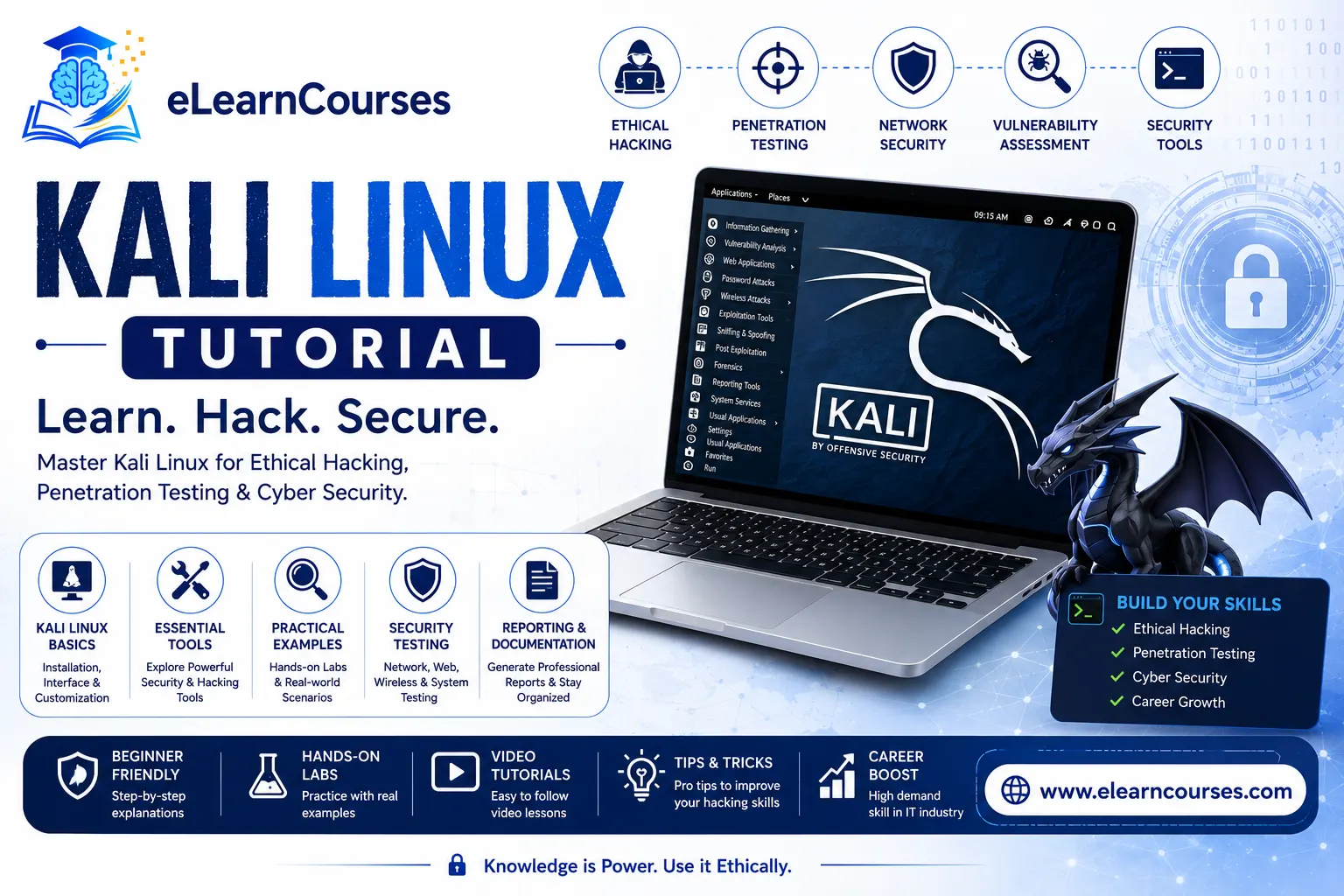
Kali Linux Tutorial for Beginners (2026): Complete Guide to Ethical Hacking's Go-To OS
If you’ve spent any time researching cybersecurity careers, you’ve almost certainly run into Kali Linux. It’s the default operating system for penetration testers and ethical hackers worldwide, preloaded with hundreds of security tools that would otherwise take hours to find and install individually. But for beginners, Kali Linux can also feel intimidating — a black-screen, command-line-heavy environment that looks nothing like the operating systems most people grow up using.
This tutorial breaks that intimidation down. We’ll cover what Kali Linux actually is, what’s new in the 2026 releases, how to install it safely, the legal and ethical boundaries you need to understand before touching any of its tools, the essential tools themselves, and how to build a safe practice environment where you can actually learn hands-on — all without needing prior Linux experience.
What Is Kali Linux?
Kali Linux is a free, open-source Linux distribution built specifically for cybersecurity work — penetration testing, security research, digital forensics, and reverse engineering. Maintained by Offensive Security, it comes preloaded with several hundred specialized tools, meaning you don’t need to hunt down and individually install the software most security professionals rely on daily.
Kali is based on Debian, one of the most stable and well-documented Linux distributions, which makes it a reasonable environment to learn general Linux fundamentals in parallel with security-specific skills. It’s also worth understanding what Kali is not: it’s not a general-purpose desktop operating system meant for everyday browsing and productivity, and it’s not something you install with any intent other than authorized, legal security testing — a distinction covered in detail in the next section.
What’s New in Kali Linux 2026 (2026.2 Release)
Kali follows a predictable rolling release cycle, with major updates arriving a few times per year. As of mid-2026, the current release is Kali 2026.2, and it’s worth knowing what’s changed if you’re learning from slightly older tutorials or documentation.
Kernel and desktop updates: Kali 2026.2 ships with a Linux 6.19 kernel (with an experimental 6.20 option available), alongside updated desktop environments — GNOME 50 and KDE Plasma 6.6 — bringing performance and visual improvements to both available desktop options.
New tools added: Each Kali release adds newly vetted tools to the default repositories. The 2026.2 release specifically added nine new tools, including arsenal-ng (a command reference library covering over 200 cybersecurity cheat-sheets), a re-added hydra-gtk graphical interface for network credential testing, and oletools, used for analyzing Microsoft Office documents for embedded threats. The earlier 2026.1 release introduced tools like AdaptixC2 (a post-exploitation and adversarial emulation framework used in red team exercises) and Atomic-Operator (used to run standardized security control validation tests across different operating systems).
NetHunter improvements: Kali NetHunter, the Android-based version of Kali, received meaningful updates in 2026.2, including faster app launch times and expanded device support for running NetHunter directly on compatible Android hardware.
A nostalgic touch: Kali 2026.1 introduced a “BackTrack mode” for its Kali Undercover feature (which normally disguises the Kali desktop to look like Windows), letting users switch to a visual theme resembling BackTrack Linux, Kali’s predecessor — a nod to BackTrack’s 20th anniversary.
If you’re learning Kali Linux in 2026, always download directly from the official Kali website to ensure you’re working with a current, unmodified image rather than an outdated or tampered third-party copy.
Is Kali Linux Legal? Understanding Ethical Hacking Boundaries
This is genuinely the most important section of this tutorial, and it’s worth reading before you install anything.
Kali Linux itself is completely legal to download, install, and learn — it’s an open-source tool used daily by security teams at major companies, government agencies, and independent researchers worldwide. What determines legality isn’t the tool, it’s how and where you use it.
Using Kali Linux’s tools against any system, network, or account you don’t own or don’t have explicit, documented authorization to test is illegal in most jurisdictions, regardless of intent. This includes scanning networks you don’t control, attempting to access accounts that aren’t yours, and testing websites or applications without the owner’s written permission — even if you’re just “curious” or believe you’re helping by finding a vulnerability.
The legitimate, legal ways to practice with Kali Linux include:
- Your own isolated lab environment — virtual machines you own and control, disconnected from any network you don’t have permission to test
- Deliberately vulnerable practice systems — purpose-built targets like Metasploitable, DVWA (Damn Vulnerable Web Application), or OWASP’s WebGoat, designed specifically for legal, safe practice
- Authorized bug bounty programs — platforms like HackerOne and Bugcrowd connect ethical hackers with companies that have explicitly authorized security testing within defined scope and rules
- Capture-the-flag (CTF) platforms — services like TryHackMe and Hack The Box provide legal, gamified environments specifically built for practicing these skills
- Professional penetration testing engagements — with signed authorization (often called a “rules of engagement” document) from the system owner before any testing begins
If you keep your learning contained to these environments, you’re on solid legal and ethical ground. If you’re ever unsure whether you have authorization to test something, the safe assumption is that you don’t.
How to Install Kali Linux
There are several ways to get Kali Linux running, and the right choice depends on your goals and existing setup.
Virtual machine (recommended for beginners): Running Kali inside a virtual machine using VirtualBox or VMware lets you experiment freely without affecting your main operating system, and it’s the safest, most reversible way to start. Offensive Security provides pre-built VM images for both VirtualBox and VMware directly on the Kali website, which is significantly faster than installing from an ISO manually.
A typical VM setup, at a high level, looks like this:
- Install a free virtualization platform (VirtualBox is the most common beginner choice) on your host operating system.
- Download the pre-built Kali VM image matching your virtualization software directly from kali.org, rather than a third-party mirror.
- Import the image into your virtualization software — most platforms handle this with a simple “Import Appliance” or equivalent option.
- Allocate adequate resources (RAM and CPU cores) to the VM based on your host machine’s available capacity.
- Configure the VM’s network adapter — a “NAT” or “Host-only” network setting is generally the safest default for learning, since it keeps the VM isolated from your regular home or office network.
- Boot the VM and log in using Kali’s default credentials, changing them immediately for anything beyond brief testing.
This approach also makes it trivially easy to reset your environment if something goes wrong — you can simply delete the VM and re-import a fresh copy, something that’s far more disruptive to do with a native dual-boot installation.
Dual-boot installation: Installing Kali alongside your existing operating system on separate disk partitions gives you full native performance, at the cost of more setup complexity and the (small but real) risk of partition mistakes affecting your existing data. This is generally recommended only once you’re comfortable with the basics.
Live USB: Kali can run directly from a bootable USB drive without installing anything to your hard disk, which is useful for quick, temporary use or for forensic work where you specifically don’t want to modify the host system.
Windows Subsystem for Linux (WSL): Kali offers official WSL support, letting Windows users run Kali directly alongside their normal Windows environment. This has become an increasingly popular option for lighter-weight practice, though a full VM still offers better isolation for more advanced networking-focused tools.
Cloud and ARM options: Kali also provides images for Raspberry Pi and other ARM devices, along with cloud provider images for AWS and Azure — useful for specific specialized use cases, though not the typical starting point for beginners.
Kali Linux System Requirements
Kali is relatively lightweight compared to many mainstream operating systems, but requirements vary depending on your chosen desktop environment and installation method:
- Minimum: 20GB disk space, 2GB RAM, and a processor supporting AMD64/i386 architecture
- Recommended for a comfortable experience: 40GB+ disk space and 4GB+ RAM, particularly if you’re running Kali inside a VM on top of your host operating system’s own resource usage
- For GNOME or KDE desktop environments specifically, allocate more RAM than the bare minimum, since both are more resource-intensive than Kali’s lighter-weight alternatives like Xfce
If you’re running Kali inside a VM, remember that your host machine needs enough spare resources to comfortably run both your main OS and the virtualized Kali environment simultaneously.
Getting Around: Kali Linux Desktop and File System Basics
Once installed, Kali’s desktop environment (GNOME and KDE Plasma are the two most common choices) will feel broadly familiar if you’ve used any modern Linux distribution, with application menus, a file manager, and a terminal readily accessible.
The terminal is where most of your actual work will happen. A few file system basics worth knowing immediately:
/home/[username]is your personal directory, similar to a Windows or Mac user folder/usr/sharecommonly houses wordlists and shared tool resources used by many of Kali’s pre-installed utilities/etccontains system-wide configuration filessudolets you run commands with elevated (administrator-level) privileges — many security tools require this, but it’s worth using deliberately rather than habitually running everything as root
Kali’s application menu organizes its hundreds of pre-installed tools into logical categories (Information Gathering, Vulnerability Analysis, Web Application Analysis, Password Attacks, and more), which is a genuinely useful way to explore what’s available before diving into specific tools.
Essential Kali Linux Tools You Need to Know
With hundreds of tools included, it’s easy to feel overwhelmed. These are the handful that show up in nearly every beginner curriculum and real-world workflow, giving you a solid foundation before exploring further.
Nmap (Network Mapper): A network scanning tool used to discover devices on a network and identify open ports and running services. It’s typically the very first tool used in any security assessment, since understanding what’s actually running on a network is the foundation for everything that follows.
Wireshark: A network protocol analyzer that captures and inspects traffic flowing across a network in detail. It’s invaluable for understanding exactly what data is being transmitted, diagnosing network issues, and — from a security perspective — spotting unusual or suspicious traffic patterns.
Metasploit Framework: A widely used framework for developing and executing security testing modules against known vulnerabilities in a controlled, authorized environment. It’s one of the most powerful tools in Kali and also one where the legal and ethical boundaries covered earlier matter most — Metasploit should only ever be pointed at systems you own or have explicit written authorization to test.
Burp Suite: A web application security testing tool used to identify vulnerabilities in websites and web applications, such as injection flaws or broken authentication. It’s the standard tool for web-focused penetration testing and bug bounty work.
John the Ripper and Hydra: Password security testing tools used to evaluate password strength and identify weak credentials, typically as part of authorized security audits assessing how resistant an organization’s systems are to credential-based attacks.
Aircrack-ng: A suite of tools for assessing Wi-Fi network security, commonly used to evaluate wireless encryption strength as part of authorized wireless security audits.
SQLmap: An automated tool for detecting and testing SQL injection vulnerabilities in web applications — one of the most common and historically damaging categories of web application vulnerabilities, making SQLmap a staple in web-focused security assessments.
theHarvester: An open-source intelligence (OSINT) gathering tool used to collect publicly available information about a target organization — email addresses, subdomains, employee names — during the reconnaissance phase of an authorized engagement. It’s a good example of how much of real-world security work happens through legally gathering public information rather than active technical exploitation.
Rather than trying to learn all of these simultaneously, most successful learners focus on Nmap and Wireshark first — since understanding networks is foundational to nearly everything else in this field — before layering in the more specialized tools.
The Penetration Testing Methodology: Where Kali’s Tools Fit
Understanding Kali’s tools in isolation only gets you so far — what separates a genuinely useful skill set from a random collection of commands is understanding the overall methodology that professional penetration testers follow, and where each tool fits into that broader process.
1. Reconnaissance: Gathering information about the target, both passively (OSINT tools like theHarvester, public records, DNS lookups) and, once authorized, actively (direct scanning). This phase is about building as complete a picture as possible before touching anything more invasive.
2. Scanning and enumeration: Using tools like Nmap to identify live hosts, open ports, running services, and potential entry points. This is where you move from “what does this organization look like publicly” to “what’s technically running on their systems.”
3. Vulnerability assessment: Identifying specific weaknesses in the systems and services discovered during scanning — outdated software versions, misconfigurations, weak credentials — often cross-referenced against known vulnerability databases.
4. Exploitation: Using frameworks like Metasploit, within the explicit scope and authorization of the engagement, to demonstrate that identified vulnerabilities are genuinely exploitable rather than theoretical — a critical distinction for helping an organization prioritize what to fix first.
5. Post-exploitation and reporting: Documenting exactly what was found, how it was exploited, what level of access was achieved, and — most importantly for the client — clear, actionable recommendations for remediation. In professional practice, this final reporting phase is often considered just as important as the technical testing itself, since a vulnerability an organization doesn’t understand or act on provides little real security value.
Framing your learning around this methodology, rather than just memorizing individual tool commands, is what actually prepares you for real-world security work — employers and certification exams alike consistently test this structured thinking, not just tool familiarity in isolation.
Setting Up a Safe Practice Lab
Reading about these tools only gets you so far — genuine skill comes from hands-on practice, and doing that safely and legally requires a proper lab setup.
A common, beginner-friendly lab configuration looks like this: run Kali Linux in one virtual machine, and a deliberately vulnerable target system — like Metasploitable (a purpose-built vulnerable Linux VM) — in a second virtual machine, both connected to an isolated, host-only or internal network within your virtualization software rather than your regular home network. This setup lets you practice scanning, exploitation, and analysis techniques against a real (but safe and legal) target without any risk of accidentally affecting your actual network or another system.
Once you’re comfortable with a local lab, platforms like TryHackMe and Hack The Box offer structured, guided challenges hosted in their own legal environments, which is a natural next step for building skills in a more varied, gamified way beyond a single static practice VM.
Basic Kali Linux Commands Every Beginner Should Know
A handful of general Linux commands will get you comfortable navigating Kali before you dive into security-specific tools:
ls— list files and directories in your current locationcd [directory]— change your current directorypwd— display your current directory pathsudo apt update && sudo apt upgrade— update Kali’s package lists and installed software, worth running regularly given how often new tools and patches are releasedman [command]— display the manual page for a given command, one of the most useful habits to build early since it’s the fastest way to understand any unfamiliar toolchmod— change file permissions, commonly needed when working with scripts or downloaded toolsifconfigorip a— display network interface information, useful for confirming your VM’s network configuration before running any network-based tools
Getting comfortable with these fundamentals before moving to specialized security tools will make everything that follows considerably less confusing.
Kali NetHunter and Kali Purple: Beyond the Standard Desktop
Two variants of Kali are worth knowing about beyond the standard desktop installation.
Kali NetHunter brings Kali’s toolset to compatible Android devices, enabling mobile penetration testing and wireless security research directly from a phone. The 2026.2 release brought meaningful NetHunter improvements, including faster app launches and expanded support for running NetHunter with bare-metal support on more devices.
Kali Purple takes a different angle entirely — rather than offensive (red team) tools, it’s built around defensive security (blue team) capabilities, including security information and event management (SIEM) tooling and defensive monitoring resources. It’s a useful entry point if your interests lean more toward defense and detection than offensive testing, and it reflects a broader industry trend toward “purple teaming” — combining offensive and defensive perspectives rather than treating them as entirely separate disciplines.
Kali Linux vs. Other Security-Focused Distributions
Kali isn’t the only Linux distribution built for security work, and it’s worth knowing how it compares to the other names you’ll encounter.
Parrot OS is Kali’s most commonly cited alternative — also Debian-based, with substantial tool overlap, but generally considered somewhat more lightweight on system resources and includes additional privacy-focused tooling by default (like an integrated anonymization mode). Parrot has a smaller but genuinely dedicated community.
BlackArch is an Arch Linux-based alternative aimed at more advanced users, offering an even larger raw tool count than Kali, but with a steeper learning curve overall given Arch Linux’s more hands-on, less beginner-friendly philosophy compared to Debian-based distributions.
Ubuntu or standard Linux distributions with manually installed security tools remain an option for some professionals who prefer building a custom environment tool-by-tool rather than starting from a pre-configured distribution — offering maximum control at the cost of significantly more setup time.
For the vast majority of beginners, and for compatibility with the largest body of existing tutorials, courses, and certification material (including most mainstream penetration testing certifications), Kali remains the most practical starting point — which is exactly why it’s become the de facto industry standard referenced throughout this guide.
Common Kali Linux Beginner Mistakes to Avoid
A few mistakes come up repeatedly among people new to Kali, and avoiding them will save you real frustration:
Running Kali as your everyday operating system. Kali is purpose-built for security work, not daily browsing, productivity, or general use — running it as a primary OS often means missing out on general-purpose software and can create unnecessary security exposure of its own, since Kali’s tools and default configuration aren’t designed with everyday-use hardening in mind.
Skipping the legal and ethical fundamentals. It’s tempting to jump straight into tools, but understanding authorization boundaries before you start experimenting isn’t optional — it’s the difference between a legitimate learning path and a legal problem.
Testing tools against real, unauthorized targets “just to see.” Even scanning a network you don’t own out of curiosity, with no intent to cause harm, can constitute unauthorized access under the law in many jurisdictions. Always confirm you’re working within your own lab or an explicitly authorized platform.
Trying to learn every tool at once. With hundreds of pre-installed tools, it’s easy to feel like you need to master all of them immediately. Building strong fundamentals with a handful of core tools (Nmap, Wireshark, and a basic understanding of the Linux command line) will serve you far better than shallow exposure to dozens of tools you don’t actually understand.
Career Paths: Where Kali Linux Skills Lead
Kali Linux proficiency is a practical stepping stone toward several cybersecurity career paths, not an end goal in itself. Common directions include penetration testing and red team roles (offensive security, simulating real attacks against authorized targets), security analyst and SOC (Security Operations Center) roles (monitoring and responding to security events, often using more defensive tooling), and bug bounty hunting (independent security research on authorized platforms in exchange for financial rewards).
Employers generally expect Kali Linux familiarity to sit alongside broader cybersecurity fundamentals — networking concepts, operating system internals, and an understanding of common vulnerability classes — rather than as a standalone credential on its own.
How to Continue Learning
Kali Linux itself is just the toolkit — the deeper skill is understanding networking, systems, and vulnerability concepts well enough to use that toolkit effectively and responsibly.
If you’re building toward a cybersecurity career more broadly, our cybersecurity career roadmap lays out a structured path beyond just tool familiarity, and reviewing common cybersecurity interview questions is a practical way to check whether your growing hands-on skills translate into the kind of conceptual understanding employers actually screen for. Many penetration testing workflows also benefit from scripting ability to automate repetitive tasks — our Python training is a solid complementary skill once you’re comfortable with Kali’s core tools. For the most authoritative, always-current reference on new releases and official documentation, kali.org is worth bookmarking directly.
FAQs About Kali Linux
Is Kali Linux legal to use? Yes, downloading, installing, and learning Kali Linux is completely legal. What’s illegal is using its tools against any system, network, or account without explicit authorization from the owner — the tool itself isn’t the issue, unauthorized use is.
Do I need to know Linux before learning Kali Linux? Not strictly, but basic Linux command-line familiarity makes the learning curve considerably gentler. Many beginners learn general Linux fundamentals and Kali-specific skills in parallel, since Kali is itself a Debian-based Linux distribution.
Can I install Kali Linux alongside Windows? Yes, through dual-boot installation, a virtual machine, or Windows Subsystem for Linux (WSL). For beginners, running Kali in a virtual machine is generally the safest and most reversible starting point.
What is the difference between Kali Linux and Parrot OS? Both are Debian-based security-focused distributions with substantial tool overlap. Kali is generally considered the more widely adopted industry standard with a larger community and more third-party tutorial content, while Parrot OS is often cited as somewhat more lightweight and includes some additional privacy-focused tooling by default. For most beginners following mainstream cybersecurity courses and certifications, Kali remains the more commonly referenced choice.
Is Kali Linux free? Yes, Kali Linux is completely free and open-source, maintained by Offensive Security. There’s no paid tier or premium version of the operating system itself.
What should I learn first in Kali Linux? Most structured learning paths recommend starting with basic Linux command-line navigation, followed by Nmap for network scanning fundamentals and Wireshark for traffic analysis, before moving into more specialized tools like Metasploit or Burp Suite.
Can Kali Linux run on a Raspberry Pi? Yes, Kali officially supports Raspberry Pi devices, making it a popular choice for building lightweight, portable, or dedicated security testing hardware separate from a primary laptop or desktop.
Do I need a powerful computer to run Kali Linux? Not necessarily. Kali’s minimum requirements are modest (roughly 20GB disk space and 2GB RAM), though running it inside a virtual machine alongside your host operating system, or using resource-heavier desktop environments like GNOME, benefits from more RAM if it’s available. Lighter desktop environment options exist for older or lower-spec hardware.
Conclusion
Kali Linux earns its reputation as the standard operating system for ethical hacking not because it’s flashy, but because it removes the friction of assembling a security toolkit from scratch — everything from network scanning to password auditing to web application testing is available the moment you boot up. The tools themselves aren’t complicated to install; understanding when, where, and how to use them responsibly is the real skill this field demands.
If you’re just starting out, resist the urge to rush toward the most advanced tools like Metasploit before you’re solid on networking fundamentals and comfortable navigating a Linux command line. Set up a proper isolated lab, practice against legal targets like Metasploitable or platforms like TryHackMe, and build your skills layer by layer. That deliberate, fundamentals-first approach — far more than any single tool — is what actually separates people who can talk about ethical hacking from people who can genuinely practice it.