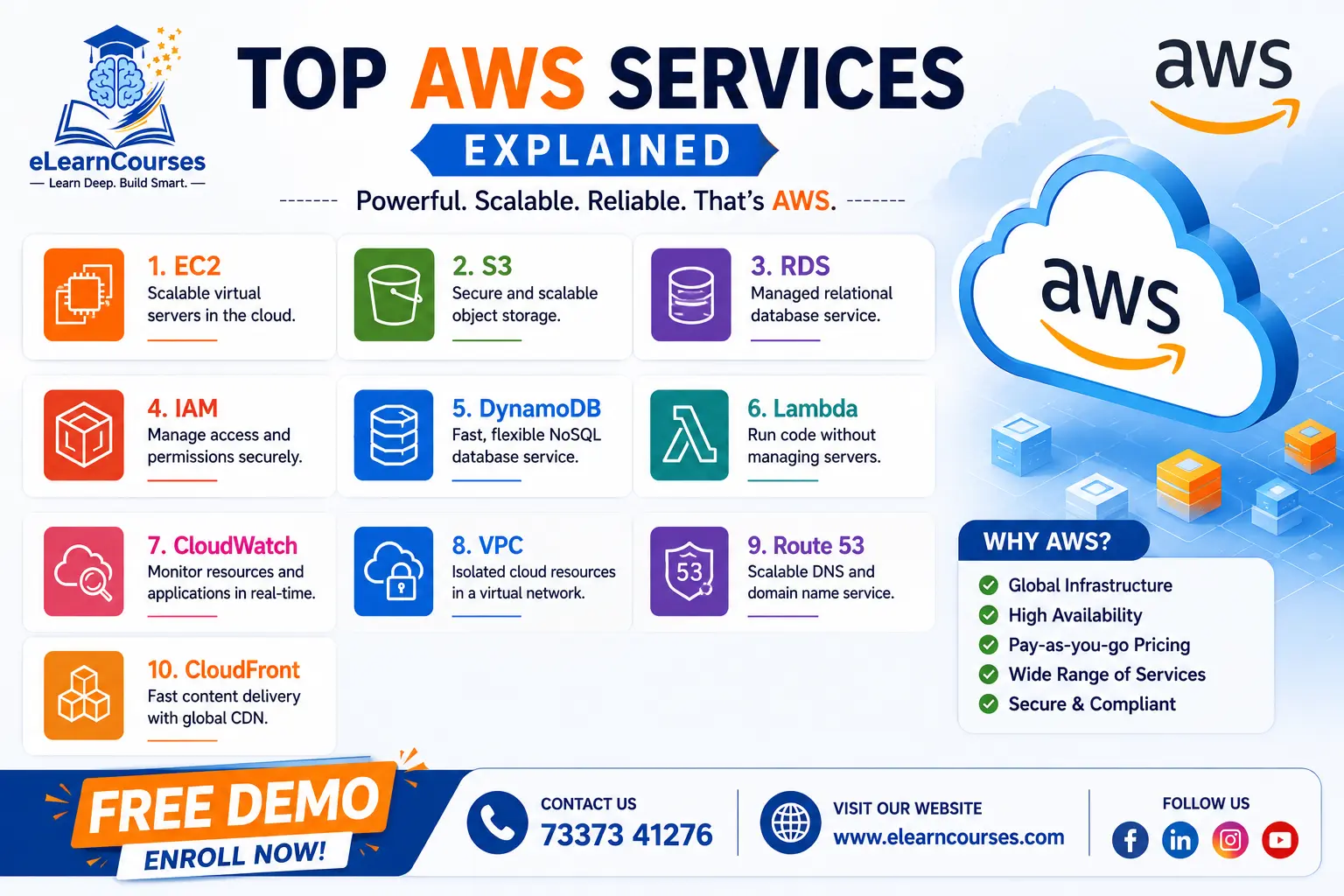
Top AWS Services Explained: The Complete Guide for 2026
Amazon Web Services (AWS) powers over 30% of the internet — from Netflix and Airbnb to startups and government agencies. But with over 200 services in its catalog, knowing which AWS services matter most can feel overwhelming.
Whether you’re a developer, IT professional, student, or business decision-maker, this guide breaks down the top AWS services you need to know — explained clearly, with real-world use cases and tips on when to use each one.
Let’s dive in.
1. What Is AWS and Why Does It Matter? {#what-is-aws}
Amazon Web Services (AWS) is Amazon’s cloud computing platform, launched in 2006. It provides on-demand access to computing power, storage, databases, networking, AI tools, and hundreds of other services — all delivered over the internet and billed on a pay-as-you-go basis.
Why AWS dominates the cloud market:
- Market leader with ~32% cloud market share (as of 2024)
- Used by companies of all sizes: startups, enterprises, and government agencies
- Available across 33+ geographic regions and 105+ availability zones worldwide
- Offers the most comprehensive service catalog of any cloud provider
If you’re pursuing a career in cloud computing, DevOps, data engineering, or software development, understanding AWS is non-negotiable.
2. How AWS Services Are Organized {#how-aws-is-organized}
AWS groups its services into categories based on function:
| Category | Examples |
|---|---|
| Compute | EC2, Lambda, ECS |
| Storage | S3, EBS, Glacier |
| Database | RDS, DynamoDB, Redshift |
| Networking | VPC, Route 53, CloudFront |
| Security | IAM, KMS, Shield |
| AI/ML | SageMaker, Rekognition, Bedrock |
| DevOps | CodePipeline, CodeDeploy, CloudFormation |
| Monitoring | CloudWatch, CloudTrail, Config |
| Analytics | Athena, Glue, Kinesis, EMR |
| Integration | SQS, SNS, EventBridge, Step Functions |
| Migration | DMS, SMS, Snow Family |
| IoT | IoT Core, Greengrass, IoT Analytics |
This guide covers the most widely used and exam-relevant services across all major categories.
3. Top AWS Compute Services {#compute}
Compute services let you run applications and workloads in the cloud. These are the backbone of nearly every AWS architecture.
Amazon EC2 (Elastic Compute Cloud)
What it is: Virtual servers in the cloud.
EC2 is the most foundational AWS service. It lets you launch virtual machines (called instances) with your choice of operating system, CPU, memory, and storage — and pay only for what you use.
Key features:
- Hundreds of instance types optimized for different workloads (general, compute, memory, GPU)
- Auto Scaling to add/remove instances based on demand
- Pay-as-you-go with options for On-Demand, Reserved, and Spot pricing
EC2 Instance Types Quick Reference:
| Family | Optimized For | Example Use |
|---|---|---|
| t3, t4g | General purpose (burstable) | Dev/test environments |
| m6i, m7g | Balanced compute/memory | Web servers, app servers |
| c6i, c7g | Compute intensive | Batch processing, ML inference |
| r6i, r7g | Memory intensive | In-memory databases, caching |
| p4, g5 | GPU | ML training, video rendering |
| i3, i4i | Storage optimized | NoSQL databases, data warehouses |
When to use EC2:
- Hosting web applications and APIs
- Running legacy applications that need a full OS
- High-performance computing (HPC) workloads
Real-world example: A retail website uses EC2 Auto Scaling to handle 10x traffic spikes during Black Friday without crashing.
AWS Lambda
What it is: Serverless compute — run code without managing servers.
Lambda executes your code in response to events (an HTTP request, a file upload, a database change) and automatically scales to handle any load. You pay only for the milliseconds your code runs.
Key features:
- Supports Node.js, Python, Java, Go, Ruby, .NET, and more
- Scales automatically from zero to thousands of concurrent executions
- Integrates natively with API Gateway, S3, DynamoDB, and other AWS services
- Free Tier: 1 million requests and 400,000 GB-seconds of compute per month — forever
When to use Lambda:
- Building event-driven microservices
- Running scheduled tasks (cron jobs)
- Processing uploads, webhooks, or API calls
Real-world example: An e-commerce app uses Lambda to automatically resize product images every time a seller uploads a photo to S3.
Amazon ECS & EKS (Container Services)
What they are: Services for running Docker containers at scale.
- ECS (Elastic Container Service) — AWS-native container orchestration. Simpler to use, deeply integrated with AWS.
- EKS (Elastic Kubernetes Service) — Managed Kubernetes on AWS. Best when you need Kubernetes compatibility or multi-cloud portability.
AWS Fargate — a serverless compute engine for containers that works with both ECS and EKS. Eliminates the need to manage underlying EC2 instances entirely.
When to use:
- Migrating microservices to containers
- Running containerized applications without managing the underlying infrastructure
- Teams already invested in Kubernetes tooling → EKS; AWS-native teams → ECS
AWS Elastic Beanstalk
What it is: Platform as a Service (PaaS) for deploying web applications.
Beanstalk automatically handles capacity provisioning, load balancing, auto-scaling, and application health monitoring. You just upload your code — AWS does the rest.
Supported platforms: Java, .NET, PHP, Node.js, Python, Ruby, Go, Docker.
When to use Elastic Beanstalk:
- Developers who want to focus on code, not infrastructure
- Rapid deployment of standard web apps
- Teams new to AWS who need a simpler entry point
AWS Batch
What it is: Fully managed batch computing for running large-scale parallel and HPC workloads.
AWS Batch dynamically provisions EC2 instances based on the volume and resource requirements of your batch jobs.
When to use AWS Batch:
- Scientific computing, genomics analysis
- Media rendering, financial risk modeling
- ETL workloads processing millions of files
4. Top AWS Storage Services {#storage}
AWS offers multiple storage solutions for different data types, access patterns, and cost requirements.
Amazon S3 (Simple Storage Service)
What it is: Object storage for virtually any type of file.
S3 is arguably the most famous AWS service. It stores objects (files) in buckets, with near-unlimited capacity, 11 nines (99.999999999%) of durability, and global accessibility.
S3 Storage Classes Explained:
| Storage Class | Access Pattern | Availability | Cost |
|---|---|---|---|
| S3 Standard | Frequent | 99.99% | Highest |
| S3 Intelligent-Tiering | Unknown | 99.9% | Auto-optimized |
| S3 Standard-IA | Infrequent | 99.9% | Lower |
| S3 One Zone-IA | Infrequent, single AZ | 99.5% | Lower |
| S3 Glacier Instant Retrieval | Archival, ms retrieval | 99.9% | Low |
| S3 Glacier Flexible Retrieval | Archival, mins–hours | 99.99% | Very Low |
| S3 Glacier Deep Archive | Rare, 12hr retrieval | 99.99% | Lowest |
When to use S3:
- Storing images, videos, documents, and backups
- Hosting static websites or Single Page Applications (SPAs)
- Data lake storage for analytics pipelines
Real-world example: Spotify stores millions of audio files in S3 and streams them globally using CloudFront.
Amazon EBS (Elastic Block Store)
What it is: High-performance block storage for EC2 instances.
Think of EBS as the hard drive for your EC2 virtual machine. It provides persistent, low-latency storage volumes that survive instance restarts.
EBS Volume Types:
- gp3 — General Purpose SSD (most common, best price/performance)
- io2 Block Express — High-performance SSD for critical databases
- st1 — Throughput Optimized HDD for big data workloads
- sc1 — Cold HDD for infrequently accessed data
When to use EBS:
- Databases running on EC2
- Applications requiring consistent I/O performance
- Boot volumes for EC2 instances
Amazon S3 Glacier
What it is: Ultra-low-cost archival storage.
Glacier is designed for data you rarely access but must retain for compliance or backup purposes. Retrieval can take minutes to hours depending on the tier.
When to use Glacier:
- Long-term backup and compliance archiving
- Storing old log files, financial records, or medical data
Amazon EFS (Elastic File System)
What it is: Managed, scalable network file system (NFS) for Linux workloads.
Unlike EBS (attached to one instance), EFS can be mounted by multiple EC2 instances simultaneously. It automatically scales up and down, and you pay only for what you store.
EFS Performance Modes:
- General Purpose — latency-sensitive use cases (web serving, content management)
- Max I/O — highly parallelized workloads (big data, media processing)
When to use EFS:
- Shared file storage for distributed applications
- Content management systems
- Machine learning training workloads that need shared data access
AWS Storage Gateway
What it is: Hybrid cloud storage service connecting on-premises environments to AWS storage.
Storage Gateway bridges the gap between your existing on-premises infrastructure and AWS cloud storage, enabling seamless hybrid architectures.
Gateway types:
- File Gateway — NFS/SMB access to S3
- Volume Gateway — iSCSI block storage backed by S3/EBS
- Tape Gateway — Virtual tape library backed by S3 Glacier
5. Top AWS Database Services {#database}
AWS offers purpose-built databases for relational, NoSQL, in-memory, graph, and data warehouse workloads.
Amazon RDS (Relational Database Service)
What it is: Managed relational databases in the cloud.
RDS handles the undifferentiated heavy lifting of database administration — provisioning, patching, backups, and failover — so you focus on your application.
Supported engines: MySQL, PostgreSQL, MariaDB, Oracle, SQL Server, and Amazon Aurora.
RDS Multi-AZ vs Read Replicas:
- Multi-AZ — synchronous standby in another AZ for high availability and automatic failover
- Read Replicas — asynchronous copies for read scaling (up to 15 replicas)
When to use RDS:
- Traditional SQL-based applications (CRM, ERP, e-commerce backends)
- Applications requiring ACID transactions
- Teams migrating on-premises databases to the cloud
Amazon Aurora
What it is: AWS’s own enterprise-grade relational database engine, compatible with MySQL and PostgreSQL.
Aurora is 5x faster than standard MySQL and 3x faster than standard PostgreSQL, with automatic replication across 3 availability zones and storage that auto-scales up to 128 TB.
Aurora Serverless v2 — scales Aurora capacity up and down automatically based on load, billing per second. Perfect for variable workloads.
When to use Aurora:
- High-throughput transactional applications
- SaaS platforms that need high availability
- Replacing expensive Oracle or SQL Server licenses
Amazon DynamoDB
What it is: Fully managed NoSQL database built for high-scale applications.
DynamoDB delivers single-digit millisecond latency at any scale, handling millions of requests per second. It’s serverless — you don’t provision or manage servers.
Key features:
- Automatic scaling
- Global Tables for multi-region replication
- Built-in TTL, streams, and transactions
- DynamoDB Accelerator (DAX) — in-memory cache delivering microsecond latency
When to use DynamoDB:
- Gaming leaderboards, session stores, user profiles
- Real-time applications (chat apps, IoT data streams)
- Any workload needing massive scale with low latency
Real-world example: Lyft uses DynamoDB to track millions of ride states in real time.
Amazon Redshift
What it is: Fully managed cloud data warehouse.
Redshift is optimized for OLAP (analytical) queries on massive datasets — think petabytes of business data. It uses columnar storage and parallel processing to deliver fast query performance.
Redshift Serverless — run analytics workloads without managing clusters; auto-scales capacity on demand.
When to use Redshift:
- Business intelligence and reporting
- Analyzing large-scale historical data
- Building enterprise data warehouses
Amazon ElastiCache
What it is: Managed in-memory caching service supporting Redis and Memcached.
ElastiCache dramatically speeds up applications by caching frequently accessed data in memory, reducing database load.
Redis vs Memcached on ElastiCache:
- Redis — supports persistence, replication, pub/sub, sorted sets. Best for most use cases.
- Memcached — simple caching only, multi-threaded. Best for pure horizontal scaling.
When to use ElastiCache:
- Caching database query results
- Session management for web applications
- Real-time analytics and leaderboards
Amazon Neptune
What it is: Fully managed graph database service.
Neptune supports two popular graph query languages: Apache TinkerPop Gremlin and SPARQL. It stores relationships as first-class data structures, making complex traversals extremely fast.
When to use Neptune:
- Social networks (friend-of-friend queries)
- Knowledge graphs and recommendation engines
- Fraud detection (identifying suspicious transaction patterns)
Amazon DocumentDB
What it is: MongoDB-compatible managed document database.
DocumentDB is designed for JSON data and is compatible with existing MongoDB applications and tools.
When to use DocumentDB:
- Migrating MongoDB workloads to AWS
- Content management and catalog applications
- User profiles and preferences storage
6. Top AWS Networking Services {#networking}
Amazon VPC (Virtual Private Cloud)
What it is: Your own private, isolated network within AWS.
VPC lets you define your own IP address ranges, subnets, route tables, and network gateways — essentially building a virtual data center in the cloud.
Key VPC components:
- Public subnets — accessible from the internet
- Private subnets — internal-only resources (databases, backend servers)
- Internet Gateway (IGW) — connects VPC to the internet
- NAT Gateway — lets private instances access the internet without being exposed
- Security Groups — stateful virtual firewalls for EC2 instances
- Network ACLs (NACLs) — stateless subnet-level firewall rules
When to use VPC:
- Every AWS deployment (VPC is foundational to all other services)
- Securely isolating workloads and environments
Amazon Route 53
What it is: Scalable Domain Name System (DNS) and domain registration service.
Route 53 translates domain names (like elearncourses.com) into IP addresses. It also provides health checking and intelligent routing policies.
Routing policies:
- Simple — single resource
- Weighted — distribute traffic (e.g., 90% to v1, 10% to v2)
- Latency — route to lowest-latency region
- Failover — primary/secondary failover
- Geolocation — route by user’s country/continent
- Geoproximity — route by geographic distance with bias
When to use Route 53:
- Managing DNS for your domains
- Routing traffic based on geography or latency
- Implementing high-availability failover
Amazon CloudFront
What it is: Content Delivery Network (CDN) that accelerates delivery of websites, APIs, and media.
CloudFront caches your content at edge locations around the world (400+), so users get content from the server physically closest to them — reducing latency dramatically.
CloudFront Functions vs Lambda@Edge:
- CloudFront Functions — lightweight, sub-millisecond execution at edge for request/response manipulation
- Lambda@Edge — more powerful, runs Node.js/Python at regional edge caches
When to use CloudFront:
- Serving static website assets (images, CSS, JS)
- Streaming video globally
- Accelerating API responses for global users
AWS Elastic Load Balancing (ELB)
What it is: Automatically distributes incoming traffic across multiple targets.
Types:
- Application Load Balancer (ALB) — HTTP/HTTPS, path-based and host-based routing. Best for microservices.
- Network Load Balancer (NLB) — ultra-high performance, TCP/UDP, preserves client IPs.
- Gateway Load Balancer (GWLB) — for third-party virtual appliances (firewalls, intrusion detection).
Key ALB features:
- Sticky sessions, WebSocket support
- Authentication via Cognito or OIDC
- Fixed response and redirect actions
AWS Direct Connect
What it is: Dedicated private network connection from your data center to AWS.
Unlike VPN (which runs over the public internet), Direct Connect provides a consistent, low-latency, high-bandwidth private connection — ideal for enterprises with large data transfer volumes or strict compliance requirements.
When to use Direct Connect:
- Hybrid cloud architectures
- Workloads requiring consistent network performance
- Large-scale data migrations
AWS API Gateway
What it is: Fully managed service for creating, publishing, and managing APIs at any scale.
API Gateway acts as the “front door” for your backend services (Lambda, EC2, ECS), handling authentication, throttling, caching, and monitoring.
Supported API types:
- REST API — full-featured, resource-based
- HTTP API — simpler, faster, cheaper (70% less than REST)
- WebSocket API — real-time two-way communication
When to use API Gateway:
- Building serverless REST APIs with Lambda
- Exposing microservices externally
- Building real-time apps (chat, live dashboards)
7. Top AWS Security & Identity Services {#security}
AWS IAM (Identity and Access Management)
What it is: Controls who can access what in your AWS account.
IAM is the foundation of AWS security. It manages users, groups, roles, and policies to enforce the principle of least privilege.
Key concepts:
- Users — individual people or services
- Groups — collections of users with shared permissions
- Roles — temporary permissions that can be assumed by services or users
- Policies — JSON documents defining allowed/denied actions
IAM Best Practices:
- Enable MFA on the root account immediately
- Create individual IAM users — never share credentials
- Use IAM roles for EC2, Lambda, and other services
- Apply least-privilege permissions
- Rotate access keys regularly
- Use IAM Access Analyzer to identify overly permissive policies
Security best practice: Never use the root account for daily tasks.
AWS KMS (Key Management Service)
What it is: Create and control encryption keys used to encrypt your data across AWS services.
KMS integrates with S3, EBS, RDS, Lambda, and virtually every other AWS service to provide server-side encryption. Keys never leave AWS KMS unencrypted.
CMK Types:
- AWS Managed Keys — created automatically when you enable encryption on a service
- Customer Managed Keys (CMK) — you create, own, and manage; gives you full control over rotation and deletion
AWS Shield
What it is: Managed DDoS (Distributed Denial of Service) protection.
- Shield Standard — free, automatic protection for all AWS customers against most common network and transport-layer attacks
- Shield Advanced — enhanced protection with 24/7 DDoS response team, cost protection, and advanced attack visibility. ~$3,000/month.
AWS WAF (Web Application Firewall)
What it is: Protects web applications from common threats like SQL injection, cross-site scripting (XSS), and bot attacks.
WAF uses Web ACLs (Access Control Lists) with customizable rules. AWS provides Managed Rule Groups (pre-built rule sets for OWASP Top 10, bots, IP reputation).
WAF integrates with CloudFront, ALB, API Gateway, and AppSync.
AWS Secrets Manager
What it is: Securely store and automatically rotate secrets (database passwords, API keys, credentials).
Eliminates the risk of hardcoding credentials in application code. Supports automatic rotation for RDS, Redshift, DocumentDB, and custom secrets.
Secrets Manager vs SSM Parameter Store:
- Secrets Manager — built-in rotation, cross-account sharing, higher cost
- SSM Parameter Store — simpler, lower cost, good for config values and non-rotated secrets
Amazon Cognito
What it is: User authentication and authorization service for web and mobile apps.
Cognito handles user registration, sign-in, MFA, and social login (Google, Facebook, Apple) — so you don’t have to build auth from scratch.
Two main components:
- User Pools — user directory and authentication (issues JWTs)
- Identity Pools — temporary AWS credentials for accessing AWS services directly from client apps
When to use Cognito:
- Adding sign-up/sign-in to mobile or web apps
- Social identity federation
- Providing temporary AWS credentials to mobile users
AWS GuardDuty
What it is: Intelligent threat detection service powered by machine learning.
GuardDuty continuously monitors your AWS account for suspicious activity — unauthorized access, compromised instances, cryptocurrency mining, exfiltration attempts — without requiring agents or additional software.
Data sources: VPC Flow Logs, CloudTrail events, DNS logs, EKS audit logs.
8. Top AWS Developer & DevOps Tools {#devops}
AWS CodePipeline
What it is: Fully managed CI/CD pipeline service that automates your software release process.
A typical CodePipeline has three stages: Source → Build → Deploy.
Integrates with GitHub, Bitbucket, CodeCommit, CodeBuild, CodeDeploy, Elastic Beanstalk, ECS, Lambda, and third-party tools like Jenkins.
AWS CodeBuild
What it is: Fully managed build service that compiles code, runs tests, and produces deployable artifacts.
CodeBuild scales automatically and charges per build minute — no idle build servers to manage. Configured via buildspec.yml in your repository.
AWS CodeDeploy
What it is: Automates application deployments to EC2, Lambda, ECS, and on-premises servers.
Deployment strategies:
- In-place — update instances one by one (EC2 only)
- Blue/Green — shift traffic from old (blue) to new (green) environment
- Canary — shift small % first, then remaining after validation
- Linear — shift traffic in equal increments over time
AWS CloudFormation
What it is: Infrastructure as Code (IaC) — define and provision AWS infrastructure using JSON or YAML templates.
CloudFormation stacks are logical groupings of AWS resources defined in a template. Changes are made through change sets, giving you a preview before applying.
When to use CloudFormation:
- Repeatable, consistent infrastructure deployments
- Managing environments (dev, staging, production) as code
- Disaster recovery automation
AWS CDK (Cloud Development Kit)
What it is: Define cloud infrastructure using familiar programming languages (Python, TypeScript, Java, C#, Go).
CDK synthesizes into CloudFormation templates, giving you developer-friendly code with the power of IaC. Includes Constructs — reusable, shareable infrastructure components.
AWS Systems Manager (SSM)
What it is: Operational hub for viewing and controlling your AWS infrastructure.
SSM provides a suite of tools for managing EC2 instances and on-premises servers: patch management, run command, session manager (SSH without opening ports), inventory, and parameter store.
Session Manager is particularly valuable — it enables browser-based shell access to EC2 instances without needing bastion hosts or open port 22.
9. Top AWS AI & Machine Learning Services {#ai-ml}
Amazon SageMaker
What it is: End-to-end managed platform for building, training, and deploying ML models.
SageMaker covers the full ML lifecycle: data prep → training → tuning → deployment → monitoring.
Key SageMaker features:
- SageMaker Studio — web-based IDE for ML development
- SageMaker Autopilot — AutoML: automatically build, train, and tune models
- SageMaker Pipelines — MLOps workflow orchestration
- SageMaker Inference — deploy models as real-time endpoints or batch transforms
- SageMaker Feature Store — centralized repository for ML features
When to use SageMaker:
- Data scientists and ML engineers building custom models
- MLOps pipelines at scale
Amazon Rekognition
What it is: AI-powered image and video analysis — no ML expertise required.
Capabilities:
- Object and scene detection
- Facial analysis (age range, emotions, landmarks)
- Celebrity recognition
- Content moderation (detecting unsafe content)
- Text in image detection (OCR)
- Custom labels (train your own object detector)
Use cases: Content moderation, identity verification, media analysis, workplace safety monitoring.
Amazon Comprehend
What it is: Natural language processing (NLP) service that extracts insights from text.
Detects sentiment (positive/negative/neutral/mixed), key phrases, named entities (people, places, organizations), languages, and PII data. Comprehend Medical specializes in medical text.
Amazon Polly
What it is: Converts text to lifelike speech using deep learning.
Supports 60+ voices in 30+ languages, including neural voices (NTTS) for the most natural-sounding output.
Use cases: Accessibility tools, e-learning narration, IVR systems, podcast generation.
Amazon Lex
What it is: Build conversational AI chatbots with voice and text interfaces — powered by the same technology as Amazon Alexa.
Lex handles automatic speech recognition (ASR) and natural language understanding (NLU). Integrates with Lambda for fulfillment logic, and with Connect for call center bots.
Amazon Transcribe
What it is: Automatic speech recognition (ASR) — converts audio to text.
Supports real-time and batch transcription, custom vocabulary, speaker diarization (identifying multiple speakers), and automatic content redaction.
Use cases: Meeting transcription, closed captions, call center analytics, voice search.
Amazon Translate
What it is: Neural machine translation supporting 75+ languages.
Powers real-time translation for websites, applications, and documents. Supports custom terminology to preserve brand names and technical terms.
Amazon Bedrock
What it is: Fully managed service for accessing and deploying foundation models (FMs) from leading AI providers.
Available model providers on Bedrock:
- Anthropic (Claude 3 family)
- Meta (Llama 3)
- Mistral AI
- Stability AI (image generation)
- Amazon (Titan text, embeddings, image)
- Cohere (Command, Embed)
Bedrock features:
- Knowledge Bases — RAG (Retrieval-Augmented Generation) with your private data
- Agents — autonomous AI agents that can take multi-step actions
- Fine-tuning — customize models with your own data
- Model Evaluation — compare model outputs systematically
- Guardrails — content filtering and PII redaction
When to use Bedrock:
- Building generative AI applications without managing infrastructure
- Prototyping LLM-powered features
- Enterprise AI with security and compliance controls
Also Read: What is Cloud Computing?
10. Top AWS Management & Monitoring Services {#management}
Amazon CloudWatch
What it is: Monitoring and observability service for AWS resources and applications.
Collects metrics, logs, and events. Set alarms to trigger actions when thresholds are breached.
Key features:
- Custom dashboards and metrics
- Log Insights for querying log data with SQL-like syntax
- Alarms integrated with SNS, Lambda, Auto Scaling
- Contributor Insights — identify top contributors to anomalous traffic patterns
- Synthetics — canary scripts for monitoring APIs and websites
AWS CloudTrail
What it is: Records all API activity across your AWS account — who did what, when, and from where.
CloudTrail logs are stored in S3 and can be analyzed with Athena or streamed to CloudWatch Logs. Essential for security investigations, compliance auditing, and change management.
AWS Config
What it is: Tracks and records configuration changes to AWS resources over time.
Config Rules evaluate resource configurations against desired settings. AWS provides 100+ managed rules (e.g., “S3 buckets must have server-side encryption enabled”).
AWS Trusted Advisor
What it is: Automated best practices advisor checking your AWS environment across five pillars: Cost Optimization, Performance, Security, Fault Tolerance, and Service Limits.
Available checks vary by Support plan — Business and Enterprise plans unlock all checks.
AWS Cost Explorer
What it is: Visualize, understand, and manage your AWS costs and usage over time.
Includes forecasting, rightsizing recommendations, Savings Plans analysis, and Reserved Instance utilization reports.
AWS Organizations
What it is: Centrally manage multiple AWS accounts.
Organizations enables consolidated billing, Service Control Policies (SCPs) to enforce guardrails across accounts, and account grouping via Organizational Units (OUs).
Common multi-account strategy: Separate accounts for Production, Staging, Dev, Security, Logging, and Shared Services.
11. Top AWS Analytics & Big Data Services {#analytics}
Amazon Athena
What it is: Serverless interactive query service that analyzes data in S3 using standard SQL.
No infrastructure to manage. Pay per query (per TB scanned). Works directly on S3 data in formats like Parquet, ORC, JSON, and CSV.
When to use Athena:
- Ad-hoc analysis of data lakes in S3
- Log analysis (CloudFront, ALB, CloudTrail logs)
- Quick data exploration without building a data warehouse
AWS Glue
What it is: Serverless ETL (Extract, Transform, Load) service.
Glue has three main components:
- Glue Data Catalog — centralized metadata repository (like a Hive metastore)
- Glue ETL Jobs — Apache Spark-based data transformation scripts
- Glue DataBrew — visual no-code data preparation tool
When to use Glue:
- Building ETL pipelines for data lakes
- Cataloging data sources for Athena, Redshift, and EMR
- Data quality validation and transformation
Amazon Kinesis
What it is: Platform for real-time data streaming and analytics.
Kinesis services:
- Kinesis Data Streams — capture and process real-time streaming data
- Kinesis Data Firehose — load streaming data into S3, Redshift, OpenSearch (fully managed)
- Kinesis Data Analytics — analyze streaming data using SQL or Apache Flink
When to use Kinesis:
- Real-time clickstream analysis
- IoT telemetry ingestion
- Log and event data streaming
- Fraud detection on live transaction streams
Amazon EMR (Elastic MapReduce)
What it is: Managed big data platform for running Apache Spark, Hadoop, Hive, Presto, and other frameworks.
EMR automatically provisions and scales clusters, handling the operational complexity of distributed computing frameworks.
When to use EMR:
- Large-scale data processing and ML
- Log analysis on petabyte-scale datasets
- Data transformation pipelines for data lakes
Amazon OpenSearch Service
What it is: Managed OpenSearch (formerly Elasticsearch) for search, log analytics, and observability.
When to use OpenSearch:
- Full-text search for applications
- Log analytics and security information
- Real-time application monitoring dashboards
AWS Lake Formation
What it is: Service that makes it easy to build, secure, and manage data lakes on S3.
Lake Formation handles data ingestion, cataloging, cleaning, and fine-grained access control — so teams can securely query data lake data without needing to understand the underlying complexity.
12. Top AWS Application Integration Services {#integration}
Amazon SQS (Simple Queue Service)
What it is: Fully managed message queuing for decoupling microservices.
SQS enables asynchronous communication between application components. Producers send messages; consumers poll and process them independently.
Queue types:
- Standard Queue — maximum throughput, at-least-once delivery, best-effort ordering
- FIFO Queue — exactly-once processing, strict first-in-first-out ordering (up to 3,000 msg/sec)
When to use SQS:
- Decoupling application tiers (web → backend → processing)
- Building resilient retry logic
- Order processing, job queues
Amazon SNS (Simple Notification Service)
What it is: Fully managed pub/sub messaging for broadcasting messages to multiple subscribers.
SNS topics distribute messages to multiple endpoints simultaneously: SQS queues, Lambda functions, HTTP endpoints, email, SMS, and mobile push.
When to use SNS:
- Broadcasting events to multiple consumers
- Mobile push notifications
- Alert and notification systems
SNS + SQS Fan-Out Pattern: SNS publishes to multiple SQS queues simultaneously — enabling parallel processing by different services from a single event.
Amazon EventBridge
What it is: Serverless event bus for building event-driven architectures.
EventBridge routes events from AWS services, SaaS applications (Zendesk, Shopify, Datadog), and custom applications to target services based on rules and event patterns.
When to use EventBridge:
- Reacting to AWS service events (new S3 object, EC2 state change)
- Building loosely coupled microservices
- Integrating with SaaS applications via event streams
AWS Step Functions
What it is: Visual workflow orchestration for coordinating multiple AWS services into serverless workflows.
Step Functions defines workflows as state machines using Amazon States Language (ASL). Each state can invoke Lambda, call an API, wait, branch, or handle errors.
Workflow types:
- Standard — long-running (up to 1 year), exactly-once execution, full audit history
- Express — high-volume, short-duration (up to 5 minutes), at-least-once execution
When to use Step Functions:
- Orchestrating multi-step workflows (order processing, data pipelines)
- Replacing complex Lambda chaining
- Human approval workflows
Amazon MQ
What it is: Managed message broker for Apache ActiveMQ and RabbitMQ.
For teams migrating existing on-premises applications that use industry-standard messaging protocols (AMQP, MQTT, STOMP, OpenWire), Amazon MQ provides a managed broker without code changes.
13. Top AWS Migration & Hybrid Cloud Services {#migration}
AWS Database Migration Service (DMS)
What it is: Migrate databases to AWS with minimal downtime.
DMS supports homogeneous migrations (Oracle → Oracle) and heterogeneous migrations (Oracle → Aurora). The Schema Conversion Tool (SCT) automatically converts source database schemas and code objects.
AWS Server Migration Service (MGN)
What it is: Automated lift-and-shift service for migrating physical servers, virtual machines, and cloud servers to AWS.
AWS MGN (Application Migration Service) continuously replicates source servers, allowing you to test before cutover and minimize downtime.
AWS Snow Family
What it is: Physical devices for transferring large amounts of data into and out of AWS when internet transfer is impractical.
| Device | Storage | Use Case |
|---|---|---|
| Snowcone | 8–14 TB | Edge computing, small migrations |
| Snowball Edge | 80 TB (storage) / 42 TB (compute) | Large migrations, edge compute |
| Snowmobile | 100 PB | Exabyte-scale data center migrations |
When to use Snow Family: When uploading data over the internet would take weeks or months (rule of thumb: >1 TB with slow connections).
AWS Outposts
What it is: Fully managed AWS infrastructure delivered to your on-premises location.
Outposts lets you run AWS services (EC2, EBS, RDS, ECS, EKS) in your own data center or co-location facility, with the same APIs and tools as the AWS cloud.
When to use Outposts:
- Applications requiring ultra-low latency to on-premises systems
- Data residency requirements mandating local data processing
- Gradual cloud migration while keeping some workloads on-premises
14. Top AWS IoT Services {#iot}
AWS IoT Core
What it is: Managed cloud service for connecting IoT devices to AWS.
IoT Core handles device connectivity (MQTT, HTTPS, WebSockets), authentication, and message routing. It can process and route messages from billions of devices to AWS services.
When to use IoT Core:
- Smart home and industrial IoT applications
- Fleet management and asset tracking
- Remote monitoring and control
AWS IoT Greengrass
What it is: Extends AWS to edge devices so they can act locally on the data they generate.
Greengrass devices can run Lambda functions, containers, and ML inference locally — even without internet connectivity. Data is synced to the cloud when connected.
AWS IoT Analytics
What it is: Managed service for analyzing IoT data at scale.
Automates the steps required to analyze data from IoT devices — filtering, transforming, enriching, and storing data for analysis with Athena, QuickSight, or SageMaker.
15. AWS Pricing Models Explained {#pricing}
Understanding AWS pricing is critical for controlling costs. AWS offers several pricing models:
On-Demand
Pay for compute or database capacity by the second or hour with no long-term commitments. Highest per-unit cost but maximum flexibility.
Best for: Unpredictable workloads, short-term applications, development and testing.
Reserved Instances (RIs) & Savings Plans
Commit to a 1- or 3-year term in exchange for significant discounts (up to 72% off On-Demand prices).
Types:
- Standard RIs — biggest discount, least flexibility (fixed instance type/region)
- Convertible RIs — smaller discount, can change instance family, OS, scope
- Compute Savings Plans — most flexible; applies to EC2, Lambda, and Fargate automatically
Best for: Steady-state production workloads running 24/7.
Spot Instances
Purchase unused EC2 capacity at up to 90% off On-Demand prices. AWS can reclaim Spot Instances with 2-minute notice when capacity is needed.
Best for: Fault-tolerant, flexible workloads — batch jobs, ML training, video processing, CI/CD pipelines.
AWS Free Tier
Three types of free offerings:
- Always Free — Lambda (1M requests/month), DynamoDB (25 GB), CloudFront (1 TB/month)
- 12 Months Free — EC2 (750 hrs t2/t3.micro), S3 (5 GB), RDS (750 hrs), and more
- Trials — short-term free trials for specific services
AWS Cost Optimization Tips
- Right-size instances — use CloudWatch metrics to identify over-provisioned resources
- Delete idle resources — unattached EBS volumes, unused Elastic IPs, old snapshots
- Use S3 Intelligent-Tiering — automatically moves data to cheaper tiers when not accessed
- Purchase Savings Plans — for predictable workloads (up to 66% savings)
- Schedule non-production resources — stop dev/test EC2 instances outside business hours
- Use Lambda and Fargate — pay only for actual usage, no idle capacity costs
16. AWS vs Azure vs Google Cloud: Key Differences {#comparison}
| Feature | AWS | Azure | Google Cloud |
|---|---|---|---|
| Market Share | ~32% | ~22% | ~12% |
| Launch Year | 2006 | 2010 | 2011 |
| Global Regions | 33+ | 60+ | 40+ |
| Compute | EC2, Lambda | Virtual Machines, Functions | Compute Engine, Cloud Run |
| Object Storage | S3 | Blob Storage | Cloud Storage |
| Managed Kubernetes | EKS | AKS | GKE |
| AI/ML Platform | SageMaker, Bedrock | Azure ML, OpenAI Service | Vertex AI |
| Data Warehouse | Redshift | Synapse Analytics | BigQuery |
| Serverless DB | Aurora Serverless, DynamoDB | Cosmos DB | Firestore, Spanner |
| Identity | IAM | Azure AD / Entra ID | Cloud IAM |
| Certifications | 12 specialty certs | Role-based certs | Associate + Professional |
When to choose AWS: Broadest service catalog, largest ecosystem, most third-party integrations, strongest in enterprise and startup markets.
When to choose Azure: Strong Microsoft/enterprise alignment, best for organizations using Active Directory, Microsoft 365, or .NET stacks.
When to choose GCP: Best-in-class data and AI/ML capabilities, most competitive Kubernetes offering (GKE), strong for analytics workloads with BigQuery.
17. Real-World AWS Architectures: 5 Case Studies {#case-studies}
Case Study 1: High-Traffic E-Commerce Website
Architecture:
- Route 53 → CloudFront → ALB → EC2 Auto Scaling Group
- RDS Aurora (primary) + Read Replicas for product catalog
- ElastiCache Redis for session and cart caching
- S3 for product images + CloudFront for global delivery
- SQS for order processing queue → Lambda for fulfillment
- CloudWatch for monitoring + alerting
Result: Handles Black Friday traffic spikes of 50x normal load with automatic scaling; 99.99% availability.
Case Study 2: Serverless API Backend
Architecture:
- API Gateway → Lambda (business logic)
- DynamoDB for user and session data
- Cognito for authentication
- S3 for file storage
- CloudFront for API edge caching
- X-Ray for distributed tracing
Result: Zero server management; scales to zero during off-hours; 60% cost reduction vs. EC2-based alternative.
Case Study 3: Real-Time Data Pipeline
Architecture:
- IoT devices → IoT Core → Kinesis Data Streams
- Lambda for real-time processing → DynamoDB for live dashboard
- Kinesis Firehose → S3 (raw storage)
- Glue ETL → Redshift (analytics)
- QuickSight for business intelligence dashboards
Result: Process 500,000 events per second with sub-second latency for live monitoring.
Case Study 4: Machine Learning Platform
Architecture:
- Data stored in S3 data lake
- Glue for ETL and data cataloging
- SageMaker Studio for model development
- SageMaker Pipelines for automated training workflows
- SageMaker Endpoints for real-time inference
- A/B testing via SageMaker endpoint variants
- CloudWatch for model performance monitoring
Result: Reduced ML model deployment time from weeks to hours; 40% improvement in model accuracy through automated hyperparameter tuning.
Case Study 5: Disaster Recovery Architecture
Architecture:
- Primary region: US-East-1 (full production stack)
- DR region: US-West-2 (warm standby)
- RDS Aurora Global Database — synchronous replication with <1 second RPO
- S3 Cross-Region Replication for object data
- Route 53 Failover Routing — automatic DNS cutover on health check failure
- CloudFormation for infrastructure-as-code across both regions
Result: RTO (Recovery Time Objective) of 5 minutes; RPO near-zero. Achieved at 40% lower cost than equivalent on-premises DR.
18. Common AWS Mistakes Beginners Make {#mistakes}
1. Leaving the Root Account Unsecured
Never use the AWS root account for day-to-day tasks. Enable MFA on it immediately, then create IAM users for all operations.
2. Overly Permissive IAM Policies
Attaching AdministratorAccess to every role or user is a massive security risk. Always apply the principle of least privilege.
3. Leaving Resources Running After Testing
EC2 instances, RDS databases, and NAT Gateways left running after a test can quickly rack up unexpected bills. Set up AWS Budgets with email alerts to catch overspending early.
4. Storing Credentials in Code
Hardcoding AWS access keys in application code is a critical security vulnerability. Use IAM roles for EC2/Lambda and Secrets Manager for third-party credentials.
5. Ignoring S3 Bucket Permissions
Public S3 buckets have exposed sensitive data for thousands of companies. Always enable S3 Block Public Access at the account level unless you explicitly need public access.
6. Using a Single Availability Zone
Deploying in a single AZ removes all fault tolerance. Always deploy across at least 2 AZs for production workloads using Multi-AZ RDS, ASGs, and ALBs.
7. Skipping Monitoring and Alerting
Setting up resources without CloudWatch alarms means you won’t know about failures until users complain. Instrument everything from day one.
8. Not Using Reserved Instances for Stable Workloads
Running steady-state production workloads On-Demand wastes 40–70% of your budget. Purchase 1-year Reserved Instances or Savings Plans for predictable savings.
19. AWS Learning Path: From Zero to Certified {#learning-path}
Beginner Stage (0–4 weeks): Build the Foundation
Goal: Understand cloud concepts and AWS fundamentals.
Topics to cover:
- Cloud computing concepts (IaaS, PaaS, SaaS)
- AWS global infrastructure (regions, AZs, edge locations)
- Core services: EC2, S3, IAM, VPC, RDS
- AWS pricing models and the Free Tier
Certification target: AWS Certified Cloud Practitioner (CLF-C02)
Hands-on projects:
- Launch an EC2 instance and connect via SSH
- Host a static website on S3
- Create IAM users and policies
- Launch an RDS instance and connect from EC2
Intermediate Stage (4–12 weeks): Go Deeper
Goal: Design multi-tier architectures and understand AWS best practices.
Topics to cover:
- Advanced EC2 (Auto Scaling, placement groups, instance store)
- Advanced S3 (lifecycle policies, replication, encryption)
- Advanced networking (VPC peering, Transit Gateway, PrivateLink)
- Serverless architecture (Lambda, API Gateway, DynamoDB)
- Container services (ECS, EKS, Fargate)
- Infrastructure as Code (CloudFormation, CDK)
Certification target: AWS Certified Solutions Architect – Associate (SAA-C03)
Hands-on projects:
- Build a 3-tier web application (ALB → EC2 → RDS)
- Create a serverless REST API (API Gateway + Lambda + DynamoDB)
- Deploy infrastructure using CloudFormation
- Set up VPC with public/private subnets, NAT Gateway
Advanced Stage (3–6 months): Specialize
Goal: Achieve professional-level AWS expertise in your chosen specialty.
Choose your path:
Solutions Architecture Path:
- Solutions Architect – Professional
- Advanced networking, multi-account strategies, migration planning
DevOps Path:
- DevOps Engineer – Professional
- CI/CD pipelines, IaC, monitoring, container orchestration
Data & ML Path:
- Machine Learning Specialty
- SageMaker, data pipelines, Kinesis, Glue, Redshift
Security Path:
- Security Specialty
- Advanced IAM, encryption, compliance, incident response
Recommended Learning Resources
| Resource | Best For | Cost |
|---|---|---|
| elearncourses.com | Structured courses with practice exams | Paid |
| AWS Free Tier | Hands-on practice | Free |
| AWS Skill Builder | Official AWS training | Free/Paid |
| AWS Documentation | Deep technical reference | Free |
| AWS Well-Architected Labs | Practical architecture exercises | Free |
| A Cloud Guru / Udemy | Video courses | Paid |
20. How to Choose the Right AWS Services {#how-to-choose}
With 200+ services, choosing the right ones comes down to matching the service to your workload requirements. Use this decision framework:
| Question | Guidance |
|---|---|
| Do I need a full virtual machine? | → EC2 |
| Do I want serverless compute? | → Lambda |
| Do I need containers? | → ECS (AWS-native) or EKS (Kubernetes) |
| Am I storing files/objects? | → S3 |
| Do I need high-performance block storage? | → EBS |
| Do I need shared file storage? | → EFS |
| Do I need a relational DB? | → RDS or Aurora |
| Do I need a NoSQL DB at scale? | → DynamoDB |
| Do I need a data warehouse? | → Redshift |
| Do I need in-memory caching? | → ElastiCache |
| Do I want to deliver content globally fast? | → CloudFront |
| Do I need DNS management? | → Route 53 |
| Do I need to decouple services asynchronously? | → SQS |
| Do I need pub/sub messaging? | → SNS or EventBridge |
| Am I building ML models? | → SageMaker |
| Do I want generative AI? | → Bedrock |
| Do I need to analyze S3 data with SQL? | → Athena |
| Do I need real-time data streaming? | → Kinesis |
| Do I need infrastructure as code? | → CloudFormation or CDK |
| Do I need to monitor my infrastructure? | → CloudWatch |
| Do I need a complete audit trail? | → CloudTrail |
| Do I need to manage costs? | → Cost Explorer + Budgets |
The AWS Well-Architected Framework
When building on AWS, align your architecture with the six pillars of the AWS Well-Architected Framework:
- Operational Excellence — automate, monitor, continuously improve operations
- Security — protect data, systems, and assets
- Reliability — recover from failures automatically, meet demand consistently
- Performance Efficiency — use resources efficiently as demand changes
- Cost Optimization — avoid unnecessary spend, understand where money goes
- Sustainability — minimize environmental impact of cloud workloads (added in 2021)
21. Get AWS Certified: Next Steps {#certification}
Understanding AWS services is the first step. Validating that knowledge with AWS certifications opens doors to high-paying cloud roles.
AWS Certification Roadmap
Foundational:
- AWS Certified Cloud Practitioner (CLF-C02) — ideal starting point for all backgrounds
Associate Level:
- AWS Certified Solutions Architect – Associate (SAA-C03) ⭐ Most popular
- AWS Certified Developer – Associate (DVA-C02)
- AWS Certified SysOps Administrator – Associate (SOA-C02)
Professional Level:
- AWS Certified Solutions Architect – Professional
- AWS Certified DevOps Engineer – Professional
Specialty:
- Machine Learning Specialty
- Security Specialty
- Database Specialty
- Data Analytics Specialty
- Advanced Networking Specialty
- SAP on AWS Specialty
Average Salaries for AWS-Certified Professionals (2025)
| Certification | Average Annual Salary (US) |
|---|---|
| Cloud Practitioner | $85,000–$110,000 |
| Solutions Architect – Associate | $120,000–$155,000 |
| Developer – Associate | $115,000–$145,000 |
| Solutions Architect – Professional | $150,000–$190,000 |
| DevOps Engineer – Professional | $140,000–$175,000 |
| Machine Learning Specialty | $155,000–$200,000 |
Exam Tips for AWS Certifications
- Read the question twice — AWS exam questions are precise; a single word changes the answer
- Eliminate clearly wrong answers — usually 2 of 4 answers are obviously incorrect
- Identify the “most cost-effective” or “least operational overhead” — these qualifiers are huge hints
- Know the difference between similar services — SQS vs SNS, CloudTrail vs CloudWatch, EBS vs EFS
- Practice with timed mock exams — AWS exams are 65 questions in 130 minutes (2 min/question)
- Use the Well-Architected Framework — many scenario questions are answered by its principles
Conclusion
AWS is the world’s leading cloud platform, and mastering its core services is one of the most valuable skills you can develop in tech. Here’s a quick recap of what we covered:
- Compute: EC2, Lambda, ECS/EKS, Elastic Beanstalk, AWS Batch
- Storage: S3, EBS, Glacier, EFS, Storage Gateway
- Databases: RDS, Aurora, DynamoDB, Redshift, ElastiCache, Neptune, DocumentDB
- Networking: VPC, Route 53, CloudFront, ELB, Direct Connect, API Gateway
- Security: IAM, KMS, Shield, WAF, Secrets Manager, Cognito, GuardDuty
- DevOps: CodePipeline, CodeBuild, CodeDeploy, CloudFormation, CDK, SSM
- AI/ML: SageMaker, Rekognition, Comprehend, Polly, Lex, Transcribe, Bedrock
- Analytics: Athena, Glue, Kinesis, EMR, OpenSearch, Lake Formation
- Integration: SQS, SNS, EventBridge, Step Functions
- Migration: DMS, MGN, Snow Family, Outposts
- Monitoring: CloudWatch, CloudTrail, Config, Trusted Advisor, Cost Explorer
The best way to truly understand AWS is to get hands-on. AWS offers a generous Free Tier that lets you experiment with most services for free during your first 12 months.
Start with the fundamentals, build real projects, and validate your knowledge with an AWS certification. The cloud skills you develop today will serve your career for decades.
Frequently Asked Questions (FAQ)
Q: Which AWS service should a beginner learn first? Start with IAM (to understand access control), then EC2 and S3 — these are foundational to almost every AWS architecture. Once comfortable, add VPC and RDS.
Q: Is AWS free to learn? AWS offers a Free Tier with always-free services (Lambda, DynamoDB, S3 limited) and 12-month free access to many others. You can also practice using AWS simulators and sandbox labs on platforms like elearncourses.com.
Q: What is the difference between EC2 and Lambda? EC2 gives you a full virtual machine that runs continuously. Lambda is serverless — it runs only when triggered and charges per execution. Use EC2 for persistent, long-running workloads; Lambda for short-lived, event-driven tasks.
Q: What AWS service is most in demand for jobs? EC2, S3, IAM, RDS, Lambda, VPC, and CloudFormation are the most commonly required skills in cloud job postings. SageMaker and Bedrock are rapidly growing in demand for AI/ML roles.
Q: How long does it take to learn AWS? With a structured course, most people can prepare for the AWS Cloud Practitioner exam in 4–8 weeks, and the Solutions Architect – Associate in 2–3 months of dedicated study.
Q: Is AWS better than Azure or Google Cloud? AWS has the broadest service catalog and largest ecosystem. Azure is best for Microsoft-heavy environments. Google Cloud excels in data analytics and AI/ML. For most use cases — especially when starting out — AWS is the safest choice due to its market dominance, documentation quality, and job market demand.
Q: What is the easiest AWS certification to get? The AWS Certified Cloud Practitioner (CLF-C02) is the entry-level certification and requires no prior cloud or technical experience. Most people pass with 4–6 weeks of preparation.
Q: How much does AWS certification cost? Exam fees are: Cloud Practitioner — $100 USD; Associate level — $150 USD; Professional and Specialty — $300 USD. AWS offers free practice exams and 50% discount vouchers for passing a lower-level exam.
Ready to take your cloud skills to the next level? Explore our comprehensive AWS certification courses at elearncourses.com and start your journey to becoming a certified cloud professional today.