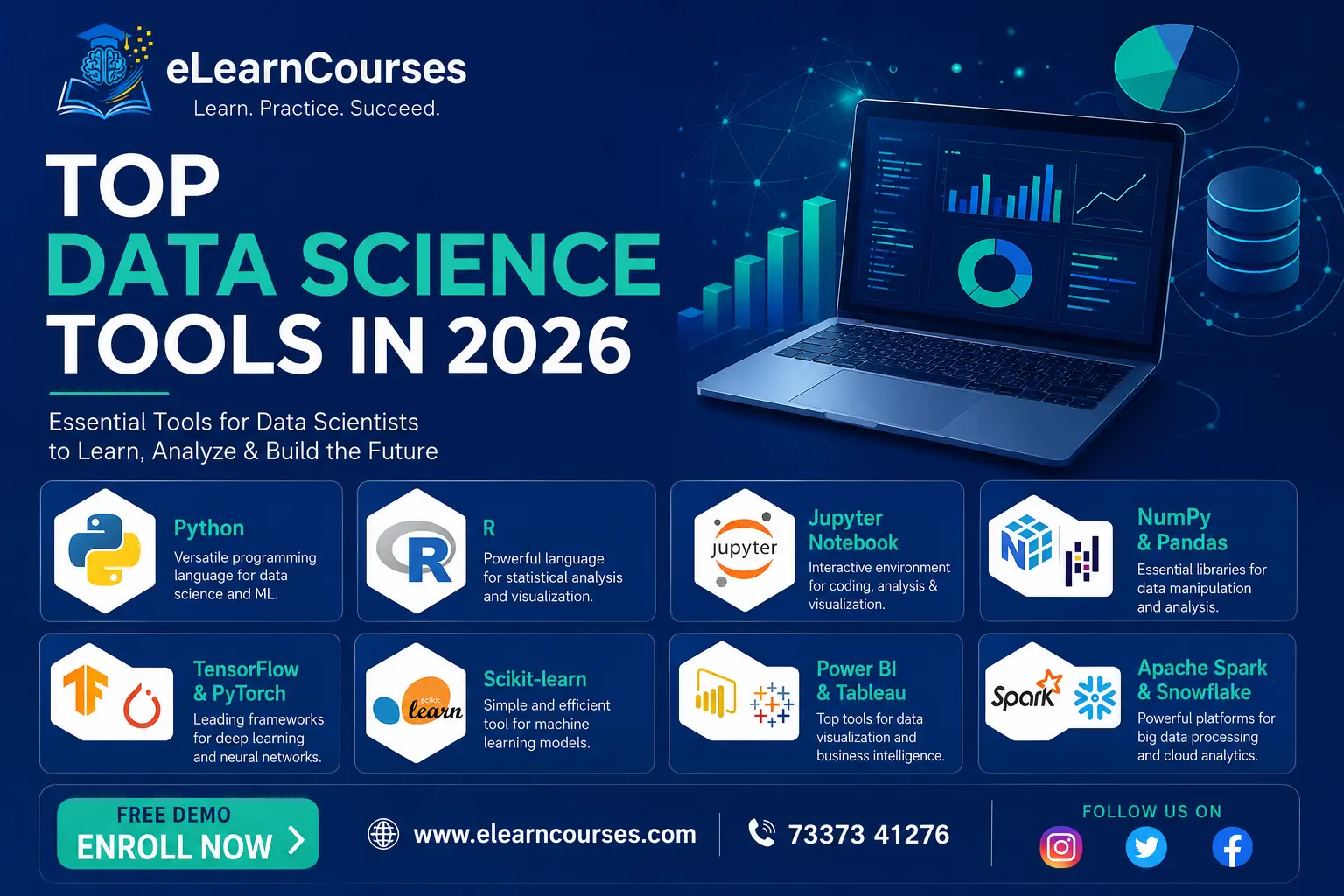
Top Data Science Tools in 2026
A few years ago, a “data science toolkit” meant Python, Pandas, and maybe Jupyter Notebook, and that was more or less the whole conversation. That’s no longer true. The list of top data science tools in 2026 spans embedded analytics engines that outperform traditional warehouses on a laptop, AI coding assistants that write half your preprocessing code for you, and a genuinely useful split between tools built for exploration and tools built for running models in production at scale.
This guide organizes that landscape by where each tool actually fits in a real workflow, rather than dumping forty names into a list with no context. You’ll come away knowing not just what each tool does, but when you’d actually reach for it.
How This List Is Organized
Data science work generally moves through a handful of stages: writing code, wrangling raw data, exploring and visualizing it, building models, and eventually deploying and monitoring those models in production. The tools below are grouped that way, since a tool that’s excellent for one stage is often the wrong choice for another, and comparing a notebook environment against a deployment platform head-to-head doesn’t actually tell you much.
Core Programming Languages
Python
Python remains the default language for data science work, and that hasn’t meaningfully changed. Its ecosystem, Pandas, NumPy, scikit-learn, PyTorch, and dozens of other libraries built specifically for data work, is deep enough that most data scientists rarely need to leave it. Developer surveys consistently place Python among the two or three most widely used languages overall, and it’s typically the single most common language specifically for data-related roles.
R
R still holds a solid position, particularly in academic research, biostatistics, and any team where statistical rigor matters more than production deployment speed. Packages like ggplot2 for visualization and the tidyverse collection for data manipulation remain genuinely well-designed for statistical workflows, and R continues to be the language many statisticians default to first.
SQL
SQL isn’t going anywhere, and arguably matters more now than it did five years ago, since so many newer analytics engines (DuckDB especially, covered below) have doubled down on SQL as the primary interface rather than moving away from it. Every data scientist working with structured data in a database needs to be comfortable writing joins, aggregations, and window functions directly in SQL.
Data Wrangling and Processing
Pandas
Pandas is still the default for tabular data manipulation in Python, and its API is the one most other tools in this space are measured against or designed to interoperate with. Its main limitation shows up with genuinely large datasets, since Pandas loads everything into memory and doesn’t parallelize automatically, which is exactly the gap the next two tools have stepped into.
Polars
Polars has become a serious alternative to Pandas for anyone hitting performance limits. Built with a query-optimizing engine and lazy evaluation, Polars can process datasets larger than available memory through streaming, and it consistently outperforms Pandas on aggregation-heavy operations. It’s increasingly common to see Polars used specifically for the performance-sensitive middle steps of a pipeline, with Pandas still handling final analysis thanks to its broader ecosystem support.
DuckDB
DuckDB has had one of the more notable rises in the data tooling world heading into 2026. It’s an in-process analytical database, meaning it runs directly inside your Python (or R, or Node.js) process rather than requiring a separate server, and it lets you run genuinely fast SQL queries directly against Parquet files, CSV files, or even a Pandas DataFrame sitting in memory. Teams have reported processing datasets that previously required a cloud warehouse in seconds on a single laptop, without any infrastructure setup.
Its newer DuckLake extension extends that same approach to lakehouse-style storage, competing directly with formats like Delta Lake and Iceberg but with metadata stored in a database rather than scattered across object storage files.
A workflow combining DuckDB for heavy SQL-based filtering and joins, Polars for fast intermediate transformations, and Pandas for final analysis and modeling has become a genuinely common pattern rather than a niche one, and it’s worth knowing all three even if you have a strong preference for one.
Apache Spark
For datasets that genuinely exceed what a single machine can handle, Apache Spark remains the standard for distributed data processing. It’s the tool of choice when data spans multiple terabytes across a cluster, and it integrates with most major cloud platforms for large-scale ETL and batch processing jobs.
Pipeline Orchestration: Airflow, Dagster, and Kestra
Once a data pipeline involves more than a couple of scheduled scripts, orchestration tools become worth adopting. Apache Airflow remains the most widely deployed option, using Python-defined workflows to schedule and monitor multi-step pipelines with dependencies between tasks. Dagster has gained ground as a more modern alternative, with a stronger focus on data asset tracking and testing pipelines locally before they run in production. Newer event-driven tools like Kestra, which coordinates pipelines through declarative configuration rather than Python code, have found a niche for teams that want orchestration without maintaining a Python codebase specifically for scheduling logic.
Data Versioning and Quality Tools
Reproducibility is a recurring problem in data science: a model that worked last month can behave differently today simply because the underlying data changed without anyone tracking it. A few tools address this directly.
lakeFS brings Git-like version control to data stored in object storage, letting teams create isolated branches for experimentation, track exactly which version of a dataset produced a given result, and roll back changes the same way you’d revert a bad code commit.
DVC (Data Version Control) takes a similar approach but integrates more tightly with Git itself, tracking large data and model files alongside code without bloating a Git repository directly.
Great Expectations focuses on data quality rather than versioning, letting teams define explicit expectations about what incoming data should look like (value ranges, required columns, no unexpected nulls) and catching violations automatically before bad data reaches a model or a report.
None of these are as widely known as Pandas or scikit-learn, but any team running models in production for more than a few months tends to adopt at least one of them once a data quality issue causes a real, costly problem.
Vector Databases for AI-Powered Workflows
As generative AI has become part of more data science pipelines, vector databases have moved from a niche concern into a genuinely common piece of infrastructure. Tools like Pinecone, Weaviate, and Chroma store embeddings, the numerical representations of text, images, or other data used by machine learning models, and support fast similarity search across millions of them.
This has become the backbone of retrieval-augmented generation (RAG) systems, where a language model pulls relevant context from a private dataset before generating a response, rather than relying solely on what it learned during training. Even DuckDB has added vector similarity search support directly, reflecting how much this capability has become expected across the broader data tooling ecosystem rather than staying confined to specialized databases.
Notebooks and Development Environments
Jupyter Notebook and JupyterLab
Jupyter remains the standard interactive environment for data exploration, letting you combine code, output, visualizations, and written notes in a single document. It’s still the tool most data scientists reach for first when exploring a new dataset, well before any code goes anywhere near production. JupyterLab, the newer and more flexible interface built on the same foundation, has largely become the default over the original notebook interface for anyone running Jupyter locally.
Google Colab
Colab provides a free, cloud-hosted Jupyter-style notebook with GPU and TPU access, which makes it a popular choice for anyone experimenting with machine learning models without local hardware capable of handling the workload. It’s especially common in educational settings and for quick prototyping, since there’s no environment setup required at all.
VS Code with Jupyter Support
A growing number of data scientists have moved from a dedicated Jupyter interface to VS Code’s built-in notebook support, which brings proper code completion, debugging tools, and version control integration directly into the same environment used for notebook-based work.
Machine Learning Libraries
Scikit-learn
Scikit-learn remains the standard library for classical machine learning in Python: classification, regression, clustering, and the preprocessing and evaluation tools that go with them. Its consistent API design, where every model follows the same fit, predict, and score pattern, is a big part of why it’s stayed the default choice for years.
XGBoost and LightGBM
For structured, tabular data specifically, gradient boosting libraries like XGBoost and LightGBM frequently outperform deep learning approaches while training considerably faster. Both remain heavily used in competitive data science and in production systems where the underlying data is tabular rather than image, text, or audio-based.
TensorFlow and PyTorch
For deep learning specifically, PyTorch has become the more common choice in research and increasingly in production too, largely due to its more intuitive debugging experience and flexible model-building approach. TensorFlow remains widely used, particularly in existing enterprise systems and for deployment through TensorFlow Serving and TensorFlow Lite on mobile and edge devices.
SciPy and Statsmodels
For work that leans more statistical than predictive, SciPy provides optimization, integration, and hypothesis testing functions built directly on top of NumPy arrays, while Statsmodels focuses specifically on statistical modeling, offering detailed regression output, time series analysis, and hypothesis tests with the kind of statistical detail scikit-learn generally doesn’t prioritize. Anyone coming from an academic statistics background will likely find Statsmodels output more familiar and interpretable than scikit-learn’s more prediction-focused API.
NLTK, spaCy, and Hugging Face for Text Data
Text-heavy data science work leans on a slightly different set of tools than tabular or image data. NLTK and spaCy handle the classical preprocessing pipeline: tokenization, part-of-speech tagging, and named entity recognition, while Hugging Face Transformers provides access to pretrained models for tasks like sentiment analysis, summarization, and translation without training anything from scratch. Our Natural Language Processing tutorial walks through all three with working code if text data is a regular part of your work.
Data Visualization Tools
Matplotlib and Seaborn
Matplotlib is the foundational Python plotting library, and while its syntax can feel verbose for simple charts, it offers precise, low-level control that other libraries build on top of. Seaborn wraps Matplotlib with a more concise, statistically-aware interface, and is usually the faster choice for standard charts like distributions, correlations, and categorical comparisons.
Plotly
Plotly produces interactive charts, hoverable tooltips, zoomable axes, and clickable legends, directly in a notebook or a web app, which makes it a common choice when visualizations need to go into a dashboard or a report someone else will interact with rather than a static image in a notebook.
Tableau and Power BI
For business-facing dashboards and reports, Tableau and Microsoft Power BI dominate the enterprise space. Both offer drag-and-drop interfaces that let non-programmers build interactive dashboards, and both connect directly to most common databases and cloud data warehouses. Power BI has an edge in organizations already using Microsoft’s ecosystem, while Tableau tends to be favored for more complex, highly customized visualizations.
MLOps and Model Deployment
MLflow
MLflow has become close to a standard for tracking machine learning experiments: logging parameters, metrics, and model versions so a team can compare runs and reproduce results later. It also handles model packaging and registry, making it easier to move a model from a notebook into a production deployment without losing track of exactly which version and configuration is running where.
Databricks
Databricks combines Spark-based big data processing with notebook-based collaboration and MLOps tooling in a single platform, and it’s become one of the more common choices for organizations that need both large-scale data processing and machine learning workflows managed in one place rather than stitched together from separate tools.
Cloud Data Science Platforms
AWS SageMaker, Google Vertex AI, and Azure Machine Learning
All three major cloud providers offer end-to-end platforms covering data preparation, model training, hyperparameter tuning, deployment, and monitoring. Which one makes sense usually comes down to which cloud provider an organization already uses for everything else, since the deepest integrations and cost efficiencies show up when a team stays within one ecosystem rather than mixing providers.
Snowflake and BigQuery
For cloud-based data warehousing specifically, Snowflake and Google BigQuery remain the dominant options for teams working with data too large or too shared across an organization to handle with something like DuckDB alone. Both increasingly offer built-in machine learning capabilities directly within the warehouse, reducing the need to export data elsewhere for basic modeling tasks.
AI-Powered and GenAI-Assisted Tools
The most visible shift in the data science toolkit heading into 2026 is how much generative AI has been woven directly into existing tools rather than existing as a separate category. A few examples worth knowing:
AI coding assistants like GitHub Copilot now handle a meaningful share of routine data preprocessing and boilerplate code, suggesting entire functions based on a comment or a few lines of context. This hasn’t replaced the need to understand what the code does, but it’s noticeably sped up the repetitive parts of a typical workflow.
Hugging Face remains the central hub for pretrained models, particularly for natural language processing and increasingly for multimodal tasks, letting teams use state-of-the-art models without training anything from scratch.
AutoML tools, built into most major cloud platforms, automate model selection and hyperparameter tuning, which is useful for quickly establishing a baseline before a data scientist invests time in a more customized approach.
Natural-language data querying has started appearing directly inside tools like Pandas through add-ons that let you describe what you want in plain English rather than writing the exact code, though these work best as a starting point to refine rather than a finished, production-ready query.
Quick-Pick Guide by Use Case
| If you need to… | Reach for… |
|---|---|
| Explore a new dataset interactively | Jupyter Notebook or JupyterLab |
| Process data too large for memory, locally | DuckDB or Polars |
| Process data too large for one machine entirely | Apache Spark |
| Build a classical ML model on tabular data | Scikit-learn or XGBoost |
| Build a deep learning model | PyTorch |
| Build a business dashboard for non-technical stakeholders | Tableau or Power BI |
| Track and compare ML experiments | MLflow |
| Run an end-to-end ML pipeline in the cloud | SageMaker, Vertex AI, or Azure ML |
How to Choose the Right Stack
The honest answer is that most of these tools aren’t mutually exclusive, and a real data science team typically uses several of them together rather than picking just one. A few practical questions help narrow things down faster than trying every option:
What’s the actual data size? If everything fits comfortably in memory on a laptop, Pandas or Polars is enough, and reaching for Spark or a cloud warehouse adds complexity without a real benefit. If data spans multiple terabytes across a cluster, that changes the calculus entirely.
Who consumes the output? A model that only a data science team will interact with has very different requirements than a dashboard a sales team checks every morning. The latter needs a polished BI tool; the former can often stay in a notebook far longer than you’d expect.
What does the team already know? A tool that’s technically superior but unfamiliar to the whole team often costs more in ramp-up time than it saves in raw performance, at least in the short term. Sticking with a slightly less optimal but well-understood tool is frequently the more productive choice for a small team on a deadline.
What’s the deployment target? A model destined for a mobile app has different constraints than one running in a cloud API, and that affects which framework and deployment tooling make sense from the start rather than as an afterthought.
Common Mistakes When Choosing Data Science Tools
Chasing every new tool that trends online. DuckDB and Polars are genuinely useful, but that doesn’t mean every existing Pandas pipeline needs rewriting immediately. Adopt a new tool when it solves a specific problem you actually have, not because it showed up in a popular blog post.
Learning tools in isolation instead of through a project. Reading about MLflow without an actual model to track, or learning Airflow without a real pipeline to orchestrate, tends to produce shallow familiarity that fades quickly. Tools stick better when learned in service of a specific, real task.
Ignoring what the rest of the team already knows. A technically superior tool that only one person on a team understands creates a bottleneck the moment that person is unavailable. Factoring in existing team knowledge is a legitimate part of choosing infrastructure, not a compromise on quality.
Underestimating data size early on. Starting a project in Pandas and discovering months later that the dataset has outgrown it is a common, avoidable pain point. A rough estimate of expected data volume before picking a tool saves a migration later.
Getting Started: A Practical Learning Order
For anyone building this skill set from scratch, a reasonable order looks like this: start with Python fundamentals and SQL basics, since nearly everything else in this list assumes both. From there, get comfortable with Pandas and NumPy for data manipulation, followed by Matplotlib or Seaborn for visualization. Once those basics feel natural, scikit-learn is the right next step for classical machine learning, with PyTorch as a follow-up once you’re ready for deep learning specifically. Tools like DuckDB, MLflow, and cloud platforms are worth picking up once you’re working on a real project that actually needs them, rather than learning them in isolation ahead of time.
Frequently Asked Questions
Do I need to learn all of these tools to work in data science? No. Most working data scientists use a focused subset, typically Python, SQL, Pandas, scikit-learn, and one visualization tool, and pick up additional tools as specific projects require them. Trying to learn everything on this list before starting real project work usually slows people down rather than helping.
Is DuckDB going to replace Pandas? Not entirely. DuckDB is faster for heavy SQL-style operations like joins and aggregations on large datasets, but Pandas still has a broader ecosystem and more mature support for exploratory analysis and feeding directly into machine learning libraries. Many practitioners now use both together rather than choosing one exclusively.
Which tool should a complete beginner start with? Python, alongside Pandas and Jupyter Notebook, covers the vast majority of what a beginner needs for their first several months of learning data science, and every other tool on this list builds on that same foundation.
Are AI coding assistants making traditional data science skills less important? Not yet, and probably not soon. These tools speed up writing code, but someone still needs to understand what the generated code does, catch errors in it, and make the actual analytical decisions about which approach fits a given problem. Understanding the fundamentals remains what separates someone who can direct these tools well from someone who can’t.
Is R still worth learning in 2026? Yes, particularly for anyone heading into academic research, biostatistics, or any field where the statistical community has standardized around R-specific packages. For most industry data science roles, Python alone is sufficient, but it’s not a wasted skill by any means.
Do I need a vector database for data science work? Only if your work involves retrieval-augmented generation, semantic search, or recommendation systems built on embeddings. Most classical data science tasks, regression, classification, forecasting, don’t require one, but it’s becoming common enough in AI-adjacent roles that it’s worth understanding at a conceptual level even if you’re not using one daily.
What’s the difference between a data orchestration tool and a workflow you’d write yourself with cron jobs? Orchestration tools handle dependencies between tasks, retry failed steps automatically, provide visibility into what ran and when, and alert you when something breaks. A handful of cron jobs works fine for a couple of scripts, but it becomes fragile and hard to debug once a pipeline has more than a few interdependent steps, which is exactly the point where tools like Airflow or Dagster start paying for themselves.
Where to Go From Here
This list of the top data science tools in 2026 covered the full workflow: languages, data wrangling, exploration, modeling, visualization, and deployment. The right combination depends entirely on your specific data size, team, and deployment target, which is exactly why understanding what each tool is actually good at matters more than memorizing a fixed list.
If you’re just starting out, our Python tutorial and NumPy tutorial with examples cover the foundation nearly everything else in this list builds on. Once you’re comfortable with those, our Machine Learning tutorial is the natural next step. For deeper technical detail on the tools covered here, the official Pandas documentation and DuckDB’s documentation are both worth bookmarking.