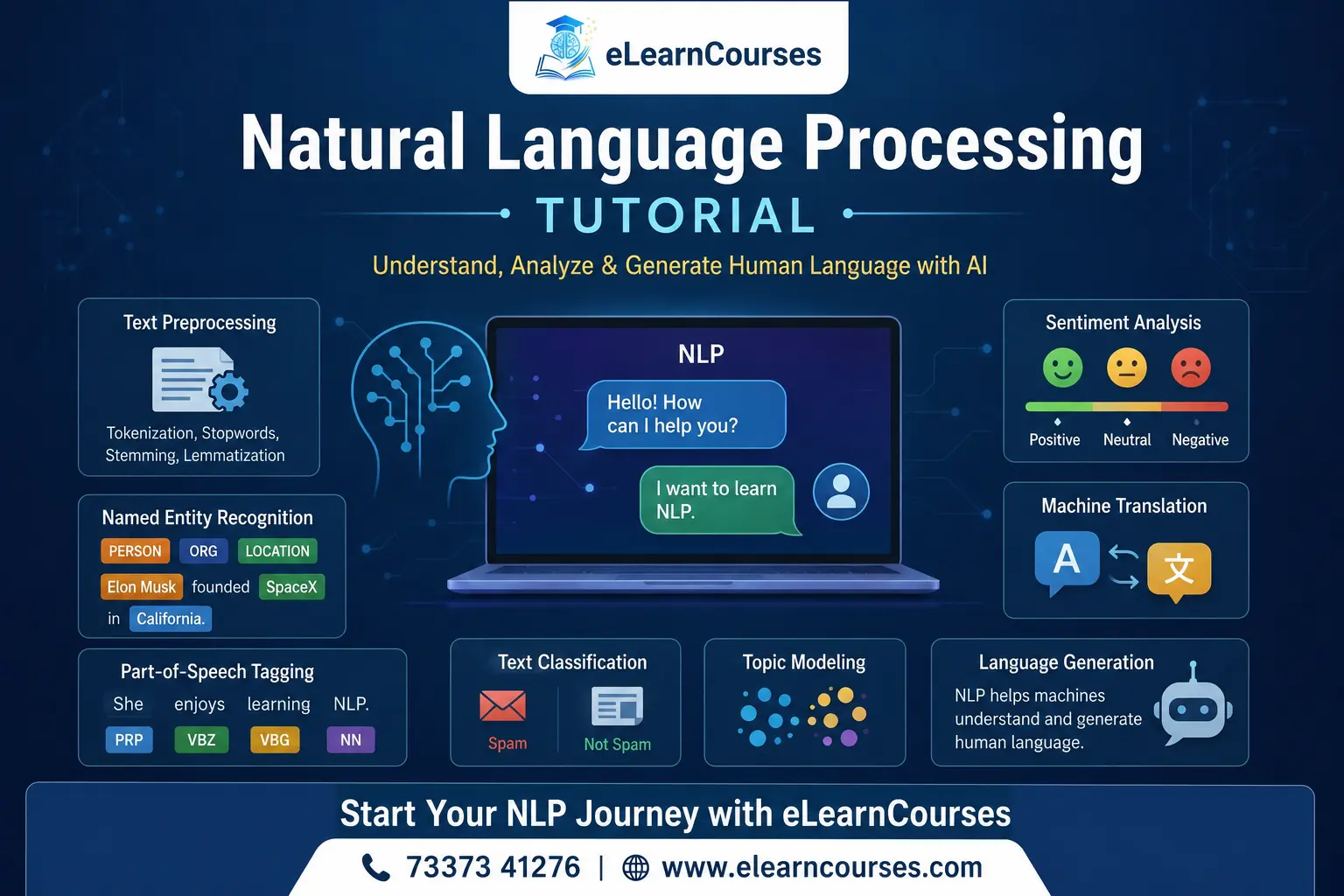
Natural Language Processing Tutorial: A Complete Guide for Beginners
Every time your phone finishes a sentence for you, a spam filter catches a scam email, or a chatbot answers a support question at 2 a.m., there’s a branch of AI called Natural Language Processing doing the work behind the scenes. This Natural Language Processing tutorial walks through what NLP actually is, how it works under the hood, and how to build your first working examples in Python.
You don’t need a background in linguistics or advanced math to get started. What you do need is basic Python and a willingness to run code, look at the output, and adjust it. That’s the approach this guide takes throughout: every concept comes with a working example, not just theory.
What Is Natural Language Processing?
Natural Language Processing, usually shortened to NLP, is the field of computer science focused on getting machines to work with human language, whether that’s text or speech. Computers are naturally good at numbers and structured data. Human language is messy by comparison: full of ambiguity, slang, sarcasm, and grammar rules that people break constantly without noticing.
NLP sits at the intersection of linguistics, computer science, and machine learning. It covers everything from simple tasks, like counting how often a word appears in a document, to complex ones, like generating a coherent paragraph of text from a short prompt.
If you’ve used Google Translate, asked a voice assistant a question, or noticed Gmail suggesting how to finish your sentence, you’ve used NLP without necessarily thinking about it that way.
How NLP Works: The General Pipeline
Most NLP systems, regardless of how advanced they are, follow a similar sequence of steps:
- Text collection: gathering raw text from documents, web pages, social media, or user input
- Preprocessing: cleaning and standardizing the text (lowercasing, removing punctuation, tokenizing)
- Feature extraction: converting text into a numerical form a model can actually process
- Modeling: applying a statistical or machine learning model to the numerical features
- Output: producing a prediction, classification, translation, or generated response
The rest of this Natural Language Processing tutorial follows that same order, building each stage with real code so you can see exactly how raw text turns into something a model can use.
Key NLP Terminology You’ll Run Into Constantly
A handful of terms show up in nearly every NLP resource, so it’s worth defining them before diving into code.
Corpus: a collection of text documents used for training or analysis. Plural: corpora.
Token: a single unit of text after splitting, usually a word or punctuation mark.
Tokenization: the process of splitting text into tokens.
Stopwords: common words like “the,” “is,” and “and” that carry little meaning on their own and are often removed before analysis.
Stemming: cutting words down to a root form by chopping off endings, often crudely (for example, “running” becomes “run,” but so does “runner” in some cases, which isn’t quite right).
Lemmatization: a more careful version of stemming that reduces a word to its dictionary form using actual grammar rules, so “better” correctly maps to “good.”
Corpus vocabulary: the set of unique words present across a corpus, used as the basis for many feature extraction methods.
Knowing these terms makes documentation for libraries like NLTK and spaCy far easier to read, since they’re used constantly without much explanation.
Setting Up Your Environment
This tutorial uses Python along with two widely used NLP libraries: NLTK and spaCy. Install both with pip:
pip install nltk spacy
python -m spacy download en_core_web_sm
NLTK also needs a few additional downloads for tokenizers and corpora the first time you use it:
import nltk
nltk.download('punkt')
nltk.download('stopwords')
nltk.download('wordnet')
nltk.download('averaged_perceptron_tagger')
With that in place, you’re ready to start processing actual text.
Text Preprocessing Step by Step
Raw text is rarely usable as-is. Before any model can work with it, it needs to be cleaned and broken into consistent pieces. This is the part of any Natural Language Processing tutorial that takes the longest to explain properly, because getting it right affects everything downstream.
Lowercasing and Removing Punctuation
import re

text = "NLP is amazing! Isn't it incredible?"
text = text.lower()
text = re.sub(r'[^\w\s]', '', text)
print(text)
# nlp is amazing isnt it incredible
Lowercasing keeps “NLP” and “nlp” from being treated as two different words. Removing punctuation strips out characters that usually don’t add meaning for basic text analysis, though for some tasks, like sentiment analysis, punctuation such as exclamation marks can actually carry useful signal, so this step isn’t always applied blindly.
Tokenization
from nltk.tokenize import word_tokenize

text = "Natural language processing tutorials are useful for beginners."
tokens = word_tokenize(text)
print(tokens)
# ['Natural', 'language', 'processing', 'tutorials', 'are', 'useful', 'for', 'beginners', '.']
Tokenization looks simple, but it handles edge cases you wouldn’t think of right away, like splitting “don’t” into “do” and “n’t,” or correctly handling decimal numbers instead of splitting them at the period.
Removing Stopwords
from nltk.corpus import stopwords

stop_words = set(stopwords.words('english'))
filtered = [word for word in tokens if word.lower() not in stop_words]
print(filtered)
# ['Natural', 'language', 'processing', 'tutorials', 'useful', 'beginners', '.']
Removing stopwords reduces noise for tasks like keyword extraction or topic modeling. That said, for tasks where word order and grammar matter, like translation or text generation, stopwords are usually kept, since removing “not” from “not good” flips the actual meaning.
Stemming vs. Lemmatization
from nltk.stem import PorterStemmer, WordNetLemmatizer

stemmer = PorterStemmer()
lemmatizer = WordNetLemmatizer()

words = ["running", "better", "studies", "flies"]

for word in words:
    print(word, "->", stemmer.stem(word), "|", lemmatizer.lemmatize(word, pos='v'))

# running -> run | run
# better -> better | better
# studies -> studi | study
# flies -> fli | fly
Notice the stemmer produces “studi” and “fli,” which aren’t real words. Lemmatization is slower but returns proper dictionary forms, which matters if the output needs to be readable or fed into something that expects valid words.
Handling Real-World Noise: HTML, Emojis, and Contractions
Textbook examples are clean. Real text scraped from the web or pulled from social media usually isn’t. Before the standard preprocessing steps above, you’ll often need to strip out HTML tags, URLs, and other noise that has nothing to do with the actual content.
import re
from bs4 import BeautifulSoup

raw_html = "<p>Check this out: <a href='http://example.com'>great NLP tutorial</a>! 😍</p>"

# Strip HTML tags
text = BeautifulSoup(raw_html, "html.parser").get_text()

# Remove URLs
text = re.sub(r'http\S+', '', text)

# Remove emojis (basic approach using a unicode range)
text = re.sub(r'[\U0001F600-\U0001F64F\U0001F300-\U0001F5FF]', '', text)

print(text.strip())
# Check this out: great NLP tutorial!
Contractions are another common source of noise, since “don’t,” “can’t,” and “it’s” all split unpredictably during tokenization. Expanding them before tokenizing, using a library like contractions, keeps the resulting tokens more consistent:
import contractions

text = "I don't think it's going to work"
expanded = contractions.fix(text)
print(expanded)
# I do not think it is going to work
Skipping this step is one of the more common reasons a preprocessing pipeline that worked fine on a clean sample dataset produces messy, inconsistent tokens once it’s pointed at real scraped data.
Part-of-Speech Tagging and Named Entity Recognition
Once text is cleaned, the next useful step is figuring out the grammatical role of each word and identifying real-world entities mentioned in it.
import spacy

nlp = spacy.load("en_core_web_sm")
doc = nlp("Sundar Pichai is the CEO of Google, based in Mountain View.")

for token in doc:
    print(token.text, token.pos_)

for ent in doc.ents:
    print(ent.text, ent.label_)

# Output includes POS tags like PROPN, VERB, NOUN
# Entities: Sundar Pichai -> PERSON, Google -> ORG, Mountain View -> GPE
Part-of-speech (POS) tagging labels each token as a noun, verb, adjective, and so on, which is useful for tasks like grammar checking or extracting specific word types. Named entity recognition (NER) goes further, identifying people, organizations, locations, and dates directly from raw text. spaCy handles both with a few lines of code and reasonable accuracy out of the box, which is a big part of why it’s a popular choice for production NLP work rather than just experimentation.
Also Read: Python Tutorial
Feature Extraction: Bag of Words and TF-IDF
Machine learning models don’t understand words directly. They need numbers. Bag of Words and TF-IDF are two of the oldest and still most widely used ways to convert text into numerical features.
Bag of Words counts how often each word appears in a document, ignoring grammar and word order entirely:
from sklearn.feature_extraction.text import CountVectorizer

docs = ["I love NLP", "NLP is fun", "I love learning NLP"]
vectorizer = CountVectorizer()
X = vectorizer.fit_transform(docs)

print(vectorizer.get_feature_names_out())
print(X.toarray())
This produces a matrix where each row is a document and each column is a word from the vocabulary, with the value being how many times that word appeared.
TF-IDF (Term Frequency-Inverse Document Frequency) improves on this by weighing words based on how unique they are across the whole corpus, not just how often they show up in one document:
from sklearn.feature_extraction.text import TfidfVectorizer

tfidf = TfidfVectorizer()
X_tfidf = tfidf.fit_transform(docs)

print(tfidf.get_feature_names_out())
print(X_tfidf.toarray())
Words that appear in almost every document, like “NLP” in this small example, get a lower weight, while words that appear in only one or two documents get a higher one. This tends to produce better results than plain word counts for tasks like document classification and search ranking.
N-Grams and Basic Language Modeling
Before diving into embeddings, it helps to understand n-grams, since they show up constantly in both classical NLP and as a stepping stone toward how modern language models work.
An n-gram is simply a sequence of n consecutive words. “Natural language” is a bigram (n=2), and “natural language processing” is a trigram (n=3).
from nltk.util import ngrams
from nltk.tokenize import word_tokenize

text = "natural language processing is a fascinating field"
tokens = word_tokenize(text)
bigrams = list(ngrams(tokens, 2))
print(bigrams)
# [('natural', 'language'), ('language', 'processing'), ('processing', 'is'), ...]
A basic language model can be built by counting how often each n-gram appears in a corpus and using those counts to estimate the probability of the next word given the previous one or two. This is exactly the idea behind the autocomplete suggestions on your phone keyboard, just scaled up with far more training data than a toy example like this one. Modern transformer-based language models extend this same core idea, predicting the next token, but use far more sophisticated methods for deciding which earlier words actually matter for that prediction.
Word Embeddings: Giving Words Numerical Meaning
Bag of Words and TF-IDF treat words as isolated symbols. They have no idea that “king” and “queen” are related, or that “good” and “great” mean similar things. Word embeddings fix that by representing each word as a dense vector of numbers, positioned in space so that similar words end up close together.
Word2Vec and GloVe are the two most commonly referenced embedding methods. Both are trained on huge amounts of text and learn to place words with similar contexts near each other. A famous example from Word2Vec’s original research: taking the vector for “king,” subtracting “man,” and adding “woman” lands close to the vector for “queen,” purely from patterns in how those words are used.
from gensim.models import Word2Vec

sentences = [["natural", "language", "processing", "is", "useful"],
             ["machine", "learning", "powers", "natural", "language", "processing"]]

model = Word2Vec(sentences, vector_size=50, window=3, min_count=1)
print(model.wv.most_similar("language"))
On a small dataset like this the results won’t be meaningful, since embeddings need a lot of text to learn genuinely useful relationships, but the code shows the mechanics of training one from scratch.
Transformers and Modern NLP
Everything up to this point represents the classical approach to NLP. Since around 2018, the field has largely shifted toward transformer-based models, with BERT and GPT-style architectures leading that shift. Instead of processing text word by word in order, transformers look at an entire sentence at once and weigh how much each word should pay attention to every other word, which handles context and long-range dependencies far better than older methods.
You don’t need to build a transformer from scratch to use one. The Hugging Face Transformers library gives access to pretrained models with just a few lines of code:
from transformers import pipeline

classifier = pipeline("sentiment-analysis")
result = classifier("This Natural Language Processing tutorial made the topic click for me.")
print(result)
# [{'label': 'POSITIVE', 'score': 0.998...}]
That single function call loads a pretrained transformer model and runs sentiment analysis on the input text. For a lot of practical applications today, using an existing pretrained model like this gets better results with less code than building a classical pipeline from scratch, though understanding the classical approach still matters for knowing why these models behave the way they do.
Building a Simple Sentiment Analysis Project
To tie the earlier concepts together, here’s a small sentiment classifier using TF-IDF features and a basic machine learning model.
from sklearn.feature_extraction.text import TfidfVectorizer
from sklearn.model_selection import train_test_split
from sklearn.linear_model import LogisticRegression
from sklearn.metrics import accuracy_score

texts = [
    "I love this product, it works great",
    "Terrible experience, would not recommend",
    "Absolutely fantastic service",
    "Worst purchase I have ever made",
    "Pretty good overall, happy with it",
    "Not satisfied, poor quality"
]
labels = [1, 0, 1, 0, 1, 0]  # 1 = positive, 0 = negative

X_train, X_test, y_train, y_test = train_test_split(texts, labels, test_size=0.33, random_state=42)

vectorizer = TfidfVectorizer()
X_train_vec = vectorizer.fit_transform(X_train)
X_test_vec = vectorizer.transform(X_test)

model = LogisticRegression()
model.fit(X_train_vec, y_train)

predictions = model.predict(X_test_vec)
print("Accuracy:", accuracy_score(y_test, predictions))
This dataset is tiny, purely to show the pipeline end to end: raw text goes in, TF-IDF converts it into numbers, and logistic regression learns to separate positive from negative examples. A real project would use thousands of labeled examples, but the steps stay the same regardless of scale.
Evaluating an NLP Model Properly
Accuracy alone can be misleading, especially with imbalanced data. If 90% of reviews in a dataset are positive, a model that always predicts “positive” gets 90% accuracy while learning nothing useful. Precision, recall, and F1 score give a fuller picture.
from sklearn.metrics import classification_report, confusion_matrix

print(classification_report(y_test, predictions))
print(confusion_matrix(y_test, predictions))
Precision answers: of everything the model labeled positive, how much was actually positive? Recall answers: of everything that was actually positive, how much did the model correctly catch? F1 score balances the two into a single number, which is useful when you need one metric to compare models rather than juggling two.
For a spam filter, high precision matters more, since flagging a real email as spam is worse than letting one spam message through. For a medical text classifier flagging concerning symptoms in patient notes, recall usually matters more, since missing a genuine case is the costlier mistake. Which metric to prioritize depends entirely on what a false positive versus a false negative actually costs in your specific application.
Comparing Popular NLP Libraries
Each major NLP library in Python has a different focus, and picking the right one depends on the task.
NLTK is the oldest and most educational option. It’s well-documented and includes a wide range of algorithms, which makes it a good starting point for learning concepts, though it’s slower and less production-ready than newer alternatives.
spaCy is built for speed and real-world use. Its pretrained pipelines handle tokenization, POS tagging, and named entity recognition efficiently, and it’s the more common choice once you move past learning exercises into an actual application.
Hugging Face Transformers gives access to state-of-the-art pretrained models for nearly every NLP task, from translation to summarization to question answering. It requires more compute than the other two, particularly for larger models, but it currently produces the strongest results for most modern NLP tasks.
A common path is learning core concepts with NLTK, moving to spaCy for practical preprocessing pipelines, and reaching for Hugging Face Transformers when a project needs the accuracy that pretrained transformer models provide.
Real-World Applications of NLP
NLP shows up in more places than most people realize:
- Search engines use it to understand query intent beyond exact keyword matches
- Spam filters classify incoming email based on patterns learned from labeled examples
- Machine translation services convert text between languages using sequence-to-sequence models
- Chatbots and virtual assistants rely on NLP to parse user intent and generate relevant responses
- Sentiment analysis tools track public opinion about products or brands from reviews and social media
- Resume screening software extracts skills and experience from unstructured resume text
- Text summarization tools condense long articles or reports into a shorter version while keeping the key points intact
- Voice assistants combine speech recognition with NLP to convert spoken requests into actions
Any product that reads or generates human language somewhere in its pipeline is likely using at least one technique covered in this Natural Language Processing tutorial. Even fields that don’t look language-related on the surface, like finance or healthcare, rely heavily on NLP to process unstructured text buried in reports, transcripts, and clinical notes.
Common Challenges in NLP
Language resists clean rules, which makes NLP harder than it looks from the outside.
Ambiguity is everywhere. “I saw a man on a hill with a telescope” can mean several different things depending on which phrase attaches to which noun, and humans resolve this instantly using context that’s hard to encode explicitly.
Sarcasm and tone are difficult for models to catch reliably, since the literal words often say the opposite of the intended meaning.
Low-resource languages don’t have the massive labeled datasets that English and a handful of other languages have, so models trained mainly on English text often perform noticeably worse elsewhere.
Bias in training data shows up in model outputs, since a model trained on text scraped from the internet absorbs whatever patterns, including harmful ones, are present in that data.
Context length matters too. Even modern transformer models have limits on how much text they can consider at once, which affects tasks like summarizing very long documents.
Best Practices for Learning NLP
Start with the classical pipeline before jumping to transformers. Understanding tokenization, TF-IDF, and basic classifiers makes it much easier to understand why modern models are structured the way they are, rather than treating them as a black box.
Work with real datasets early. Sites like Kaggle host labeled text datasets for sentiment analysis, spam detection, and topic classification, which is far more useful practice than toy examples with five sentences.
Read the documentation for whichever library you’re using rather than relying only on tutorials. The official NLTK documentation and the spaCy documentation both include detailed guides that go deeper than most beginner tutorials, including this one.
Don’t skip evaluation. It’s easy to build a model that looks like it’s working and skip checking accuracy, precision, and recall on a proper test set, which is usually where the real problems in a project show up.
Practice Project
A good next step after working through this tutorial: build a movie review sentiment classifier using a public dataset like the IMDb reviews dataset, preprocess the text with the steps covered here, extract features with TF-IDF, and train a logistic regression or Naive Bayes classifier. Then compare its accuracy against a pretrained Hugging Face sentiment pipeline on the same reviews. That comparison alone teaches more about the tradeoffs between classical and modern NLP than reading about them ever will.
Frequently Asked Questions
Do I need to know machine learning before learning NLP? Basic familiarity helps, but you can start an NLP tutorial with just Python knowledge and pick up machine learning concepts like classification and evaluation as you go, since most NLP libraries handle the underlying math for you.
Which library should a beginner start with, NLTK or spaCy? NLTK for understanding concepts, since its documentation walks through the theory in more detail. Move to spaCy once you’re building something closer to a real application, since it’s faster and easier to use in production code.
Is Python the only language used for NLP? No, but it’s by far the most common, mainly because of its mature library ecosystem (NLTK, spaCy, Hugging Face Transformers, Gensim). R and Java have NLP libraries too, but most tutorials, research code, and job postings assume Python.
How long does it take to learn NLP from scratch? Someone comfortable with Python can usually grasp preprocessing, TF-IDF, and basic classifiers within a few weeks. Getting comfortable with transformer models and their underlying architecture typically takes a few months of consistent practice.
What’s the difference between NLP and natural language understanding (NLU)? NLU is usually considered a subfield of NLP focused specifically on extracting meaning and intent from text, like determining what a user actually wants from a chatbot query. NLP is the broader field that includes NLU along with tasks like generation, translation, and summarization.
Can I do NLP without a GPU? Yes, for classical approaches like TF-IDF and basic classifiers, a normal laptop CPU is fine. Training or fine-tuning larger transformer models is where a GPU starts to matter, since those models involve far more parameters and computation than a logistic regression or Naive Bayes classifier.
What math do I actually need for NLP? Basic probability and linear algebra cover most of what you’ll encounter early on, particularly vectors and matrix operations, since text ends up represented as numerical vectors at almost every stage of this pipeline. Deeper work with transformer architectures eventually involves more calculus, but that’s not necessary to start building working NLP projects.
Where to Go From Here
This Natural Language Processing tutorial covered the full pipeline: preprocessing, POS tagging, feature extraction, word embeddings, and modern transformer-based models, with working code at each stage. The fastest way to build real skill from here is picking a dataset and building something end to end, since debugging a real preprocessing pipeline teaches more than reading about tokenization ever will.
If you’re still getting comfortable with the Python fundamentals used throughout this guide, our Python tutorial covers the basics you’ll need. Once you’re ready to go deeper into the machine learning concepts behind NLP models, our Machine Learning tutorial is the natural next step.