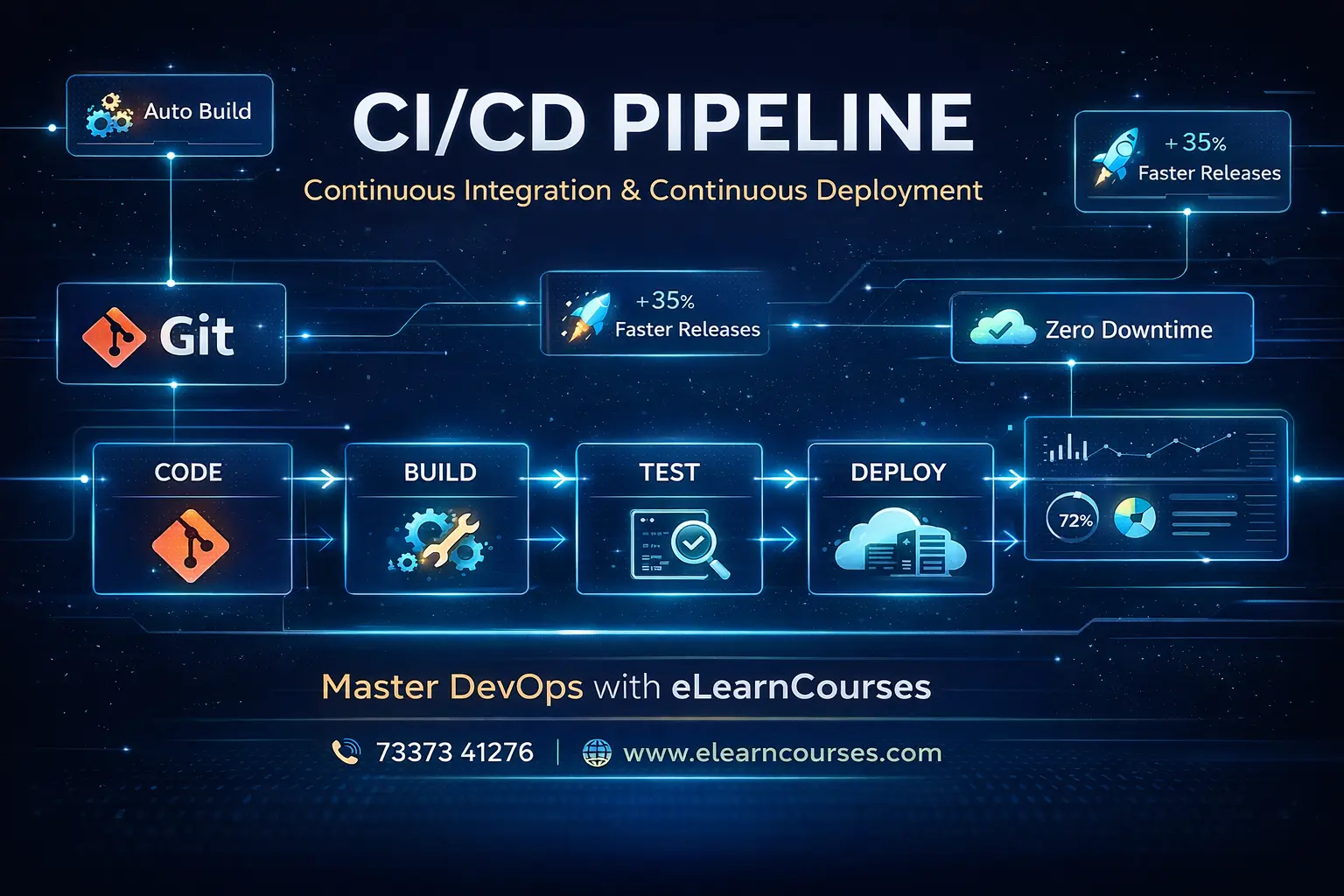
CI/CD Pipeline: The Ultimate Proven Guide to Master Continuous Integration and Delivery in 2026
In the world of modern software development, speed and reliability are not a trade-off — they are a competitive necessity. The organizations that consistently deliver high-quality software faster than their competitors don’t do it by hiring more people or working longer hours. They do it by automating their entire software delivery process through a powerful engineering practice called the CI/CD Pipeline.
Whether you’re a developer who has heard the term “CI/CD pipeline” but isn’t quite sure what it means, a DevOps engineer building your first automated delivery system, or an engineering leader evaluating your team’s delivery capabilities — this ultimate guide provides the complete, practical education you need.
This comprehensive CI/CD pipeline guide covers everything: what CI/CD pipelines are and why they matter, the stages every pipeline must include, how to design effective pipeline architectures, hands-on implementation with GitHub Actions, Jenkins, and GitLab CI, advanced patterns like blue-green deployments and canary releases, security integration (DevSecOps), monitoring and observability, real-world industry examples, best practices, common mistakes to avoid, and the career opportunities that come with CI/CD expertise.
The CI/CD pipeline is not just a DevOps tool — it is the backbone of how the world’s most successful software organizations deliver value. Netflix deploys thousands of times per day. Amazon deploys every 11.6 seconds. Google processes millions of code changes per year. Behind every one of those deployments is a battle-tested CI/CD pipeline.
Let’s build yours.
What is a CI/CD Pipeline? — The Complete Definition
A CI/CD Pipeline (Continuous Integration / Continuous Delivery or Deployment Pipeline) is an automated sequence of processes that takes code from a developer’s commit all the way through building, testing, security scanning, and deploying to production — with minimal or no manual intervention.
The term “CI/CD” actually refers to three interconnected practices:
Continuous Integration (CI)
Continuous Integration is the practice of frequently merging all developers’ code changes into a shared repository — multiple times per day — where each integration is automatically verified by building the project and running automated tests.
The Problem CI Solves: Before CI, teams would work on separate code branches for weeks or months, then spend days or weeks in painful “integration hell” — merging divergent code, resolving conflicts, and debugging obscure interaction bugs. CI solves this by integrating continuously, catching conflicts and bugs when they’re small and cheap to fix.
Core CI Principle: Every commit triggers an automated build and test run. The main branch must always be in a deployable state.
Continuous Delivery (CD)
Continuous Delivery extends CI by automatically deploying every successful build to a staging environment, ensuring the software is always in a releasable state. The actual deployment to production may require a manual approval step.
Key Distinction: In Continuous Delivery, deployment to production is a business decision (when, not whether). The technical capability is always ready.
Continuous Deployment (CD)
Continuous Deployment goes one step further — every change that passes all automated tests is automatically deployed to production without any human intervention. This is how companies like Netflix and Amazon achieve thousands of daily deployments.
Developer          CI Pipeline              CD Pipeline
Commits Code  →  Build → Test → Scan  →  Stage → Approve → Deploy
                 ↑                         ↑
            Continuous              Continuous Delivery
            Integration            (manual gate) OR
                                   Continuous Deployment
                                   (fully automated)
The CI/CD Pipeline Defined
Bringing it all together: A CI/CD Pipeline is the automated system that implements these practices — a series of automated stages that code changes pass through, from commit to production deployment.
Why CI/CD Pipelines Are Essential — The Business Case
Understanding the CI/CD pipeline requires understanding the problem it solves. Before CI/CD, most software teams operated like this:
The Pre-CI/CD World:
- Developers worked on large features for weeks without integrating
- “Deployment days” were high-stress events planned weeks in advance
- Releases happened monthly or quarterly — each one a major risk
- Testing was done manually by QA teams, creating bottlenecks
- Environment inconsistencies caused frequent “works on my machine” failures
- Bug fixes took days to reach production
The CI/CD World:
- Code changes are integrated and tested within minutes of being committed
- Deployments happen automatically, multiple times per day
- Any failure is caught immediately and attributed to a specific change
- Every environment is provisioned identically from code
- Bug fixes can reach production in minutes, not days
Measurable Business Impact (DORA Research 2024):
| Metric | Low Performers | High Performers | Difference |
|---|---|---|---|
| Deployment Frequency | Once per month | Multiple per day | 182x |
| Lead Time for Changes | 1–6 months | Less than 1 hour | 1000x+ |
| Mean Time to Recovery | 1 week+ | Less than 1 hour | 168x+ |
| Change Failure Rate | 46–60% | 0–15% | 4x better |
These aren’t marginal improvements — they’re order-of-magnitude differences between organizations with mature CI/CD pipelines and those without.
The Anatomy of a CI/CD Pipeline — Every Stage Explained
A well-designed CI/CD pipeline consists of multiple ordered stages. Each stage must pass before the next begins, acting as a quality gate.
Stage 1: Source — Code Commit Trigger
What happens: A developer pushes code to a Git repository (GitHub, GitLab, Bitbucket). This event triggers the pipeline automatically via a webhook.
Trigger types:
- Push trigger — Any commit to any branch
- Pull Request trigger — When a PR is opened or updated
- Tag trigger — When a semantic version tag is pushed (e.g., v2.3.1)
- Schedule trigger — Nightly builds, weekly security scans
- Manual trigger — Human initiates the pipeline
Best practices:
- Protect the main branch — require passing CI before merging
- Use branch naming conventions (feature/, bugfix/, hotfix/)
- Write meaningful commit messages (Conventional Commits)
Stage 2: Build — Compile and Package
What happens: The source code is compiled (if necessary), dependencies are installed, and the application is packaged into a deployable artifact — a JAR file, a wheel package, a Docker image, or a binary.
Key activities:
- Install language runtime and dependencies
- Compile code (Java, Go, C#, TypeScript)
- Run static analysis and linting
- Package application (Docker image, npm package, Python wheel)
- Version the artifact with a unique identifier (Git commit SHA)
Critical principle: Build artifacts must be immutable — the same Docker image that passed tests in staging is what gets deployed to production. Never rebuild for production.
Stage 3: Test — Automated Quality Verification
Testing is the heart of the CI/CD pipeline. Multiple layers of automated testing catch different categories of defects:
Test Pyramid:
         /\
        /E2E\      ← Few: Slow, expensive, catch integration issues
       /------\
      / Integ  \   ← Some: Medium speed, test component interactions
     /----------\
    /  Unit Tests \  ← Many: Fast, cheap, test individual functions
   /--------------\
Unit Tests:
- Test individual functions and classes in isolation
- Run in seconds
- Should cover 70-80% of code paths
- Fail fast — provide instant feedback
Integration Tests:
- Test how multiple components work together
- Cover API endpoints, database interactions, service boundaries
- Run in minutes
End-to-End (E2E) Tests:
- Simulate real user journeys through the entire application
- Slower to run (minutes to hours for full suite)
- Cover the most critical user flows
Contract Tests:
- Verify API contracts between microservices
- Prevent breaking changes from propagating across services
Performance Tests:
- Validate application response times under expected load
- Run periodically (not on every commit — too slow)
Stage 4: Security Scan — DevSecOps Integration
Modern CI/CD pipelines integrate security scanning throughout — the “shift left” security philosophy.
Security scanning types:
- SAST (Static Application Security Testing) — Scan source code for vulnerabilities without running it
- DAST (Dynamic Application Security Testing) — Test running applications for exploitable vulnerabilities
- SCA (Software Composition Analysis) — Scan third-party dependencies for known CVEs
- Container Image Scanning — Detect vulnerabilities in Docker base images and layers
- Secret Scanning — Prevent API keys, passwords, and tokens from being committed
- IaC Security Scanning — Check Terraform/Ansible configs for misconfigurations
Stage 5: Artifact Publication — Store the Build Output
What happens: The verified, tested Docker image (or other artifact) is pushed to an artifact registry for storage and later retrieval during deployment.
Artifact registries:
- Docker registries — Docker Hub, GitHub Container Registry (ghcr.io), Amazon ECR, GCR
- Package registries — PyPI, npm, Maven Central, NuGet
- Generic artifact stores — JFrog Artifactory, Sonatype Nexus, AWS S3
Best practice: Tag artifacts with both the Git commit SHA (immutable) and semantic version (human-readable).
Stage 6: Deploy to Staging — Pre-Production Validation
What happens: The verified artifact is deployed to a staging environment — an environment that mirrors production as closely as possible. Integration tests, smoke tests, and UAT (User Acceptance Testing) run here.
Staging environment requirements:
- Same infrastructure as production (provisioned with same IaC)
- Same configuration (minus production credentials)
- Production-scale data (anonymized if sensitive)
- Connected to non-production versions of external services
Stage 7: Approval Gate (Optional) — Human Decision Point
In Continuous Delivery (as opposed to Continuous Deployment), a human approves the final push to production. This gate is appropriate for:
- Regulated industries requiring change approval records
- High-risk deployments needing business sign-off
- Staged rollouts requiring coordination with marketing/support
Stage 8: Deploy to Production — The Final Mile
What happens: The verified, approved artifact is deployed to production using a deployment strategy that minimizes risk and enables rollback.
Deployment strategies:
Rolling Deployment: Gradually replace old instances with new ones. At any point, some instances run old code and some run new code.
Before: [v1][v1][v1][v1]
Step 1: [v2][v1][v1][v1]
Step 2: [v2][v2][v1][v1]
Step 3: [v2][v2][v2][v1]
After:  [v2][v2][v2][v2]
Blue-Green Deployment: Maintain two identical production environments. Switch traffic instantly from “blue” (current) to “green” (new). Instant rollback by switching back.
Users → Load Balancer → [Blue: v1] (active)
                      → [Green: v2] (idle → testing)
# After validation:
Users → Load Balancer → [Green: v2] (now active)
                      → [Blue: v1] (idle → standby)
Canary Deployment: Route a small percentage of traffic to the new version. Monitor closely. Gradually increase if healthy.
Users → Load Balancer → [v1]: 95% traffic
                      → [v2-canary]: 5% traffic
# After validation:
Users → Load Balancer → [v2]: 100% traffic
Feature Flags: Deploy code to production but control feature visibility via configuration toggles. Completely decouple deployment from release.
Stage 9: Monitor and Observe — Closed-Loop Feedback
What happens: After deployment, the pipeline monitors application health and automatically initiates rollback if key metrics degrade.
Key metrics to monitor post-deployment:
- Error rate (HTTP 5xx responses)
- Response time (P50, P95, P99 latency)
- Request throughput
- Business metrics (conversions, enrollments, purchases)
- Infrastructure metrics (CPU, memory, disk)
Also Read: Jenkins Interview Questions
Complete CI/CD Pipeline Implementation Examples
Implementation 1: GitHub Actions — Full Pipeline
# .github/workflows/complete-pipeline.yml
# Complete CI/CD Pipeline for eLearn Courses Platform

name: Complete CI/CD Pipeline

on:
  push:
    branches: [main, develop, 'release/**']
  pull_request:
    branches: [main, develop]
  workflow_dispatch:
    inputs:
      environment:
        description: 'Deploy to environment'
        required: true
        default: 'staging'
        type: choice
        options: [staging, production]
      skip_tests:
        description: 'Skip tests (emergency deploy only)'
        required: false
        type: boolean
        default: false

env:
  PYTHON_VERSION: '3.11'
  NODE_VERSION: '20'
  REGISTRY: ghcr.io
  IMAGE_NAME: ${{ github.repository }}
  SLACK_WEBHOOK: ${{ secrets.SLACK_WEBHOOK_URL }}

jobs:
  # ── Job 1: Validate Code Quality ──────────────────────────
  validate:
    name: 🔍 Validate Code Quality
    runs-on: ubuntu-latest
    outputs:
      version: ${{ steps.version.outputs.version }}

    steps:
      - name: Checkout repository
        uses: actions/checkout@v4
        with:
          fetch-depth: 0  # Full history for version calculation

      - name: Set up Python ${{ env.PYTHON_VERSION }}
        uses: actions/setup-python@v5
        with:
          python-version: ${{ env.PYTHON_VERSION }}
          cache: 'pip'

      - name: Install dependencies
        run: |
          pip install --upgrade pip
          pip install -r requirements.txt
          pip install flake8 black isort mypy pylint

      - name: Check code formatting (Black)
        run: black --check --diff .

      - name: Check import ordering (isort)
        run: isort --check-only --diff .

      - name: Lint with flake8
        run: |
          flake8 . \
            --max-line-length=100 \
            --max-complexity=10 \
            --statistics \
            --format=default

      - name: Type checking with mypy
        run: mypy app/ --ignore-missing-imports

      - name: Calculate version
        id: version
        run: |
          # Semantic version from git tags
          VERSION=$(git describe --tags --always --dirty 2>/dev/null \
            || echo "0.0.0-${GITHUB_SHA::8}")
          echo "version=$VERSION" >> $GITHUB_OUTPUT
          echo "📦 Version: $VERSION"

  # ── Job 2: Security Scanning ───────────────────────────────
  security:
    name: 🔒 Security Scanning
    runs-on: ubuntu-latest
    needs: validate
    permissions:
      security-events: write

    steps:
      - uses: actions/checkout@v4

      - name: Set up Python
        uses: actions/setup-python@v5
        with:
          python-version: ${{ env.PYTHON_VERSION }}
          cache: 'pip'

      - name: Install security tools
        run: pip install bandit safety pip-audit

      - name: SAST — Bandit security scan
        run: |
          bandit -r app/ \
            -ll \
            -f json \
            -o bandit-report.json || true
          bandit -r app/ -ll  # Also print to console

      - name: SCA — Check dependencies for vulnerabilities
        run: |
          safety check --json > safety-report.json || true
          pip-audit --format=json --output=pip-audit-report.json || true
          safety check  # Print results

      - name: Secret scanning — Detect hardcoded secrets
        uses: gitleaks/gitleaks-action@v2
        env:
          GITHUB_TOKEN: ${{ secrets.GITHUB_TOKEN }}

      - name: Upload security reports
        uses: actions/upload-artifact@v4
        if: always()
        with:
          name: security-reports
          path: |
            bandit-report.json
            safety-report.json
            pip-audit-report.json

  # ── Job 3: Unit and Integration Tests ─────────────────────
  test:
    name: 🧪 Automated Tests
    runs-on: ubuntu-latest
    needs: validate
    if: ${{ !inputs.skip_tests }}

    services:
      postgres:
        image: postgres:15-alpine
        env:
          POSTGRES_USER: testuser
          POSTGRES_PASSWORD: testpassword
          POSTGRES_DB: elearncourses_test
        ports:
          - 5432:5432
        options: >-
          --health-cmd pg_isready
          --health-interval 10s
          --health-timeout 5s
          --health-retries 5

      redis:
        image: redis:7-alpine
        ports:
          - 6379:6379
        options: >-
          --health-cmd "redis-cli ping"
          --health-interval 10s

    strategy:
      matrix:
        test-type: [unit, integration, api]
      fail-fast: false

    steps:
      - uses: actions/checkout@v4

      - name: Set up Python
        uses: actions/setup-python@v5
        with:
          python-version: ${{ env.PYTHON_VERSION }}
          cache: 'pip'

      - name: Install test dependencies
        run: |
          pip install -r requirements.txt
          pip install pytest pytest-cov pytest-asyncio pytest-xdist \
                      httpx factory-boy faker

      - name: Run ${{ matrix.test-type }} tests
        env:
          DATABASE_URL: postgresql://testuser:testpassword@localhost:5432/elearncourses_test
          REDIS_URL: redis://localhost:6379/0
          ENVIRONMENT: test
          JWT_SECRET: test-jwt-secret-key-do-not-use-in-production
        run: |
          pytest tests/${{ matrix.test-type }}/ \
            --cov=app \
            --cov-report=xml:coverage-${{ matrix.test-type }}.xml \
            --cov-report=term-missing \
            --junitxml=test-results-${{ matrix.test-type }}.xml \
            --tb=short \
            -n auto \
            -v

      - name: Upload test results
        uses: actions/upload-artifact@v4
        if: always()
        with:
          name: test-results-${{ matrix.test-type }}
          path: |
            test-results-${{ matrix.test-type }}.xml
            coverage-${{ matrix.test-type }}.xml

      - name: Publish test results
        uses: EnricoMi/publish-unit-test-result-action@v2
        if: always()
        with:
          files: test-results-${{ matrix.test-type }}.xml
          comment_title: "${{ matrix.test-type }} Test Results"

  # ── Job 4: Code Coverage Gate ─────────────────────────────
  coverage-gate:
    name: 📊 Coverage Gate (≥80%)
    runs-on: ubuntu-latest
    needs: test

    steps:
      - uses: actions/checkout@v4

      - name: Download all coverage reports
        uses: actions/download-artifact@v4
        with:
          pattern: test-results-*
          merge-multiple: true

      - name: Combine coverage reports
        run: |
          pip install coverage
          coverage combine coverage-*.xml
          coverage report --fail-under=80
          coverage xml -o combined-coverage.xml

      - name: Upload combined coverage to Codecov
        uses: codecov/codecov-action@v4
        with:
          file: combined-coverage.xml
          fail_ci_if_error: true
          token: ${{ secrets.CODECOV_TOKEN }}

  # ── Job 5: Build Docker Image ─────────────────────────────
  build:
    name: 🐳 Build and Scan Container
    runs-on: ubuntu-latest
    needs: [validate, security, test]
    permissions:
      contents: read
      packages: write
      security-events: write
    outputs:
      image-digest: ${{ steps.build.outputs.digest }}
      image-tag: ${{ steps.meta.outputs.tags }}

    steps:
      - uses: actions/checkout@v4

      - name: Set up Docker Buildx
        uses: docker/setup-buildx-action@v3
        with:
          driver-opts: image=moby/buildkit:latest

      - name: Log in to GitHub Container Registry
        uses: docker/login-action@v3
        with:
          registry: ${{ env.REGISTRY }}
          username: ${{ github.actor }}
          password: ${{ secrets.GITHUB_TOKEN }}

      - name: Extract Docker metadata
        id: meta
        uses: docker/metadata-action@v5
        with:
          images: ${{ env.REGISTRY }}/${{ env.IMAGE_NAME }}
          tags: |
            type=ref,event=branch
            type=ref,event=pr
            type=semver,pattern={{version}}
            type=sha,prefix=sha-
            type=raw,value=latest,enable={{is_default_branch}}
          labels: |
            org.opencontainers.image.title=eLearn Courses API
            org.opencontainers.image.vendor=elearncourses.com
            org.opencontainers.image.version=${{ needs.validate.outputs.version }}

      - name: Build and push Docker image
        id: build
        uses: docker/build-push-action@v5
        with:
          context: .
          platforms: linux/amd64,linux/arm64
          push: ${{ github.event_name != 'pull_request' }}
          tags: ${{ steps.meta.outputs.tags }}
          labels: ${{ steps.meta.outputs.labels }}
          cache-from: type=gha
          cache-to: type=gha,mode=max
          build-args: |
            BUILD_VERSION=${{ needs.validate.outputs.version }}
            GIT_COMMIT=${{ github.sha }}
            BUILD_DATE=${{ github.event.head_commit.timestamp }}

      - name: Scan Docker image for vulnerabilities
        uses: aquasecurity/trivy-action@master
        with:
          image-ref: ${{ env.REGISTRY }}/${{ env.IMAGE_NAME }}:sha-${{ github.sha }}
          format: 'sarif'
          output: 'trivy-results.sarif'
          exit-code: '1'
          severity: 'CRITICAL,HIGH'
          ignore-unfixed: true

      - name: Upload Trivy scan results
        uses: github/codeql-action/upload-sarif@v3
        if: always()
        with:
          sarif_file: 'trivy-results.sarif'

  # ── Job 6: Deploy to Staging ───────────────────────────────
  deploy-staging:
    name: 🚀 Deploy to Staging
    runs-on: ubuntu-latest
    needs: [build, coverage-gate]
    environment:
      name: staging
      url: https://staging.elearncourses.com
    if: github.ref == 'refs/heads/develop' || github.ref == 'refs/heads/main'

    steps:
      - uses: actions/checkout@v4

      - name: Set up kubectl
        uses: azure/setup-kubectl@v3
        with:
          version: 'v1.28.0'

      - name: Configure kubectl for staging
        run: |
          echo "${{ secrets.KUBE_CONFIG_STAGING }}" | base64 -d > kubeconfig.yaml
          export KUBECONFIG=kubeconfig.yaml

      - name: Deploy to staging (Rolling Update)
        run: |
          export KUBECONFIG=kubeconfig.yaml
          IMAGE="${{ env.REGISTRY }}/${{ env.IMAGE_NAME }}:sha-${{ github.sha }}"

          # Update deployment image
          kubectl set image deployment/elearn-api \
            api="$IMAGE" \
            --namespace=staging

          # Wait for rollout with timeout
          kubectl rollout status deployment/elearn-api \
            --namespace=staging \
            --timeout=300s

          echo "✅ Staging deployment complete"

      - name: Run smoke tests on staging
        run: |
          sleep 15  # Allow DNS propagation
          curl -f https://staging.elearncourses.com/health || exit 1
          curl -f https://staging.elearncourses.com/api/v1/courses || exit 1
          echo "✅ Smoke tests passed"

      - name: Run E2E tests on staging
        run: |
          pip install pytest playwright
          playwright install chromium
          pytest tests/e2e/ \
            --base-url=https://staging.elearncourses.com \
            --tb=short \
            -v

  # ── Job 7: Deploy to Production ───────────────────────────
  deploy-production:
    name: 🎯 Deploy to Production
    runs-on: ubuntu-latest
    needs: [deploy-staging]
    environment:
      name: production
      url: https://elearncourses.com
    if: github.ref == 'refs/heads/main'

    steps:
      - uses: actions/checkout@v4

      - name: Set up kubectl
        uses: azure/setup-kubectl@v3

      - name: Configure kubectl for production
        run: |
          echo "${{ secrets.KUBE_CONFIG_PRODUCTION }}" | base64 -d > kubeconfig.yaml

      - name: Canary deployment — Route 10% traffic to new version
        run: |
          export KUBECONFIG=kubeconfig.yaml
          IMAGE="${{ env.REGISTRY }}/${{ env.IMAGE_NAME }}:sha-${{ github.sha }}"

          # Deploy canary (10% replicas)
          kubectl set image deployment/elearn-api-canary \
            api="$IMAGE" \
            --namespace=production

          kubectl scale deployment/elearn-api-canary \
            --replicas=1 \
            --namespace=production

          echo "🐦 Canary deployed — monitoring for 5 minutes..."

      - name: Monitor canary health
        run: |
          export KUBECONFIG=kubeconfig.yaml

          # Check error rate for 5 minutes
          for i in {1..10}; do
            sleep 30

            # Query Prometheus for error rate
            ERROR_RATE=$(curl -s \
              "http://prometheus.monitoring.svc:9090/api/v1/query?query=\
              rate(http_requests_total{deployment='elearn-api-canary',\
              status=~'5..'}[1m])/rate(http_requests_total\
              {deployment='elearn-api-canary'}[1m])*100" \
              | jq -r '.data.result[0].value[1] // "0"')

            echo "Canary error rate: ${ERROR_RATE}%"

            if (( $(echo "$ERROR_RATE > 5" | bc -l) )); then
              echo "❌ Canary error rate too high! Rolling back..."
              kubectl rollout undo deployment/elearn-api-canary \
                --namespace=production
              exit 1
            fi
          done
          echo "✅ Canary healthy — proceeding with full rollout"

      - name: Full production rollout
        run: |
          export KUBECONFIG=kubeconfig.yaml
          IMAGE="${{ env.REGISTRY }}/${{ env.IMAGE_NAME }}:sha-${{ github.sha }}"

          kubectl set image deployment/elearn-api \
            api="$IMAGE" \
            --namespace=production

          kubectl rollout status deployment/elearn-api \
            --namespace=production \
            --timeout=300s

          # Scale down canary
          kubectl scale deployment/elearn-api-canary \
            --replicas=0 \
            --namespace=production

          echo "✅ Production deployment complete!"

      - name: Production smoke tests
        run: |
          sleep 10
          curl -f https://elearncourses.com/health || exit 1
          echo "✅ Production health check passed"

      - name: Create GitHub Release
        uses: softprops/action-gh-release@v2
        if: startsWith(github.ref, 'refs/tags/')
        with:
          generate_release_notes: true
          make_latest: true

  # ── Job 8: Notify Team ─────────────────────────────────────
  notify:
    name: 📢 Notify Team
    runs-on: ubuntu-latest
    needs: [deploy-production]
    if: always()

    steps:
      - name: Send Slack notification
        uses: 8398a7/action-slack@v3
        with:
          status: ${{ job.status }}
          fields: repo,message,commit,author,took
          text: |
            ${{ needs.deploy-production.result == 'success' && '✅' || '❌' }}
            *eLearn API* deployment to *production*
            Version: `${{ github.sha }}`
            Branch: `${{ github.ref_name }}`
            By: ${{ github.actor }}
        env:
          SLACK_WEBHOOK_URL: ${{ env.SLACK_WEBHOOK }}
Implementation 2: Jenkins — Enterprise Pipeline
// Jenkinsfile — Enterprise-Grade Declarative Pipeline
pipeline {
agent none // Jobs run on specific agents
options {
timeout(time: 45, unit: 'MINUTES')
disableConcurrentBuilds(abortPrevious: true)
buildDiscarder(logRotator(
numToKeepStr: '20',
artifactNumToKeepStr: '5'
))
timestamps()
ansiColor('xterm')
}
parameters {
choice(
name: 'DEPLOY_ENV',
choices: ['staging', 'production'],
description: 'Target deployment environment'
)
booleanParam(
name: 'RUN_PERFORMANCE_TESTS',
defaultValue: false,
description: 'Run performance tests (slower)'
)
booleanParam(
name: 'SKIP_TESTS',
defaultValue: false,
description: 'Emergency deploy: skip tests'
)
}
environment {
APP_NAME = 'elearncourses-api'
REGISTRY = 'registry.elearncourses.com'
DOCKER_CREDS = credentials('docker-registry-creds')
SONAR_TOKEN = credentials('sonarqube-token')
SLACK_WEBHOOK = credentials('slack-webhook')
VERSION = "${env.GIT_COMMIT[0..7]}-${env.BUILD_NUMBER}"
IMAGE_TAG = "${REGISTRY}/${APP_NAME}:${VERSION}"
}
stages {
stage('🔍 Code Quality') {
agent { label 'python-agent' }
when { not { expression { params.SKIP_TESTS } } }
parallel {
stage('Lint') {
steps {
sh '''
pip install flake8 black isort mypy --quiet
flake8 . --max-line-length=100
black --check .
isort --check-only .
'''
}
}
stage('Type Check') {
steps {
sh 'mypy app/ --ignore-missing-imports'
}
}
stage('SonarQube Analysis') {
steps {
withSonarQubeEnv('SonarQube') {
sh '''
sonar-scanner \
-Dsonar.projectKey=elearncourses-api \
-Dsonar.sources=app \
-Dsonar.tests=tests \
-Dsonar.python.version=3.11
'''
}
}
}
}
}
stage('🔒 Security Scan') {
agent { label 'security-agent' }
parallel {
stage('SAST - Bandit') {
steps {
sh 'bandit -r app/ -ll -f json -o bandit-report.json'
}
post {
always {
archiveArtifacts 'bandit-report.json'
}
}
}
stage('Dependency Audit') {
steps {
sh '''
pip install safety pip-audit --quiet
safety check
pip-audit
'''
}
}
stage('Secret Detection') {
steps {
sh 'gitleaks detect --no-git --source=. --exit-code=1'
}
}
}
}
stage('🧪 Test Suite') {
agent { label 'python-agent' }
when { not { expression { params.SKIP_TESTS } } }
stages {
stage('Unit Tests') {
steps {
sh '''
pytest tests/unit/ \
--cov=app \
--cov-report=xml:unit-coverage.xml \
--junitxml=unit-results.xml \
-n auto \
--tb=short
'''
}
}
stage('Integration Tests') {
steps {
sh '''
pytest tests/integration/ \
--junitxml=integration-results.xml \
--tb=short \
-v
'''
}
}
stage('Coverage Gate') {
steps {
script {
def coverage = sh(
script: "python -c \"import xml.etree.ElementTree as ET; tree = ET.parse('unit-coverage.xml'); root = tree.getroot(); print(float(root.attrib['line-rate']) * 100)\"",
returnStdout: true
).trim().toFloat()
echo "Coverage: ${coverage}%"
if (coverage < 80) {
error("Coverage ${coverage}% is below 80% threshold")
}
}
}
}
stage('Performance Tests') {
when { expression { params.RUN_PERFORMANCE_TESTS } }
steps {
sh '''
k6 run \
--vus 50 \
--duration 30s \
--threshold http_req_duration:p95<2000 \
tests/performance/load-test.js
'''
}
}
}
post {
always {
junit 'unit-results.xml'
junit 'integration-results.xml'
publishCoverage(
adapters: [coberturaAdapter('unit-coverage.xml')],
sourceFileResolver: sourceFiles('STORE_LAST_BUILD')
)
}
}
}
stage('🐳 Build Container') {
agent { label 'docker-agent' }
steps {
script {
docker.withRegistry("https://${REGISTRY}", 'docker-registry-creds') {
def image = docker.build(
IMAGE_TAG,
"--build-arg VERSION=${VERSION} ."
)
// Scan with Trivy
sh """
trivy image \
--exit-code 1 \
--severity CRITICAL,HIGH \
--ignore-unfixed \
--format sarif \
--output trivy-results.sarif \
${IMAGE_TAG}
"""
image.push()
image.push('latest')
echo "✅ Image pushed: ${IMAGE_TAG}"
}
}
}
}
stage('🚀 Deploy Staging') {
agent { label 'deploy-agent' }
environment {
KUBE_CONFIG = credentials('kube-config-staging')
}
steps {
sh """
export KUBECONFIG=${KUBE_CONFIG}
kubectl set image deployment/elearn-api \
api=${IMAGE_TAG} \
--namespace=staging
kubectl rollout status deployment/elearn-api \
--namespace=staging \
--timeout=5m
"""
sh '''
sleep 10
curl -f https://staging.elearncourses.com/health
pytest tests/smoke/ --base-url=https://staging.elearncourses.com
'''
}
}
stage('✅ Manual Approval') {
when {
allOf {
branch 'main'
expression { params.DEPLOY_ENV == 'production' }
}
}
steps {
timeout(time: 24, unit: 'HOURS') {
input(
message: "Deploy version ${VERSION} to production?",
ok: 'Deploy to Production',
submitter: 'senior-engineers',
parameters: [
text(
name: 'DEPLOY_REASON',
description: 'Reason for deployment'
)
]
)
}
}
}
stage('🎯 Deploy Production') {
agent { label 'deploy-agent' }
when {
allOf {
branch 'main'
expression { params.DEPLOY_ENV == 'production' }
}
}
environment {
KUBE_CONFIG = credentials('kube-config-production')
}
steps {
sh """
export KUBECONFIG=${KUBE_CONFIG}
kubectl set image deployment/elearn-api \
api=${IMAGE_TAG} \
--namespace=production
kubectl rollout status deployment/elearn-api \
--namespace=production \
--timeout=10m
"""
sh 'curl -f https://elearncourses.com/health'
echo "✅ Production deployment successful: ${IMAGE_TAG}"
}
}
}
post {
always {
node('python-agent') {
archiveArtifacts(
artifacts: '**/*-results.xml,**/*-report.json',
allowEmptyArchive: true
)
}
}
success {
script {
def message = """
✅ *Pipeline Success* — ${APP_NAME} v${VERSION}
Branch: `${GIT_BRANCH}` | Build: #${BUILD_NUMBER}
Duration: ${currentBuild.durationString}
🔗 ${BUILD_URL}
""".stripIndent()
slackSend(channel: '#deployments',
color: 'good',
message: message)
}
}
failure {
script {
slackSend(
channel: '#deployments',
color: 'danger',
message: "❌ Pipeline FAILED — ${APP_NAME} Build #${BUILD_NUMBER}\n${BUILD_URL}"
)
emailext(
subject: "❌ Build Failed: ${APP_NAME} #${BUILD_NUMBER}",
body: "Build failed. Check: ${BUILD_URL}",
to: "${GIT_AUTHOR_EMAIL}"
)
}
}
cleanup {
node('docker-agent') {
sh "docker rmi ${IMAGE_TAG} || true"
cleanWs()
}
}
}
}Implementation 3: GitLab CI/CD — Complete Multi-Stage Pipeline
# .gitlab-ci.yml — Production GitLab CI/CD Pipeline

image: python:3.11-slim

stages:
  - validate
  - security
  - test
  - build
  - scan
  - deploy-staging
  - verify-staging
  - deploy-production
  - notify

variables:
  DOCKER_DRIVER: overlay2
  DOCKER_TLS_CERTDIR: "/certs"
  IMAGE_TAG: $CI_REGISTRY_IMAGE:$CI_COMMIT_SHA
  LATEST_TAG: $CI_REGISTRY_IMAGE:latest
  PIP_CACHE_DIR: "$CI_PROJECT_DIR/.cache/pip"

cache:
  key: "$CI_COMMIT_REF_SLUG"
  paths:
    - .cache/pip
    - venv/

# ── Validate Stage ─────────────────────────────────────────
.python-setup: &python-setup
  before_script:
    - python -m venv venv
    - source venv/bin/activate
    - pip install --upgrade pip -q

lint:
  stage: validate
  <<: *python-setup
  script:
    - pip install flake8 black isort mypy -q
    - flake8 . --max-line-length=100 --statistics
    - black --check .
    - isort --check-only .
    - mypy app/ --ignore-missing-imports
  rules:
    - if: $CI_MERGE_REQUEST_IID
    - if: $CI_COMMIT_BRANCH

# ── Security Stage ─────────────────────────────────────────
sast:
  stage: security
  include:
    - template: Security/SAST.gitlab-ci.yml

secret-detection:
  stage: security
  include:
    - template: Security/Secret-Detection.gitlab-ci.yml

dependency-scan:
  stage: security
  <<: *python-setup
  script:
    - pip install safety pip-audit bandit -q
    - safety check --short-report
    - pip-audit --desc
    - bandit -r app/ -ll
  allow_failure: false
  artifacts:
    reports:
      dependency_scanning: gl-dependency-scanning-report.json
    when: always
    expire_in: 1 week

# ── Test Stage ─────────────────────────────────────────────
.test-base:
  stage: test
  <<: *python-setup
  services:
    - postgres:15-alpine
    - redis:7-alpine
  variables:
    POSTGRES_DB: elearncourses_test
    POSTGRES_USER: testuser
    POSTGRES_PASSWORD: testpassword
    DATABASE_URL: "postgresql://testuser:testpassword@postgres/elearncourses_test"
    REDIS_URL: "redis://redis:6379/0"
    ENVIRONMENT: test
  before_script:
    - source venv/bin/activate
    - pip install -r requirements.txt pytest pytest-cov pytest-asyncio -q

unit-tests:
  extends: .test-base
  script:
    - pytest tests/unit/
        --cov=app
        --cov-report=xml:coverage.xml
        --cov-report=term-missing
        --cov-fail-under=80
        --junitxml=unit-results.xml
        -v
  coverage: '/TOTAL.*\s+(\d+%)$/'
  artifacts:
    reports:
      junit: unit-results.xml
      coverage_report:
        coverage_format: cobertura
        path: coverage.xml
    expire_in: 1 week

integration-tests:
  extends: .test-base
  script:
    - pytest tests/integration/
        --junitxml=integration-results.xml
        --tb=short
        -v
  artifacts:
    reports:
      junit: integration-results.xml

# ── Build Stage ────────────────────────────────────────────
build-image:
  stage: build
  image: docker:24
  services:
    - docker:24-dind
  before_script:
    - docker login -u $CI_REGISTRY_USER -p $CI_REGISTRY_PASSWORD $CI_REGISTRY
  script:
    - docker build
        --tag $IMAGE_TAG
        --tag $LATEST_TAG
        --cache-from $LATEST_TAG
        --build-arg BUILD_VERSION=$CI_COMMIT_SHA
        --build-arg BUILD_DATE=$(date -u +%Y-%m-%dT%H:%M:%SZ)
        --label "git.commit=$CI_COMMIT_SHA"
        --label "git.branch=$CI_COMMIT_REF_NAME"
        --label "ci.pipeline=$CI_PIPELINE_ID"
        .
    - docker push $IMAGE_TAG
    - docker push $LATEST_TAG
    - echo "IMAGE_DIGEST=$(docker inspect --format='{{index .RepoDigests 0}}' $IMAGE_TAG)" >> build.env
  artifacts:
    reports:
      dotenv: build.env
  rules:
    - if: $CI_COMMIT_BRANCH == $CI_DEFAULT_BRANCH
    - if: $CI_COMMIT_TAG

# ── Container Scan Stage ───────────────────────────────────
container-scan:
  stage: scan
  include:
    - template: Security/Container-Scanning.gitlab-ci.yml
  variables:
    CS_IMAGE: $IMAGE_TAG
  needs: ['build-image']
  allow_failure: false

# ── Deploy Staging ─────────────────────────────────────────
deploy-staging:
  stage: deploy-staging
  image: bitnami/kubectl:1.28
  environment:
    name: staging
    url: https://staging.elearncourses.com
    action: start
  before_script:
    - echo $KUBE_CONFIG_STAGING | base64 -d > /tmp/kubeconfig
    - export KUBECONFIG=/tmp/kubeconfig
  script:
    - kubectl set image deployment/elearn-api api=$IMAGE_TAG -n staging
    - kubectl rollout status deployment/elearn-api -n staging --timeout=5m
    - echo "✅ Deployed to staging"
  needs: ['build-image', 'container-scan']
  rules:
    - if: $CI_COMMIT_BRANCH == $CI_DEFAULT_BRANCH

# ── Verify Staging ─────────────────────────────────────────
verify-staging:
  stage: verify-staging
  <<: *python-setup
  script:
    - pip install pytest httpx -q
    - sleep 15
    - curl -f https://staging.elearncourses.com/health
    - pytest tests/smoke/
        --base-url=https://staging.elearncourses.com
        -v
  needs: ['deploy-staging']

# ── Deploy Production ──────────────────────────────────────
deploy-production:
  stage: deploy-production
  image: bitnami/kubectl:1.28
  environment:
    name: production
    url: https://elearncourses.com
  before_script:
    - echo $KUBE_CONFIG_PRODUCTION | base64 -d > /tmp/kubeconfig
    - export KUBECONFIG=/tmp/kubeconfig
  script:
    - kubectl set image deployment/elearn-api api=$IMAGE_TAG -n production
    - kubectl rollout status deployment/elearn-api -n production --timeout=10m
    - curl -f https://elearncourses.com/health
    - echo "✅ Production deployment successful!"
  needs: ['verify-staging']
  when: manual
  rules:
    - if: $CI_COMMIT_BRANCH == $CI_DEFAULT_BRANCH

# ── Notify ─────────────────────────────────────────────────
notify-success:
  stage: notify
  image: alpine:latest
  before_script:
    - apk add --no-cache curl -q
  script:
    - |
      curl -X POST "$SLACK_WEBHOOK" \
        -H 'Content-type: application/json' \
        --data "{
          \"text\": \"✅ *eLearn API deployed to production*\",
          \"attachments\": [{
            \"color\": \"good\",
            \"fields\": [
              {\"title\": \"Version\", \"value\": \"$CI_COMMIT_SHORT_SHA\"},
              {\"title\": \"Branch\", \"value\": \"$CI_COMMIT_REF_NAME\"},
              {\"title\": \"Author\", \"value\": \"$GITLAB_USER_NAME\"}
            ]
          }]
        }"
  needs: ['deploy-production']
  when: on_success

notify-failure:
  stage: notify
  image: alpine:latest
  before_script:
    - apk add --no-cache curl -q
  script:
    - |
      curl -X POST "$SLACK_WEBHOOK" \
        -H 'Content-type: application/json' \
        --data "{
          \"text\": \"❌ *Pipeline FAILED* — eLearn API Build #$CI_PIPELINE_ID\",
          \"attachments\": [{
            \"color\": \"danger\",
            \"fields\": [
              {\"title\": \"Failed Stage\", \"value\": \"$CI_JOB_STAGE\"},
              {\"title\": \"Pipeline URL\", \"value\": \"$CI_PIPELINE_URL\"}
            ]
          }]
        }"
  when: on_failure
CI/CD Pipeline Architecture Patterns
Pattern 1: Trunk-Based Development Pipeline
feature/xxx → PR → Merge to main → Pipeline → Deploy
(short-lived branches, direct to trunk)

main ──────────────────────────────────────────────→
        ↑     ↑     ↑     ↑    ↑
        PR    PR    PR    PR   PR
       (all pass CI before merge)
Pattern 2: GitFlow Pipeline
feature → develop → release → main → hotfix
                 ↓          ↓
              staging    production
Pattern 3: Monorepo Pipeline with Path-Based Triggering
# Only trigger services that actually changed
on:
  push:
    paths:
      - 'services/api/**'      # Trigger api-pipeline
      - 'services/frontend/**' # Trigger frontend-pipeline
      - 'infrastructure/**'    # Trigger infra-pipeline
CI/CD Pipeline Best Practices
1. Keep Pipelines Fast
The fastest pipeline is the one developers actually use. If it takes 45 minutes, developers stop waiting and start batching changes — defeating the purpose of CI.
Targets:
- CI pipeline (lint + unit tests + build): < 10 minutes
- Full pipeline including integration tests: < 20 minutes
- E2E tests: run in parallel, not blocking
Speed techniques:
- Cache dependencies aggressively (pip cache, npm cache, Docker layer cache)
- Run independent jobs in parallel
- Use incremental builds where possible
- Split test suites — run unit tests first, integration tests after
- Use faster hardware (larger CI runners)
2. Fail Fast
Order pipeline stages from fastest to slowest and cheapest to most expensive. Catch the most common errors early.
Lint (30s) → Unit Tests (2m) → Build (3m) → Security Scan (5m) → Integration (10m) → E2E (20m)3. Build Once, Deploy Many Times
Build a single artifact (Docker image) and promote it through environments. Never rebuild for production.
Build → push sha-abc123 → test in staging → promote sha-abc123 to production4. Make Every Pipeline Stage Deterministic
The same input must always produce the same output. Avoid:
- Mutable tags (
latest) in production - Fetching external resources during build
- Time-dependent test assertions
- Random test ordering
5. Implement Pipeline as Code
Store all pipeline definitions in version control alongside application code. No “click-ops” pipelines.
6. Protect Secrets — Never in Pipeline Code
# WRONG — credential in pipeline code
- name: Deploy
  run: kubectl apply --token=my-secret-token

# RIGHT — use secrets management
- name: Deploy
  env:
    KUBE_TOKEN: ${{ secrets.KUBERNETES_TOKEN }}
  run: kubectl apply --token=$KUBE_TOKEN
7. Implement Rollback Procedures
Every deployment must have a documented, tested, automated rollback procedure:
# Kubernetes rollback
kubectl rollout undo deployment/elearn-api --namespace=production

# Helm rollback
helm rollback elearn-api 3 --namespace=production

# Terraform rollback (apply previous state)
git checkout v2.2.0 -- terraform/
terraform apply -auto-approve
CI/CD Pipeline Metrics — How to Measure Success
Track these DORA metrics to measure CI/CD pipeline maturity:
# ci_cd_metrics.py — Calculate DORA Metrics from Pipeline Data

from datetime import datetime, timedelta
from dataclasses import dataclass
from typing import List
import statistics

@dataclass
class Deployment:
    deployment_id: str
    commit_timestamp: datetime
    deployment_timestamp: datetime
    environment: str
    status: str  # "success" or "failure"
    recovery_timestamp: datetime = None

class DORAMetricsCalculator:
    """Calculate industry-standard DORA DevOps metrics"""

    def __init__(self, deployments: List[Deployment]):
        self.deployments = deployments
        self.prod_deployments = [
            d for d in deployments if d.environment == "production"
        ]

    def deployment_frequency(self) -> dict:
        """
        How often code deploys to production.
        Elite: Multiple per day | High: Weekly | Medium: Monthly
        """
        if not self.prod_deployments:
            return {"frequency": 0, "level": "Unknown"}

        # Calculate days span
        dates = [d.deployment_timestamp.date()
                 for d in self.prod_deployments
                 if d.status == "success"]
        if len(dates) < 2:
            return {"frequency": len(dates), "level": "Low"}

        days_span = (max(dates) - min(dates)).days or 1
        daily_rate = len(dates) / days_span

        if daily_rate >= 1:
            level = "Elite"
        elif daily_rate >= 1/7:
            level = "High"
        elif daily_rate >= 1/30:
            level = "Medium"
        else:
            level = "Low"

        return {
            "total_deployments": len(dates),
            "days_measured": days_span,
            "deployments_per_day": round(daily_rate, 2),
            "level": level
        }

    def lead_time_for_changes(self) -> dict:
        """
        Time from code commit to running in production.
        Elite: < 1 hour | High: < 1 day | Medium: < 1 week
        """
        lead_times = []
        for d in self.prod_deployments:
            if d.status == "success":
                lead_time = (
                    d.deployment_timestamp - d.commit_timestamp
                ).total_seconds() / 3600  # Convert to hours
                lead_times.append(lead_time)

        if not lead_times:
            return {"level": "Unknown"}

        median_hours = statistics.median(lead_times)

        if median_hours < 1:
            level = "Elite"
        elif median_hours < 24:
            level = "High"
        elif median_hours < 168:  # 1 week
            level = "Medium"
        else:
            level = "Low"

        return {
            "median_hours": round(median_hours, 2),
            "p95_hours": round(sorted(lead_times)[int(len(lead_times) * 0.95)], 2),
            "level": level
        }

    def change_failure_rate(self) -> dict:
        """
        Percentage of deployments causing production failures.
        Elite: 0-15% | High: 16-30% | Medium: 16-30% | Low: 46-60%
        """
        if not self.prod_deployments:
            return {"rate": 0, "level": "Unknown"}

        total = len(self.prod_deployments)
        failures = len([d for d in self.prod_deployments
                        if d.status == "failure"])
        rate = (failures / total) * 100

        if rate <= 15:
            level = "Elite"
        elif rate <= 30:
            level = "High"
        elif rate <= 45:
            level = "Medium"
        else:
            level = "Low"

        return {
            "total_deployments": total,
            "failed_deployments": failures,
            "failure_rate_pct": round(rate, 1),
            "level": level
        }

    def mean_time_to_recovery(self) -> dict:
        """
        Average time to restore service after a failure.
        Elite: < 1 hour | High: < 1 day
        """
        recovery_times = []
        for d in self.prod_deployments:
            if d.status == "failure" and d.recovery_timestamp:
                recovery_hours = (
                    d.recovery_timestamp - d.deployment_timestamp
                ).total_seconds() / 3600
                recovery_times.append(recovery_hours)

        if not recovery_times:
            return {"level": "Elite", "note": "No failures recorded"}

        mean_hours = statistics.mean(recovery_times)

        if mean_hours < 1:
            level = "Elite"
        elif mean_hours < 24:
            level = "High"
        elif mean_hours < 168:
            level = "Medium"
        else:
            level = "Low"

        return {
            "mean_recovery_hours": round(mean_hours, 2),
            "level": level
        }

    def generate_report(self) -> dict:
        """Generate complete DORA metrics report"""
        return {
            "report_generated": datetime.utcnow().isoformat(),
            "deployment_frequency": self.deployment_frequency(),
            "lead_time_for_changes": self.lead_time_for_changes(),
            "change_failure_rate": self.change_failure_rate(),
            "mean_time_to_recovery": self.mean_time_to_recovery()
        }


# Example usage
import json
deployments = [
    Deployment("d001", datetime.now() - timedelta(hours=2),
               datetime.now() - timedelta(hours=1), "production", "success"),
    Deployment("d002", datetime.now() - timedelta(hours=6),
               datetime.now() - timedelta(hours=5), "production", "success"),
    Deployment("d003", datetime.now() - timedelta(hours=26),
               datetime.now() - timedelta(hours=25), "production", "failure",
               datetime.now() - timedelta(hours=24.5)),
]

calculator = DORAMetricsCalculator(deployments)
report = calculator.generate_report()
print(json.dumps(report, indent=2))
CI/CD Pipeline Security — DevSecOps Integration
# security-pipeline.yml — Dedicated Security Pipeline Stage

security-checks:
  name: 🛡️ Complete Security Gate
  runs-on: ubuntu-latest

  steps:
    - uses: actions/checkout@v4
      with:
        fetch-depth: 0  # Full history for secret scanning

    # 1. SAST — Static code analysis
    - name: CodeQL Analysis
      uses: github/codeql-action/analyze@v3
      with:
        languages: python
        queries: security-and-quality

    # 2. Secret scanning
    - name: Detect secrets with Gitleaks
      uses: gitleaks/gitleaks-action@v2

    # 3. Dependency vulnerability scanning
    - name: Snyk dependency scan
      uses: snyk/actions/python@master
      env:
        SNYK_TOKEN: ${{ secrets.SNYK_TOKEN }}
      with:
        args: >
          --severity-threshold=high
          --fail-on=upgradable

    # 4. IaC security scanning
    - name: Checkov IaC scan
      uses: bridgecrewio/checkov-action@master
      with:
        directory: ./terraform
        framework: terraform
        output_format: sarif
        output_file_path: checkov-results.sarif
        soft_fail: false
        check: MEDIUM,HIGH,CRITICAL

    # 5. License compliance
    - name: License checker
      run: |
        pip install pip-licenses
        pip-licenses \
          --fail-on="GPL;AGPL;LGPL" \
          --format=markdown \
          > license-report.md
        cat license-report.md

    - name: Upload all security results
      uses: actions/upload-artifact@v4
      if: always()
      with:
        name: security-scan-results
        path: |
          checkov-results.sarif
          license-report.md
CI/CD Pipeline Common Mistakes and How to Avoid Them
Mistake 1: Testing Only on the Main Branch
Problem: PRs merge without validation, broken code reaches main. Solution: Run CI on every PR and every commit to protected branches.
Mistake 2: Ignoring Flaky Tests
Problem: Tests that randomly pass or fail erode trust in the pipeline. Teams start ignoring failures. Solution: Track flaky tests, quarantine them immediately, fix or delete them within 24 hours.
Mistake 3: No Pipeline Observability
Problem: Pipeline failures are discovered by developers checking the dashboard, not proactively. Solution: Integrate Slack/email notifications, track pipeline metrics, set up dashboards.
Mistake 4: Long-Running Pipelines with No Feedback
Problem: 30-minute pipelines with no intermediate feedback — developer context-switches and forgets. Solution: Give feedback at each stage. Show lint results in 2 minutes, unit test results in 5.
Mistake 5: Environment Configuration Drift
Problem: Staging and production use different configurations, causing “works in staging, fails in prod.” Solution: Use the same Docker image in all environments. Configure via environment variables.
Mistake 6: No Rollback Plan
Problem: Deployment goes wrong, team spends hours manually reverting. Solution: Automate rollback as part of the pipeline. Test rollback procedures regularly.
CI/CD Pipeline Career Opportunities and Salaries 2025
| Role | India (LPA) | USA (USD/year) | UK (GBP/year) |
|---|---|---|---|
| Junior DevOps Engineer | ₹6–12 LPA | $75K–$105K | £45K–£65K |
| DevOps Engineer (CI/CD) | ₹12–28 LPA | $110K–$155K | £65K–£105K |
| Senior DevOps Engineer | ₹22–45 LPA | $140K–$195K | £90K–£145K |
| Platform/SRE Engineer | ₹20–50 LPA | $150K–$220K | £100K–£160K |
| DevOps Architect | ₹35–80 LPA | $170K–$250K | £120K–£185K |
Frequently Asked Questions — CI/CD Pipeline
Q1: What is a CI/CD pipeline in simple terms? A CI/CD pipeline is an automated assembly line for software. Every time a developer commits code, the pipeline automatically builds the application, runs all tests, scans for security issues, and deploys it to the target environment — without manual intervention. It ensures code is always tested and deployable.
Q2: What is the difference between CI, CD (Continuous Delivery), and CD (Continuous Deployment)? Continuous Integration (CI) automatically builds and tests code on every commit. Continuous Delivery (CD) automatically prepares every passing build for production release, but requires human approval to actually deploy. Continuous Deployment (CD) automatically deploys every passing build to production with no human approval needed.
Q3: Which CI/CD tool is best for beginners? GitHub Actions is the easiest starting point for beginners — especially if you’re already hosting code on GitHub. It uses simple YAML syntax, has thousands of pre-built actions, and is free for public repositories. Jenkins is more powerful but requires more setup and management.
Q4: How long does it take to build a CI/CD pipeline? A basic CI pipeline (lint + test + build) can be set up in a few hours using GitHub Actions. A complete, production-grade pipeline with security scanning, multi-environment deployments, canary releases, and monitoring integration typically takes 1–3 weeks to design and implement properly.
Q5: Can CI/CD pipelines work with any programming language? Yes — CI/CD pipelines are language-agnostic. All major CI/CD tools support Python, Java, JavaScript/Node.js, Go, Ruby, .NET, and virtually any other language. The pipeline just needs the appropriate runtime installed on the CI runner.
Q6: What is the difference between a pipeline and a workflow? These terms are often used interchangeably. Technically, a “pipeline” refers to the ordered sequence of stages (build → test → deploy). A “workflow” typically refers to the complete automated process including triggers, conditions, and notifications. In GitHub Actions, the configuration file is called a workflow; in Jenkins, it’s called a pipeline.
Q7: How do you handle database migrations in a CI/CD pipeline? Database migrations require careful ordering: run migrations before deploying the new application version, use migration tools (Alembic for Python, Flyway/Liquibase for Java), ensure migrations are backward-compatible with the current running version, test rollback migrations, and never run migrations automatically without a tested rollback script.
Conclusion — Mastering the CI/CD Pipeline
The CI/CD pipeline is arguably the most impactful engineering investment a software team can make. It transforms software delivery from a high-stress, manual, error-prone process into a reliable, automated, continuously improving system — enabling teams to deliver value to users faster, safer, and more sustainably.
Here’s everything we’ve covered in this ultimate guide:
- CI/CD Fundamentals — What CI, CD (Delivery), and CD (Deployment) mean and why they matter
- Business Impact — DORA metrics showing 182x deployment frequency improvement
- Complete Pipeline Stages — Source, Build, Test, Security, Artifact, Staging, Approval, Production, Monitor
- GitHub Actions Implementation — Full 8-job pipeline with canary deployment
- Jenkins Implementation — Enterprise-grade Groovy pipeline with parallel stages
- GitLab CI/CD Implementation — Complete multi-stage YAML pipeline
- Deployment Strategies — Rolling, Blue-Green, Canary, Feature Flags
- DORA Metrics Calculator — Python implementation for measuring pipeline maturity
- DevSecOps Integration — Security scanning at every pipeline stage
- Best Practices — 7 proven principles for effective pipelines
- Common Mistakes — 6 critical errors and how to avoid them
- Career & Salary Data — DevOps roles across global markets
The journey to CI/CD mastery is continuous — start simple, automate incrementally, measure with DORA metrics, and improve relentlessly. The goal is not perfection on day one; it’s to establish a foundation of automation that gets better with every sprint.
At elearncourses.com, we offer comprehensive, hands-on DevOps courses covering CI/CD pipelines from fundamentals through advanced enterprise implementations — including GitHub Actions, Jenkins, GitLab CI, ArgoCD, and complete DevSecOps integration. Our courses combine video instruction, interactive labs, real-world projects, and industry certifications.
Start building your CI/CD pipeline mastery today — every great software delivery organization runs on one.