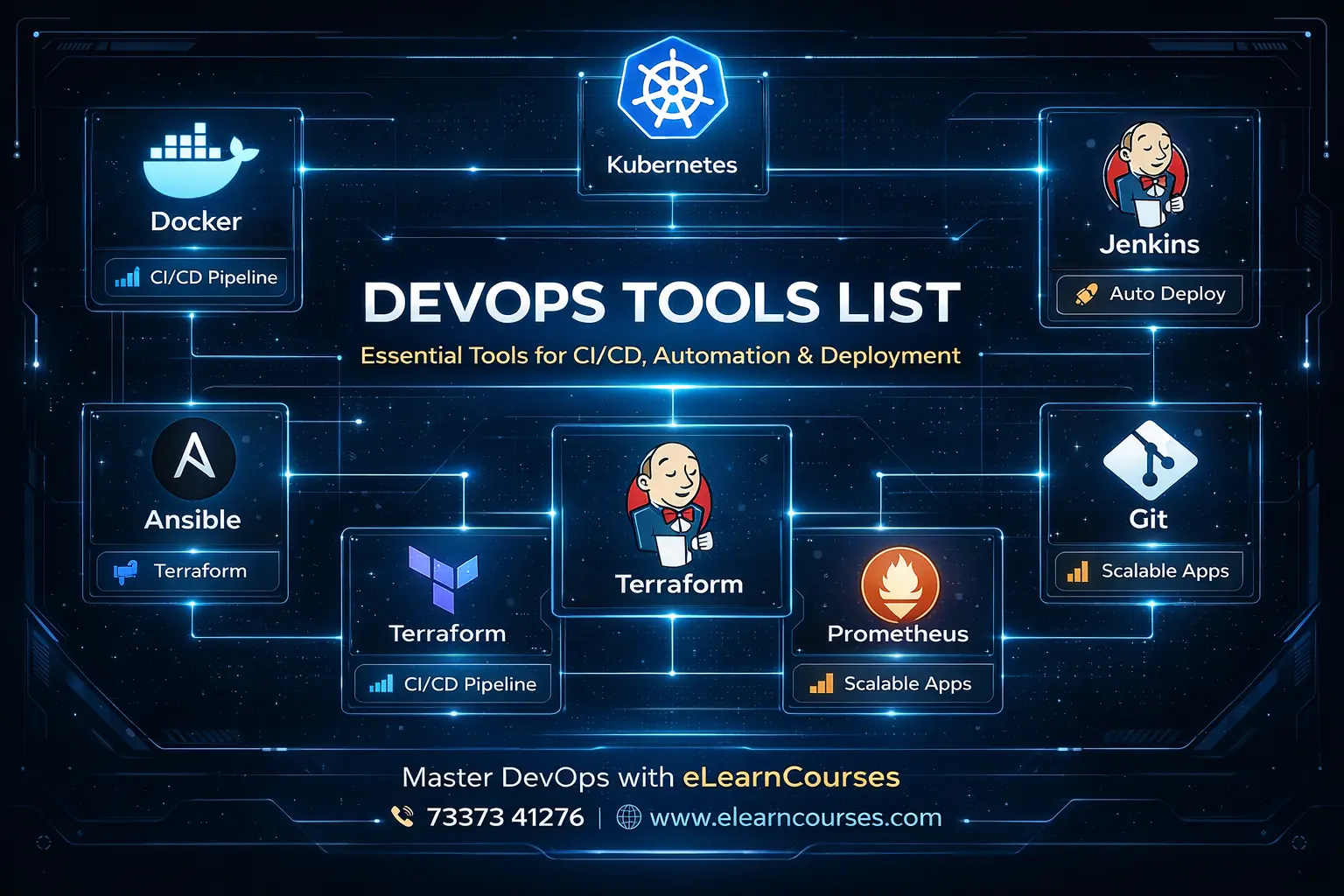
DevOps Tools List: The Ultimate Proven Guide to Master Every Essential DevOps Tool in 2026
DevOps has fundamentally transformed how software is built, tested, deployed, and monitored. At the heart of every successful DevOps transformation is a powerful, well-chosen set of tools that automate manual processes, eliminate bottlenecks, reduce errors, and enable development and operations teams to collaborate seamlessly at speed.
But with hundreds of tools available across dozens of categories — from version control and CI/CD to containerization, monitoring, security, and infrastructure automation — knowing which tools to learn, which to prioritize, and how they all fit together can feel overwhelming.
This ultimate DevOps tools list solves that problem completely. We’ve curated, explained, and compared every major DevOps tool across all categories of the DevOps toolchain — with practical code examples, real-world use cases, configuration snippets, tool comparisons, and a clear guide on what to learn first.
Whether you’re a beginner building your first DevOps toolkit, a developer expanding your automation skills, a system administrator transitioning to cloud-native operations, or an engineering manager evaluating your team’s toolchain — this comprehensive DevOps tools list is your definitive 2025 reference.
The DevOps tools list covered in this guide spans every stage of the DevOps lifecycle: version control, continuous integration, continuous delivery, containerization, container orchestration, infrastructure as code, configuration management, monitoring and observability, logging, security (DevSecOps), cloud platforms, collaboration, and emerging tools shaping the future.
Let’s build your complete DevOps toolkit.
The DevOps Toolchain — Understanding the Big Picture
Before diving into the DevOps tools list, it’s important to understand how tools map to the DevOps lifecycle:
DevOps Lifecycle Stage          →  Tool Categories
─────────────────────────────────────────────────────────
1. Plan                         →  Project Management, Collaboration
2. Code                         →  Version Control, Code Review
3. Build                        →  Build Tools, Package Managers
4. Test                         →  Testing Frameworks, Quality Gates
5. Release                      →  CI/CD Pipelines, Release Management
6. Deploy                       →  Container Orchestration, IaC
7. Operate                      →  Configuration Management, Cloud Platforms
8. Monitor                      →  Monitoring, Logging, Observability
9. Security (throughout)        →  DevSecOps, Vulnerability Scanning
10. Collaborate (throughout)    →  Communication, Documentation
CATEGORY 1: Version Control Tools
Version control is the foundation of every DevOps practice. Every code change, infrastructure definition, and configuration is tracked in version control.
1. Git
Type: Distributed Version Control System License: Open Source (GPLv2) Category: Version Control Foundation
What It Is: Git is the world’s most widely used version control system, created by Linus Torvalds in 2005. It tracks changes to files over time, enables collaboration among multiple developers, and provides a complete history of every modification ever made to a codebase.
Why It’s Essential: Git is non-negotiable in modern DevOps — it’s the foundation that every other tool in this list builds upon. CI/CD pipelines trigger from Git commits. Infrastructure as Code lives in Git. Container images are versioned via Git tags.
Core Git Commands Every DevOps Engineer Must Know:
# ── Git DevOps Workflow ───────────────────────────────────

# Initialize repository
git init
git clone https://github.com/org/repo.git

# Feature branch workflow (standard DevOps practice)
git checkout -b feature/add-kubernetes-deployment
git add .
git commit -m "feat: add K8s deployment manifests for elearn-api

- Add deployment.yaml with 3 replicas
- Configure HPA for CPU-based autoscaling
- Add service and ingress resources
- Resolves: #142"

git push origin feature/add-kubernetes-deployment

# Tagging releases (semantic versioning)
git tag -a v2.3.1 -m "Release v2.3.1: Add GCP Cloud Run deployment"
git push origin v2.3.1

# Git log — understand change history
git log --oneline --graph --decorate --all

# Git bisect — find the commit that introduced a bug
git bisect start
git bisect bad HEAD
git bisect good v2.2.0
# Git will checkout commits; test each one
git bisect good  # or: git bisect bad

# Stash work in progress
git stash push -m "WIP: monitoring dashboard updates"
git stash list
git stash pop

# Rebase for clean history (preferred in DevOps)
git rebase -i HEAD~5  # Squash last 5 commits

# Git hooks — automate quality checks on commit
cat > .git/hooks/pre-commit << 'EOF'
#!/bin/bash
echo "🔍 Running pre-commit checks..."
# Run linter
flake8 . --max-line-length=100
if [ $? -ne 0 ]; then
    echo "❌ Linting failed. Fix errors before committing."
    exit 1
fi
echo "✅ Pre-commit checks passed"
EOF
chmod +x .git/hooks/pre-commit
Best Practices:
- Use trunk-based development (short-lived branches)
- Write meaningful commit messages (Conventional Commits standard)
- Never commit secrets or credentials
- Use
.gitignoreto exclude generated files - Tag all releases with semantic versioning
2. GitHub
Type: Cloud-Based Git Hosting + DevOps Platform License: Free (public repos) / Paid tiers Parent: Microsoft
What It Is: GitHub is the world’s most popular platform for hosting Git repositories — with over 100 million developers and 420 million repositories. Beyond hosting, GitHub provides a full DevOps platform: GitHub Actions (CI/CD), GitHub Packages (artifact registry), GitHub Security (code scanning), GitHub Projects (planning), and GitHub Copilot (AI coding).
Key DevOps Features:
- GitHub Actions — CI/CD pipelines defined as YAML workflows
- Pull Requests — Code review with inline comments, approval workflows
- GitHub Packages — Publish Docker images, npm, Maven, and NuGet packages
- Dependabot — Automated dependency security updates
- GitHub Advanced Security — Secret scanning, code scanning (SAST), dependency review
- GitHub Pages — Host static documentation and websites
- GitHub Copilot — AI pair programmer
# .github/workflows/ci.yml — GitHub Actions CI Pipeline

name: CI Pipeline

on:
  push:
    branches: [main, develop]
  pull_request:
    branches: [main]

env:
  PYTHON_VERSION: '3.11'
  REGISTRY: ghcr.io
  IMAGE_NAME: ${{ github.repository }}

jobs:
  test:
    name: Test and Lint
    runs-on: ubuntu-latest

    steps:
      - name: Checkout code
        uses: actions/checkout@v4

      - name: Set up Python
        uses: actions/setup-python@v5
        with:
          python-version: ${{ env.PYTHON_VERSION }}
          cache: 'pip'

      - name: Install dependencies
        run: |
          pip install --upgrade pip
          pip install -r requirements.txt
          pip install pytest pytest-cov flake8

      - name: Lint with flake8
        run: flake8 . --max-line-length=100

      - name: Run tests with coverage
        run: |
          pytest --cov=app --cov-report=xml --cov-fail-under=80

      - name: Upload coverage to Codecov
        uses: codecov/codecov-action@v4

  security:
    name: Security Scan
    runs-on: ubuntu-latest
    needs: test

    steps:
      - uses: actions/checkout@v4

      - name: Run Trivy vulnerability scan
        uses: aquasecurity/trivy-action@master
        with:
          scan-type: 'fs'
          scan-ref: '.'
          format: 'sarif'
          output: 'trivy-results.sarif'

      - name: Upload scan results to GitHub Security
        uses: github/codeql-action/upload-sarif@v3
        with:
          sarif_file: 'trivy-results.sarif'

  build-and-push:
    name: Build and Push Docker Image
    runs-on: ubuntu-latest
    needs: [test, security]
    if: github.ref == 'refs/heads/main'

    permissions:
      contents: read
      packages: write

    steps:
      - uses: actions/checkout@v4

      - name: Log in to GitHub Container Registry
        uses: docker/login-action@v3
        with:
          registry: ${{ env.REGISTRY }}
          username: ${{ github.actor }}
          password: ${{ secrets.GITHUB_TOKEN }}

      - name: Build and push Docker image
        uses: docker/build-push-action@v5
        with:
          context: .
          push: true
          tags: |
            ${{ env.REGISTRY }}/${{ env.IMAGE_NAME }}:latest
            ${{ env.REGISTRY }}/${{ env.IMAGE_NAME }}:${{ github.sha }}
          cache-from: type=gha
          cache-to: type=gha,mode=max
3. GitLab
Type: Complete DevOps Platform (Self-Hosted or SaaS) License: Open Core (Community + Enterprise Edition)
What It Is: GitLab is an all-in-one DevOps platform that provides Git repository management, CI/CD, container registry, security scanning, monitoring, and project management in a single application. Its key advantage over GitHub is that it can be fully self-hosted — critical for enterprises with strict data sovereignty requirements.
GitLab vs GitHub Quick Comparison:
| Feature | GitLab | GitHub |
|---|---|---|
| Self-Hosting | ✅ Excellent | ✅ GitHub Enterprise |
| CI/CD Built-in | ✅ Native, powerful | ✅ GitHub Actions |
| Container Registry | ✅ Built-in | ✅ GitHub Packages |
| Security Scanning | ✅ Comprehensive free tier | ⚠️ Advanced Security paid |
| Project Management | ✅ Built-in boards | ✅ GitHub Projects |
| AI Features | ✅ GitLab Duo | ✅ Copilot |
| Open Source | ✅ Community Edition | ❌ Proprietary |
CATEGORY 2: CI/CD Tools
Continuous Integration and Continuous Delivery (CI/CD) tools automate the process of building, testing, and deploying software.
4. Jenkins
Type: Open-Source Automation Server License: MIT License Language: Java
What It Is: Jenkins is the most widely deployed CI/CD automation server in the world — with over 300,000 installations globally. It’s the grandfather of CI/CD tools, offering unmatched flexibility through 1,800+ plugins that integrate with virtually every tool in the DevOps ecosystem.
Strengths:
- Unmatched plugin ecosystem
- Self-hosted (full control)
- Highly customizable pipelines
- Strong community and enterprise support
- Free and open-source
Jenkins Pipeline (Declarative Syntax):
// Jenkinsfile — Declarative Pipeline for eLearn Platform

pipeline {
    agent {
        kubernetes {
            yaml '''
                apiVersion: v1
                kind: Pod
                spec:
                  containers:
                  - name: python
                    image: python:3.11-slim
                    command: [sleep, infinity]
                  - name: docker
                    image: docker:24-dind
                    securityContext:
                      privileged: true
            '''
        }
    }

    options {
        timeout(time: 30, unit: 'MINUTES')
        disableConcurrentBuilds()
        buildDiscarder(logRotator(numToKeepStr: '10'))
    }

    environment {
        APP_NAME        = 'elearncourses-api'
        DOCKER_REGISTRY = 'registry.elearncourses.com'
        SONAR_HOST      = credentials('sonarqube-url')
        SONAR_TOKEN     = credentials('sonarqube-token')
    }

    stages {
        stage('🔍 Checkout') {
            steps {
                checkout scm
                sh 'git log -1 --pretty=format:"%h %s" > commit-info.txt'
                echo "Building: ${env.BRANCH_NAME} (${env.GIT_COMMIT[0..7]})"
            }
        }

        stage('📦 Install Dependencies') {
            steps {
                container('python') {
                    sh '''
                        pip install --upgrade pip --quiet
                        pip install -r requirements.txt --quiet
                        pip install pytest pytest-cov flake8 bandit safety --quiet
                    '''
                }
            }
        }

        stage('🔬 Code Quality') {
            parallel {
                stage('Lint') {
                    steps {
                        container('python') {
                            sh 'flake8 . --max-line-length=100 --format=pylint'
                        }
                    }
                }
                stage('Security Scan') {
                    steps {
                        container('python') {
                            sh '''
                                bandit -r app/ -ll -q
                                safety check --short-report
                            '''
                        }
                    }
                }
            }
        }

        stage('🧪 Tests') {
            steps {
                container('python') {
                    sh '''
                        pytest tests/ \
                            --cov=app \
                            --cov-report=xml:coverage.xml \
                            --cov-report=html:htmlcov \
                            --junitxml=test-results.xml \
                            --tb=short \
                            -v
                    '''
                }
            }
            post {
                always {
                    junit 'test-results.xml'
                    publishHTML([
                        allowMissing: false,
                        reportDir: 'htmlcov',
                        reportFiles: 'index.html',
                        reportName: 'Coverage Report'
                    ])
                }
            }
        }

        stage('🐳 Build Docker Image') {
            when {
                anyOf {
                    branch 'main'
                    branch 'release/*'
                }
            }
            steps {
                container('docker') {
                    sh """
                        docker build \
                            --tag ${DOCKER_REGISTRY}/${APP_NAME}:${GIT_COMMIT[0..7]} \
                            --tag ${DOCKER_REGISTRY}/${APP_NAME}:latest \
                            --label git-commit=${GIT_COMMIT} \
                            --label build-number=${BUILD_NUMBER} \
                            --cache-from ${DOCKER_REGISTRY}/${APP_NAME}:latest \
                            .
                    """
                }
            }
        }

        stage('🚀 Deploy to Staging') {
            when { branch 'main' }
            steps {
                sh '''
                    kubectl set image deployment/elearn-api \
                        api=${DOCKER_REGISTRY}/${APP_NAME}:${GIT_COMMIT[0..7]} \
                        --namespace=staging
                    kubectl rollout status deployment/elearn-api \
                        --namespace=staging \
                        --timeout=120s
                '''
            }
        }

        stage('✅ Integration Tests') {
            when { branch 'main' }
            steps {
                sh 'pytest tests/integration/ --base-url=https://staging.elearncourses.com'
            }
        }

        stage('🎯 Deploy to Production') {
            when { branch 'main' }
            input {
                message "Deploy to production?"
                ok "Deploy"
                parameters {
                    string(name: 'DEPLOY_NOTE',
                           description: 'Deployment notes',
                           defaultValue: 'Automated deployment')
                }
            }
            steps {
                sh '''
                    kubectl set image deployment/elearn-api \
                        api=${DOCKER_REGISTRY}/${APP_NAME}:${GIT_COMMIT[0..7]} \
                        --namespace=production
                    kubectl rollout status deployment/elearn-api \
                        --namespace=production \
                        --timeout=180s
                '''
            }
        }
    }

    post {
        always {
            cleanWs()
        }
        success {
            slackSend(
                channel: '#deployments',
                color: 'good',
                message: "✅ Build #${BUILD_NUMBER} succeeded: ${APP_NAME} ${GIT_COMMIT[0..7]}"
            )
        }
        failure {
            slackSend(
                channel: '#deployments',
                color: 'danger',
                message: "❌ Build #${BUILD_NUMBER} failed: ${APP_NAME} — Check: ${BUILD_URL}"
            )
        }
    }
}
5. GitHub Actions (covered above)
6. GitLab CI/CD
# .gitlab-ci.yml — GitLab CI/CD Pipeline

stages:
  - validate
  - test
  - build
  - scan
  - deploy-staging
  - deploy-production

variables:
  PYTHON_VERSION: "3.11"
  DOCKER_DRIVER: overlay2
  IMAGE_TAG: $CI_REGISTRY_IMAGE:$CI_COMMIT_SHA

# ── Validate Stage ─────────────────────────────────────────
lint:
  stage: validate
  image: python:$PYTHON_VERSION-slim
  script:
    - pip install flake8 --quiet
    - flake8 . --max-line-length=100
  rules:
    - if: $CI_PIPELINE_SOURCE == "merge_request_event"
    - if: $CI_COMMIT_BRANCH

# ── Test Stage ─────────────────────────────────────────────
unit-tests:
  stage: test
  image: python:$PYTHON_VERSION-slim
  coverage: '/TOTAL.*\s+(\d+%)$/'
  script:
    - pip install -r requirements.txt pytest pytest-cov --quiet
    - pytest --cov=app --cov-report=term-missing --cov-report=xml
  artifacts:
    reports:
      coverage_report:
        coverage_format: cobertura
        path: coverage.xml
      junit: test-results.xml
    expire_in: 1 week

# ── Build Stage ────────────────────────────────────────────
build-image:
  stage: build
  image: docker:24
  services:
    - docker:24-dind
  script:
    - docker login -u $CI_REGISTRY_USER -p $CI_REGISTRY_PASSWORD $CI_REGISTRY
    - docker build -t $IMAGE_TAG .
    - docker push $IMAGE_TAG
  only:
    - main
    - tags

# ── Security Scan Stage ────────────────────────────────────
container-scan:
  stage: scan
  image:
    name: aquasec/trivy:latest
    entrypoint: [""]
  script:
    - trivy image --exit-code 1 --severity HIGH,CRITICAL $IMAGE_TAG
  allow_failure: false
  only:
    - main

sast:
  stage: scan
  include:
    - template: Security/SAST.gitlab-ci.yml

secret-detection:
  stage: scan
  include:
    - template: Security/Secret-Detection.gitlab-ci.yml

# ── Deploy Staging ─────────────────────────────────────────
deploy-staging:
  stage: deploy-staging
  image: bitnami/kubectl:latest
  environment:
    name: staging
    url: https://staging.elearncourses.com
  script:
    - kubectl set image deployment/elearn-api api=$IMAGE_TAG -n staging
    - kubectl rollout status deployment/elearn-api -n staging --timeout=120s
  only:
    - main

# ── Deploy Production ──────────────────────────────────────
deploy-production:
  stage: deploy-production
  image: bitnami/kubectl:latest
  environment:
    name: production
    url: https://elearncourses.com
  when: manual
  script:
    - kubectl set image deployment/elearn-api api=$IMAGE_TAG -n production
    - kubectl rollout status deployment/elearn-api -n production
  only:
    - main
7. CircleCI
Type: Cloud-Native CI/CD Platform License: SaaS (Free + Paid)
CircleCI is a fast, developer-friendly CI/CD platform known for its speed (parallel execution, caching) and Docker-native approach. Popular among startups and mid-size teams.
8. ArgoCD — GitOps Continuous Delivery
Type: GitOps CD Tool for Kubernetes License: Open Source (Apache 2.0)
ArgoCD implements GitOps — using Git as the single source of truth for Kubernetes deployments. It continuously monitors Git repos and automatically syncs Kubernetes clusters to match the desired state defined in Git.
# argocd-application.yaml — Deploy eLearn app via GitOps

apiVersion: argoproj.io/v1alpha1
kind: Application
metadata:
  name: elearncourses-production
  namespace: argocd
  finalizers:
    - resources-finalizer.argocd.argoproj.io
spec:
  project: default
  source:
    repoURL: https://github.com/elearncourses/k8s-manifests
    targetRevision: main
    path: production/elearn-api
    helm:
      releaseName: elearn-api
      values: |
        image:
          repository: ghcr.io/elearncourses/elearn-api
          tag: latest
        replicaCount: 3
        resources:
          requests:
            memory: 256Mi
            cpu: 250m
          limits:
            memory: 512Mi
            cpu: 500m

  destination:
    server: https://kubernetes.default.svc
    namespace: production

  syncPolicy:
    automated:
      prune: true          # Delete resources removed from Git
      selfHeal: true       # Auto-correct manual changes
      allowEmpty: false
    syncOptions:
      - CreateNamespace=true
      - PrunePropagationPolicy=foreground
    retry:
      limit: 3
      backoff:
        duration: 5s
        factor: 2
        maxDuration: 3m

  # Health and status checks
  revisionHistoryLimit: 5
CATEGORY 3: Containerization Tools
9. Docker
Type: Container Platform License: Docker Desktop (commercial) / Docker Engine (Open Source)
What It Is: Docker is the world’s most popular containerization platform. It packages applications and their dependencies into lightweight, portable containers that run consistently across any environment.
# Dockerfile — Production-grade multi-stage build

# ── Stage 1: Build Stage ────────────────────────────────────
FROM python:3.11-slim AS builder

WORKDIR /build

# Install build dependencies
RUN apt-get update && apt-get install -y \
    gcc g++ \
    --no-install-recommends \
    && rm -rf /var/lib/apt/lists/*

# Copy and install Python dependencies
COPY requirements.txt .
RUN pip install --upgrade pip \
    && pip install --user --no-cache-dir -r requirements.txt

# ── Stage 2: Production Stage ───────────────────────────────
FROM python:3.11-slim AS production

LABEL maintainer="elearncourses.com" \
      version="2.0.0" \
      description="eLearn Courses API Server"

# Security: Run as non-root user
RUN groupadd -r appgroup && useradd -r -g appgroup appuser

WORKDIR /app

# Copy only installed packages from builder (not build tools)
COPY --from=builder /root/.local /home/appuser/.local

# Copy application code
COPY --chown=appuser:appgroup . .

# Set environment variables
ENV PYTHONDONTWRITEBYTECODE=1 \
    PYTHONUNBUFFERED=1 \
    PATH="/home/appuser/.local/bin:$PATH" \
    PORT=8080

# Switch to non-root user
USER appuser

EXPOSE 8080

# Health check
HEALTHCHECK --interval=30s --timeout=10s \
            --start-period=30s --retries=3 \
    CMD curl -f http://localhost:8080/health || exit 1

# Run with gunicorn
CMD ["gunicorn", \
     "--bind", "0.0.0.0:8080", \
     "--workers", "2", \
     "--threads", "4", \
     "--worker-class", "gthread", \
     "--timeout", "120", \
     "--access-logfile", "-", \
     "--error-logfile", "-", \
"main:app"]# docker-compose.yml — Local Development Environment
version: '3.9'
services:
api:
build:
context: .
target: production
ports:
- "8080:8080"
environment:
- DATABASE_URL=postgresql://postgres:password@db:5432/elearncourses
- REDIS_URL=redis://redis:6379/0
- ENVIRONMENT=development
depends_on:
db:
condition: service_healthy
redis:
condition: service_healthy
volumes:
- ./app:/app/app # Hot reload in development
restart: unless-stopped
networks:
- elearn-network
db:
image: postgres:15-alpine
environment:
POSTGRES_DB: elearncourses
POSTGRES_USER: postgres
POSTGRES_PASSWORD: password
ports:
- "5432:5432"
volumes:
- postgres-data:/var/lib/postgresql/data
- ./init.sql:/docker-entrypoint-initdb.d/init.sql
healthcheck:
test: ["CMD-SHELL", "pg_isready -U postgres"]
interval: 10s
timeout: 5s
retries: 5
networks:
- elearn-network
redis:
image: redis:7-alpine
ports:
- "6379:6379"
command: redis-server --appendonly yes --requirepass redispassword
volumes:
- redis-data:/data
healthcheck:
test: ["CMD", "redis-cli", "ping"]
interval: 10s
timeout: 3s
retries: 5
networks:
- elearn-network
nginx:
image: nginx:alpine
ports:
- "80:80"
- "443:443"
volumes:
- ./nginx.conf:/etc/nginx/nginx.conf:ro
- ./ssl:/etc/nginx/ssl:ro
depends_on:
- api
networks:
- elearn-network
volumes:
postgres-data:
redis-data:
networks:
elearn-network:
driver: bridge10. Kubernetes (K8s)
Type: Container Orchestration Platform License: Open Source (Apache 2.0) — CNCF
Kubernetes is the industry-standard for orchestrating containerized workloads at scale — automating deployment, scaling, load balancing, and self-healing.
(Full Kubernetes examples covered in previous sections — see GKE Tutorial)
11. Helm — Kubernetes Package Manager
Type: Kubernetes Package Manager License: Open Source (Apache 2.0)
Helm is to Kubernetes what apt/yum is to Linux — it packages, configures, and deploys Kubernetes applications as reusable “charts.”
# Helm — Package and Deploy Kubernetes Applications

# Install Helm
curl https://raw.githubusercontent.com/helm/helm/main/scripts/get-helm-3 | bash

# Add popular chart repositories
helm repo add stable https://charts.helm.sh/stable
helm repo add bitnami https://charts.bitnami.com/bitnami
helm repo add ingress-nginx https://kubernetes.github.io/ingress-nginx
helm repo update

# Install nginx ingress controller
helm install ingress-nginx ingress-nginx/ingress-nginx \
  --namespace ingress-nginx \
  --create-namespace \
  --set controller.replicaCount=2

# Create a Helm chart for eLearn API
helm create elearn-api# charts/elearn-api/values.yaml — Helm Chart Values
replicaCount: 3
image:
repository: ghcr.io/elearncourses/elearn-api
pullPolicy: IfNotPresent
tag: "latest"
service:
type: ClusterIP
port: 80
targetPort: 8080
ingress:
enabled: true
className: nginx
annotations:
cert-manager.io/cluster-issuer: letsencrypt-prod
nginx.ingress.kubernetes.io/rate-limit: "100"
hosts:
- host: api.elearncourses.com
paths:
- path: /
pathType: Prefix
tls:
- secretName: elearn-api-tls
hosts:
- api.elearncourses.com
resources:
limits:
cpu: 500m
memory: 512Mi
requests:
cpu: 250m
memory: 256Mi
autoscaling:
enabled: true
minReplicas: 2
maxReplicas: 20
targetCPUUtilizationPercentage: 65
postgresql:
enabled: true
auth:
postgresPassword: "changeme"
database: elearncourses
primary:
persistence:
size: 10Gi# Deploy using Helm
helm install elearn-api ./charts/elearn-api \
--namespace production \
--create-namespace \
--values ./charts/elearn-api/values-prod.yaml
# Upgrade existing release
helm upgrade elearn-api ./charts/elearn-api \
--namespace production \
--set image.tag=v2.1.0 \
--atomic \
--timeout 5m
# Rollback if something goes wrong
helm rollback elearn-api 1 --namespace production
# View release history
helm history elearn-api --namespace productionCATEGORY 4: Infrastructure as Code (IaC) Tools
12. Terraform
Type: Infrastructure as Code — Multi-Cloud License: Business Source License (BSL) / Open Source forks (OpenTofu) Developer: HashiCorp
What It Is: Terraform is the most widely used IaC tool — enabling you to define cloud infrastructure (VMs, databases, networks, DNS, Kubernetes clusters) in declarative HCL (HashiCorp Configuration Language) and provision it consistently across AWS, Azure, GCP, and hundreds of other providers.
# main.tf — Terraform Infrastructure for eLearn Platform

terraform {
  required_version = ">= 1.6.0"

  required_providers {
    google = {
      source  = "hashicorp/google"
      version = "~> 5.0"
    }
    kubernetes = {
      source  = "hashicorp/kubernetes"
      version = "~> 2.23"
    }
  }

  # Remote state — team collaboration
  backend "gcs" {
    bucket = "elearncourses-terraform-state"
    prefix = "production/terraform.tfstate"
  }
}

# ── Variables ───────────────────────────────────────────────
variable "project_id" {
  description = "GCP Project ID"
  type        = string
}

variable "region" {
  description = "GCP region"
  type        = string
  default     = "us-central1"
}

variable "environment" {
  description = "Environment name"
  type        = string
  validation {
    condition     = contains(["dev", "staging", "production"], var.environment)
    error_message = "Environment must be dev, staging, or production."
  }
}

# ── Locals: Computed Values ─────────────────────────────────
locals {
  common_labels = {
    project     = "elearncourses"
    environment = var.environment
    managed_by  = "terraform"
    team        = "platform-engineering"
  }
  cluster_name = "elearn-${var.environment}-gke"
}

# ── GCP Provider ────────────────────────────────────────────
provider "google" {
  project = var.project_id
  region  = var.region
}

# ── GKE Cluster ─────────────────────────────────────────────
resource "google_container_cluster" "main" {
  name     = local.cluster_name
  location = var.region

  # Enable Autopilot for fully managed nodes
  enable_autopilot = true

  network    = google_compute_network.main.id
  subnetwork = google_compute_subnetwork.main.id

  private_cluster_config {
    enable_private_nodes    = true
    enable_private_endpoint = false
    master_ipv4_cidr_block  = "172.16.0.0/28"
  }

  workload_identity_config {
    workload_pool = "${var.project_id}.svc.id.goog"
  }

  resource_labels = local.common_labels
}

# ── Cloud SQL Database ──────────────────────────────────────
resource "google_sql_database_instance" "main" {
  name             = "elearn-${var.environment}-db"
  database_version = "POSTGRES_15"
  region           = var.region
  deletion_protection = var.environment == "production" ? true : false

  settings {
    tier              = var.environment == "production" ? "db-custom-4-15360" : "db-f1-micro"
    availability_type = var.environment == "production" ? "REGIONAL" : "ZONAL"
    disk_size         = var.environment == "production" ? 100 : 10
    disk_autoresize   = true

    backup_configuration {
      enabled                        = true
      point_in_time_recovery_enabled = true
      start_time                     = "03:00"
      backup_retention_settings {
        retained_backups = 30
      }
    }

    ip_configuration {
      ipv4_enabled    = false
      private_network = google_compute_network.main.id
    }

    database_flags {
      name  = "log_checkpoints"
      value = "on"
    }
  }

  lifecycle {
    prevent_destroy = true
  }
}

# ── Cloud Storage Bucket ────────────────────────────────────
resource "google_storage_bucket" "course_content" {
  name          = "elearn-${var.environment}-content-${var.project_id}"
  location      = "US"
  force_destroy = var.environment != "production"

  versioning {
    enabled = true
  }

  lifecycle_rule {
    condition { age = 30 }
    action { type = "SetStorageClass"; storage_class = "NEARLINE" }
  }

  lifecycle_rule {
    condition { age = 90 }
    action { type = "SetStorageClass"; storage_class = "COLDLINE" }
  }

  uniform_bucket_level_access = true
  labels                      = local.common_labels
}

# ── Outputs ─────────────────────────────────────────────────
output "cluster_endpoint" {
  description = "GKE cluster endpoint"
  value       = google_container_cluster.main.endpoint
  sensitive   = true
}

output "database_connection_name" {
  description = "Cloud SQL connection name"
  value       = google_sql_database_instance.main.connection_name
}

output "content_bucket_url" {
  description = "Course content bucket URL"
  value       = google_storage_bucket.course_content.url
}# Terraform Workflow
terraform init # Initialize — download providers
terraform fmt # Format code consistently
terraform validate # Validate syntax
terraform plan # Preview changes (dry run)
terraform apply # Apply changes
terraform destroy # Tear down infrastructure
# Workspace management (separate state per environment)
terraform workspace new staging
terraform workspace select production
terraform plan -var="environment=production"13. Ansible
Type: Agentless Configuration Management and Automation License: Open Source (GPL) — Red Hat Language: Python + YAML Playbooks
What It Is: Ansible automates system configuration, application deployment, and task execution across any number of servers — using agentless SSH connections and human-readable YAML playbooks. Unlike Terraform (infrastructure provisioning), Ansible specializes in configuration management — ensuring servers are configured identically and correctly.
Also Read: What is DevOps?
# playbooks/deploy-elearn-api.yml — Ansible Playbook

---
- name: Deploy eLearn API to Web Servers
  hosts: web_servers
  become: true
  gather_facts: true

  vars:
    app_name: elearncourses-api
    app_version: "{{ lookup('env', 'APP_VERSION') | default('latest') }}"
    app_port: 8080
    nginx_port: 80
    app_user: elearn
    app_dir: /opt/elearncourses
    log_dir: /var/log/elearncourses

  pre_tasks:
    - name: Update apt cache
      apt:
        update_cache: true
        cache_valid_time: 3600
      when: ansible_os_family == "Debian"

  roles:
    - role: security_hardening
    - role: docker
    - role: nginx

  tasks:
    - name: Create application user
      user:
        name: "{{ app_user }}"
        system: true
        shell: /bin/false
        create_home: false

    - name: Create application directories
      file:
        path: "{{ item }}"
        state: directory
        owner: "{{ app_user }}"
        group: "{{ app_user }}"
        mode: '0755'
      loop:
        - "{{ app_dir }}"
        - "{{ log_dir }}"
        - "{{ app_dir }}/config"

    - name: Deploy Docker Compose configuration
      template:
        src: docker-compose.yml.j2
        dest: "{{ app_dir }}/docker-compose.yml"
        owner: "{{ app_user }}"
        group: "{{ app_user }}"
        mode: '0640'
      notify: restart application

    - name: Pull latest Docker image
      community.docker.docker_image:
        name: "ghcr.io/elearncourses/{{ app_name }}"
        tag: "{{ app_version }}"
        source: pull
        force_source: true

    - name: Deploy application with Docker Compose
      community.docker.docker_compose_v2:
        project_src: "{{ app_dir }}"
        state: present
        pull: always
        recreate: auto

    - name: Configure Nginx reverse proxy
      template:
        src: nginx-elearn.conf.j2
        dest: /etc/nginx/sites-available/elearncourses
        mode: '0644'
      notify: reload nginx

    - name: Enable Nginx site
      file:
        src: /etc/nginx/sites-available/elearncourses
        dest: /etc/nginx/sites-enabled/elearncourses
        state: link
      notify: reload nginx

    - name: Wait for application to be healthy
      uri:
        url: "http://localhost:{{ app_port }}/health"
        status_code: 200
      register: health_check
      until: health_check.status == 200
      retries: 10
      delay: 10

    - name: Verify deployment success
      debug:
        msg: "✅ eLearn API v{{ app_version }} deployed successfully!"

  handlers:
    - name: restart application
      community.docker.docker_compose_v2:
        project_src: "{{ app_dir }}"
        state: restarted

    - name: reload nginx
      service:
        name: nginx
        state: reloaded

# ── Inventory file (inventory/production.ini) ───────────────
# [web_servers]
# web-01.elearncourses.com ansible_user=ubuntu ansible_become=true
# web-02.elearncourses.com ansible_user=ubuntu ansible_become=true
#
# [db_servers]
# db-01.elearncourses.com ansible_user=ubuntu
#
# [all:vars]
# ansible_python_interpreter=/usr/bin/python3
# ansible_ssh_private_key_file=~/.ssh/elearn-deploy-key# Run Ansible playbook
ansible-playbook playbooks/deploy-elearn-api.yml \
-i inventory/production.ini \
--extra-vars "APP_VERSION=v2.3.1" \
--check # Dry run first
ansible-playbook playbooks/deploy-elearn-api.yml \
-i inventory/production.ini \
--extra-vars "APP_VERSION=v2.3.1"CATEGORY 5: Monitoring and Observability Tools
14. Prometheus
Type: Metrics Collection and Alerting License: Open Source (Apache 2.0) — CNCF
Prometheus is the industry-standard metrics and alerting system for cloud-native environments. It scrapes metrics from instrumented targets at regular intervals, stores them in a time-series database, and evaluates alerting rules.
# prometheus.yml — Prometheus Configuration

global:
  scrape_interval: 15s
  evaluation_interval: 15s
  external_labels:
    cluster: elearn-production
    environment: production

# Alert rules
rule_files:
  - "rules/application.yml"
  - "rules/infrastructure.yml"

# Alertmanager integration
alerting:
  alertmanagers:
    - static_configs:
        - targets: ['alertmanager:9093']

# Scrape targets
scrape_configs:
  # eLearn API metrics
  - job_name: 'elearn-api'
    static_configs:
      - targets: ['elearn-api:8080']
    metrics_path: '/metrics'
    scrape_interval: 10s

  # Kubernetes metrics
  - job_name: 'kubernetes-nodes'
    kubernetes_sd_configs:
      - role: node
    relabel_configs:
      - action: labelmap
        regex: __meta_kubernetes_node_label_(.+)

  - job_name: 'kubernetes-pods'
    kubernetes_sd_configs:
      - role: pod
    relabel_configs:
      - source_labels: [__meta_kubernetes_pod_annotation_prometheus_io_scrape]
        action: keep
        regex: true

  # PostgreSQL metrics
  - job_name: 'postgresql'
    static_configs:
      - targets: ['postgres-exporter:9187']

  # Node Exporter (system metrics)
  - job_name: 'node-exporter'
    static_configs:
      - targets: ['node-exporter:9100']

---
# rules/application.yml — Alert Rules

groups:
  - name: elearn-api-alerts
    rules:
      - alert: HighErrorRate
        expr: |
          rate(http_requests_total{status=~"5.."}[5m])
          / rate(http_requests_total[5m]) > 0.05
        for: 2m
        labels:
          severity: critical
          team: backend
        annotations:
          summary: "High error rate on eLearn API"
          description: "Error rate is {{ $value | humanizePercentage }}"
          runbook: "https://wiki.elearncourses.com/runbooks/high-error-rate"

      - alert: SlowResponseTime
        expr: |
          histogram_quantile(0.95,
            rate(http_request_duration_seconds_bucket[5m])
          ) > 2.0
        for: 5m
        labels:
          severity: warning
        annotations:
          summary: "95th percentile response time > 2s"
          description: "P95 latency: {{ $value }}s"

      - alert: PodCrashLooping
        expr: |
          rate(kube_pod_container_status_restarts_total[15m]) > 0
        for: 5m
        labels:
          severity: critical
        annotations:
          summary: "Pod {{ $labels.pod }} is crash looping"
15. Grafana
Type: Visualization and Dashboarding License: Open Source (AGPL) / Grafana Cloud (SaaS)
Grafana transforms raw metrics from Prometheus (and 60+ other data sources) into beautiful, interactive dashboards.
// grafana-dashboard.json — eLearn API Dashboard (excerpt)
{
  "title": "eLearn API — Production Dashboard",
  "uid": "elearn-api-prod",
  "tags": ["elearncourses", "api", "production"],
  "panels": [
    {
      "title": "Request Rate (req/s)",
      "type": "stat",
      "targets": [{
        "expr": "sum(rate(http_requests_total[5m]))",
        "legendFormat": "Requests/s"
      }],
      "fieldConfig": {
        "defaults": {
          "thresholds": {
            "steps": [
              {"color": "green", "value": 0},
              {"color": "yellow", "value": 100},
              {"color": "red", "value": 500}
            ]
          }
        }
      }
    },
    {
      "title": "Error Rate (%)",
      "type": "gauge",
      "targets": [{
        "expr": "rate(http_requests_total{status=~'5..'}[5m]) / rate(http_requests_total[5m]) * 100"
      }],
      "fieldConfig": {
        "defaults": {
          "min": 0,
          "max": 10,
          "thresholds": {
            "steps": [
              {"color": "green", "value": 0},
              {"color": "yellow", "value": 1},
              {"color": "red", "value": 5}
            ]
          },
          "unit": "percent"
        }
      }
    }
  ]
}
16. ELK Stack (Elasticsearch, Logstash, Kibana)
Type: Log Management and Search Analytics License: Elastic License / Open Source components
The ELK Stack is the most widely used log aggregation and analysis platform — collecting, parsing, indexing, and visualizing logs from all services.
# logstash.conf — Log Pipeline Configuration

input {
  beats {
    port => 5044
    ssl => true
    ssl_certificate => "/etc/logstash/ssl/logstash.crt"
    ssl_key => "/etc/logstash/ssl/logstash.key"
  }
}

filter {
  # Parse JSON application logs
  if [fields][app] == "elearn-api" {
    json {
      source => "message"
      target => "parsed"
    }

    # Extract HTTP request fields
    if [parsed][type] == "http_request" {
      mutate {
        add_field => {
          "http.method"       => "%{[parsed][method]}"
          "http.path"         => "%{[parsed][path]}"
          "http.status_code"  => "%{[parsed][status]}"
          "http.duration_ms"  => "%{[parsed][duration]}"
          "user.id"           => "%{[parsed][user_id]}"
        }
      }

      # Tag slow requests
      if [http.duration_ms] and [http.duration_ms] > 2000 {
        mutate { add_tag => ["slow_request"] }
      }

      # Tag errors
      if [http.status_code] >= 500 {
        mutate { add_tag => ["server_error"] }
      }
    }
  }

  # Enrich with GeoIP for user analytics
  geoip {
    source => "[client][ip]"
    target => "geoip"
    fields => ["country_name", "city_name", "location"]
  }

  # Remove sensitive fields
  mutate {
    remove_field => ["[parsed][password]", "[parsed][token]",
                     "[parsed][credit_card]"]
  }
}

output {
  elasticsearch {
    hosts => ["https://elasticsearch:9200"]
    index => "elearncourses-logs-%{+YYYY.MM.dd}"
    user => "${ELASTICSEARCH_USER}"
    password => "${ELASTICSEARCH_PASSWORD}"
    ssl => true
    cacert => "/etc/logstash/ssl/ca.crt"
    ilm_enabled => true
    ilm_policy => "elearn-logs-policy"
  }
}
17. Datadog
Type: Full-Stack Observability Platform (SaaS) License: Commercial SaaS
Datadog provides unified metrics, logs, traces, and APM (Application Performance Monitoring) in a single cloud-hosted platform. Preferred for enterprises that want powerful observability without managing infrastructure.
18. PagerDuty
Type: Incident Management and On-Call Alerting License: Commercial SaaS
PagerDuty routes alerts from monitoring systems (Prometheus, Grafana, Datadog) to the right on-call engineers via phone, SMS, email, and Slack — with escalation policies, on-call schedules, and incident management workflows.
CATEGORY 6: DevSecOps Tools
19. Snyk
Type: Developer-First Security Platform License: Free tier + Commercial
Snyk scans code, container images, Kubernetes configs, and IaC templates for vulnerabilities — integrated directly into developer workflows (IDE, Git, CI/CD).
# Snyk security scanning in CI/CD

# Install Snyk
npm install -g snyk

# Test Python dependencies for vulnerabilities
snyk test --file=requirements.txt --severity-threshold=high

# Test Docker image
snyk container test ghcr.io/elearncourses/elearn-api:latest \
  --severity-threshold=critical \
  --file=Dockerfile

# Test Terraform IaC
snyk iac test ./terraform/ \
  --severity-threshold=high \
  --report

# Test Kubernetes manifests
snyk iac test ./k8s/ --severity-threshold=medium

# Monitor project continuously (report to Snyk dashboard)
snyk monitor --project-name=elearncourses-api
20. OWASP ZAP
Type: Dynamic Application Security Testing (DAST) License: Open Source (Apache 2.0)
OWASP ZAP scans running web applications for security vulnerabilities — SQL injection, XSS, CSRF, and other OWASP Top 10 threats.
21. HashiCorp Vault
Type: Secrets Management and Encryption License: Business Source License / Open Source
Vault securely stores and controls access to secrets — API keys, passwords, certificates, tokens. Applications request secrets at runtime; secrets never live in code or config files.
# Vault secrets management

# Start Vault (development mode)
vault server -dev -dev-root-token-id="dev-root-token"

# Store application secrets
vault kv put secret/elearncourses/production \
  db_password="super_secret_password" \
  stripe_api_key="sk_live_xxxxx" \
  jwt_secret="random_jwt_secret_key"

# Read secrets (application usage)
vault kv get -format=json secret/elearncourses/production

# Dynamic database credentials (auto-rotated!)
vault secrets enable database
vault write database/config/elearn-postgres \
  plugin_name=postgresql-database-plugin \
  connection_url="postgresql://{{username}}:{{password}}@db:5432/elearncourses" \
  username="vault_admin" \
  password="vault_admin_password"

# Applications get temporary, auto-expiring credentials
vault read database/creds/elearn-readonly-role
# Output: username=v-elearn-AbC123, password=A1B2C3..., lease_duration=1h
CATEGORY 7: Collaboration and Planning Tools
22. Jira
Type: Agile Project Management Developer: Atlassian
Jira is the most popular project management tool for DevOps and Agile teams — managing backlogs, sprints, epics, issues, and release planning.
23. Confluence
Type: Team Wiki and Documentation Developer: Atlassian
Confluence is the companion to Jira for team documentation — runbooks, architecture docs, post-mortems, meeting notes, and technical specifications.
24. Slack
Type: Team Communication Platform Integration: GitHub, Jira, PagerDuty, Datadog, all major DevOps tools
Slack with DevOps integrations enables ChatOps — receiving deployment notifications, alerts, and approvals directly in team channels.
The Complete DevOps Tools Comparison Table
| Tool | Category | License | Best For | Learning Curve |
|---|---|---|---|---|
| Git | Version Control | Open Source | Everyone | ⭐⭐ |
| GitHub | Git Hosting + CI/CD | Free/Paid | Teams of all sizes | ⭐⭐ |
| GitLab | DevOps Platform | Open Core | Self-hosted, enterprise | ⭐⭐⭐ |
| Jenkins | CI/CD | Open Source | Enterprise, custom pipelines | ⭐⭐⭐⭐ |
| GitHub Actions | CI/CD | Free/Paid | GitHub users | ⭐⭐ |
| ArgoCD | GitOps CD | Open Source | Kubernetes deployments | ⭐⭐⭐ |
| Docker | Containerization | Open Source | Everyone | ⭐⭐⭐ |
| Kubernetes | Orchestration | Open Source | Container orchestration at scale | ⭐⭐⭐⭐⭐ |
| Helm | K8s Packaging | Open Source | Kubernetes apps | ⭐⭐⭐ |
| Terraform | IaC | BSL/Open | Multi-cloud infrastructure | ⭐⭐⭐⭐ |
| Ansible | Config Management | Open Source | Server configuration | ⭐⭐⭐ |
| Prometheus | Monitoring | Open Source | Cloud-native metrics | ⭐⭐⭐ |
| Grafana | Visualization | Open Source | Dashboards + alerting | ⭐⭐ |
| ELK Stack | Log Management | Open Source | Log analytics | ⭐⭐⭐⭐ |
| Datadog | Observability | Commercial | Full-stack monitoring | ⭐⭐⭐ |
| PagerDuty | Incident Mgmt | Commercial | On-call management | ⭐⭐ |
| Snyk | Security | Free/Paid | Developer security | ⭐⭐ |
| Vault | Secrets Mgmt | BSL/Open | Secrets and credentials | ⭐⭐⭐⭐ |
| Jira | Project Mgmt | Commercial | Agile planning | ⭐⭐ |
| Slack | Communication | Free/Paid | Team collaboration | ⭐ |
DevOps Tools Learning Roadmap — What to Learn First
Phase 1 — Foundation (Months 1–2)
Master these before anything else:
- Git — Version control fundamentals, branching, merging, GitHub workflow
- Linux command line — Navigation, scripting, process management
- Docker — Containerization, Dockerfile, Docker Compose
Phase 2 — CI/CD and Automation (Months 3–4)
- GitHub Actions or Jenkins — Build your first automated pipeline
- Bash scripting — Automate repetitive tasks
- Basic Python — Write automation scripts
Phase 3 — Infrastructure and Orchestration (Months 5–7)
- Terraform — Provision cloud infrastructure as code
- Kubernetes — Deploy and manage containerized applications
- Helm — Package Kubernetes applications
Phase 4 — Monitoring and Security (Months 8–10)
- Prometheus + Grafana — Metrics and dashboards
- ELK Stack — Log aggregation and analysis
- Snyk or Trivy — Security scanning in pipelines
Phase 5 — Advanced (Months 11–12)
- Ansible — Configuration management at scale
- ArgoCD — GitOps continuous delivery
- Vault — Secrets management
Frequently Asked Questions — DevOps Tools List
Q1: Which DevOps tools should beginners learn first? Start with Git and GitHub — they are the foundation of every DevOps practice. Then learn Docker to understand containers. Next, add a CI/CD tool (GitHub Actions is easiest for beginners). These three tools alone enable you to automate builds, tests, and basic deployments.
Q2: Jenkins vs GitHub Actions — which is better? GitHub Actions is better for most teams starting out — it’s simpler to set up, cloud-hosted, and tightly integrated with GitHub. Jenkins offers more flexibility and control, making it better for complex enterprise pipelines or when you need to self-host. If you’re already on GitHub, start with Actions.
Q3: Is Terraform or Ansible better for DevOps? They serve different purposes. Terraform is for provisioning infrastructure (creating VMs, databases, networks). Ansible is for configuring that infrastructure once it’s running (installing software, managing users, deploying applications). Most mature DevOps teams use both.
Q4: What monitoring tools do top companies use? Large tech companies typically use a combination: Prometheus and Grafana for metrics (open source), Elasticsearch for logs, and either Datadog or a custom stack for full observability. PagerDuty is widely used for incident management. The choice depends on scale and budget.
Q5: Do I need to know all these DevOps tools to get a job? No — focus on mastering a core set: Git, Docker, one CI/CD tool, Kubernetes basics, and Terraform. These are the most commonly required skills in DevOps job descriptions. Breadth comes with experience.
Q6: What is the difference between Docker and Kubernetes? Docker packages applications into containers. Kubernetes orchestrates those containers at scale — managing deployment, scaling, load balancing, and self-healing across a cluster of machines. Docker runs containers; Kubernetes manages many containers across many machines.
Q7: Are DevOps tools free? Most foundational DevOps tools are open source and free: Git, Docker, Kubernetes, Terraform, Ansible, Prometheus, Grafana, Jenkins, ArgoCD. Enterprise features, managed services, and commercial support have costs. Cloud-based SaaS tools (Datadog, PagerDuty, Snyk) have free tiers and paid plans.
Conclusion — Building Your Complete DevOps Toolkit
The DevOps tools list covered in this ultimate guide spans every stage of the modern DevOps lifecycle — giving you a complete map of the DevOps toolchain and the knowledge to choose, learn, and apply the right tools for your specific needs.
Here’s the complete summary of every category covered:
- Version Control — Git, GitHub, GitLab
- CI/CD — Jenkins, GitHub Actions, GitLab CI, CircleCI, ArgoCD
- Containerization — Docker, Docker Compose, Helm
- Orchestration — Kubernetes (GKE, EKS, AKS)
- Infrastructure as Code — Terraform, Ansible
- Monitoring — Prometheus, Grafana
- Logging — ELK Stack (Elasticsearch, Logstash, Kibana)
- Observability — Datadog, New Relic
- Incident Management — PagerDuty
- Security (DevSecOps) — Snyk, OWASP ZAP, HashiCorp Vault
- Collaboration — Jira, Confluence, Slack
- Learning Roadmap — 12-month phase-by-phase guide
The most important insight from this DevOps tools list: you don’t need to master every tool at once. Focus on building depth in a core set of high-demand tools — Git, Docker, Kubernetes, Terraform, and one CI/CD platform — then expand your toolkit as your experience grows.
The organizations that succeed with DevOps don’t succeed because they use the most tools — they succeed because they choose the right tools for their context, implement them with discipline, and continuously improve their processes based on what the data tells them.
At elearncourses.com, we offer comprehensive, hands-on DevOps courses covering every major tool in this list — from Git and Docker fundamentals through Kubernetes, Terraform, Ansible, CI/CD, and DevSecOps. Our courses combine video instruction, interactive labs, real-world projects, and industry certifications to build the complete skill set modern DevOps engineers need.
Start mastering your DevOps toolchain today — the automation revolution is here, and these are the tools building it.