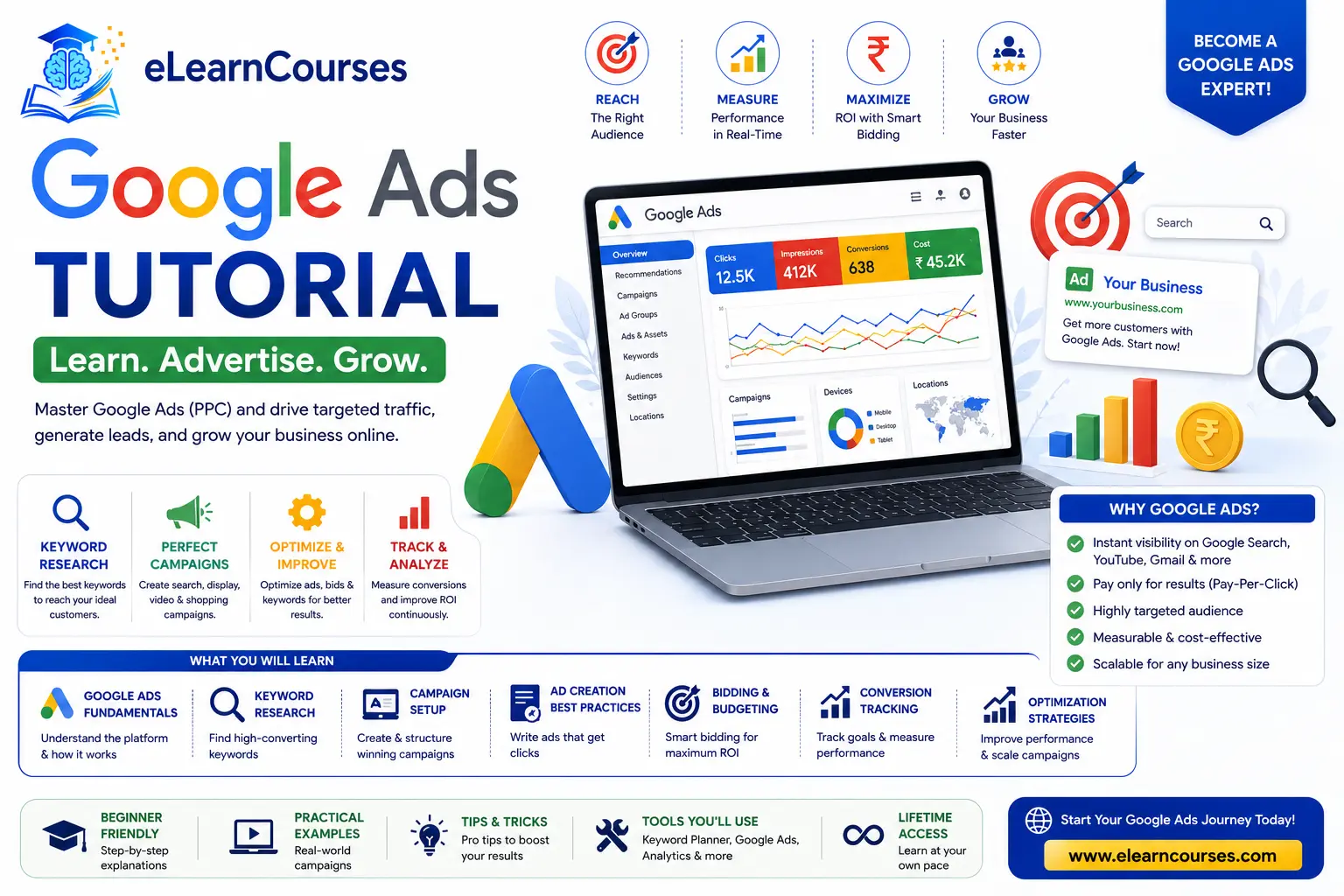
Google Ads Tutorial for Beginners (2026): Complete Guide to Google Advertising
Google Ads remains the largest paid advertising platform on the internet, but the platform advertisers are learning today looks meaningfully different from the one that existed even eighteen months ago. AI Max has moved out of beta and into general availability. Performance Max finally has the negative keyword support and channel-level reporting advertisers spent years asking for. And Google is now placing ads directly inside AI Mode and AI Overviews — meaning the fundamentals of “getting found” on Google increasingly involve AI systems reading and ranking your ads, not just a traditional auction against a list of keywords.
This tutorial walks through everything a beginner needs to actually run a Google Ads campaign in 2026 — how the platform works, what’s changed this year specifically, campaign types, keyword strategy in an AI-driven matching world, bidding, ad copy, and the mistakes that quietly waste the most budget. No prior advertising experience required.
What Is Google Ads?
Google Ads is Google’s pay-per-click (PPC) advertising platform, letting businesses show ads across Google Search, YouTube, Gmail, Google Maps, and millions of partner websites in the Google Display Network. Advertisers generally pay only when someone takes a meaningful action — most commonly a click, though some campaign types bill based on impressions or conversions instead.
What makes Google Ads distinct from most other advertising channels is intent. A well-targeted Google Search ad reaches someone at the exact moment they’re actively searching for a solution, which is a fundamentally different (and often higher-converting) moment than interrupting someone scrolling a social feed. Understanding and designing around that intent-driven moment is the foundation almost everything else in this guide builds on.
How Google Ads Actually Works: The Auction and Ad Rank
Every time someone searches on Google, eligible advertisers targeting that search term enter a real-time auction to determine which ads show and in what order. Understanding this auction is essential, because it explains why simply bidding the most money doesn’t guarantee the top position.
Ad Rank — the score that determines both whether your ad shows and where it appears — is calculated from your bid amount combined with your Quality Score (covered in more detail later), the expected impact of ad extensions and formats, and the context of the specific search (device, location, time of day, and more). This means a lower bid with excellent ad relevance and a strong landing page experience can genuinely outrank a higher bid with poor relevance — a detail that surprises many beginners who assume the auction is a pure bidding war.
Cost-per-click (CPC) in most cases isn’t simply your maximum bid — Google generally charges just enough to beat the next-highest competitor’s effective Ad Rank, meaning well-optimized campaigns often pay noticeably less per click than their maximum bid would suggest.
What’s New in Google Ads for 2026
Google Ads has changed substantially in 2026, and understanding these shifts matters even for beginners, since several of them are actively reshaping how the platform expects you to set up and manage campaigns.
AI Max for Search reached general availability in early 2026 and has continued expanding since. It combines keyword-less intent matching (finding relevant searches beyond your exact keyword list), automatically generated ad text customization, and final URL expansion (sending traffic to the most relevant page on your site automatically) into a single feature set layered on top of Search campaigns. As of an April 2026 update, AI Max expanded further into Shopping campaigns and travel-specific ad formats, alongside a new “AI Brief” tool that lets advertisers guide ad messaging and audience targeting more directly.
Legacy features are being consolidated into AI Max. Google announced that Dynamic Search Ads, automatically created assets, and campaign-level broad match settings will automatically upgrade to AI Max starting in September 2026, with existing settings and performance data preserved during the transition. If you’re learning Google Ads from slightly older material, be aware that some legacy campaign configurations described there are actively being phased out.
Performance Max finally added negative keywords and channel-level reporting. For years, Performance Max’s biggest criticism was its “black box” nature — advertisers had limited visibility into where their budget was actually being spent or the ability to explicitly exclude irrelevant search terms. The 2026 updates address both: PMax now supports negative keywords, and account-level channel reporting shows performance broken down specifically across Search, Shopping, Display, YouTube, and Discover/Gmail.
Google Ads now appears inside AI Mode and AI Overviews. Announced at Google Marketing Live 2026, this represents a genuinely new ad surface — one where Gemini-powered AI responses can incorporate sponsored results directly into a conversational answer, rather than showing ads only in a traditional list of results. Google’s own guidance suggests that clean, detailed, well-structured product data and assets give the underlying AI more to work with when generating these tailored responses.
Smart Bidding now incorporates expanded signals, and new AI-generated content labeling requirements have also rolled out in 2026, alongside major changes to how GA4 handles attribution — all worth knowing about if you’re setting up conversion tracking and reporting for the first time.
The overall theme across all of these updates: Google is pushing advertisers to shift focus from precise keyword-level control toward guiding AI systems with strong audience signals, high-quality creative assets, and clean data — without eliminating manual strategy and oversight entirely.
Google Ads Campaign Types Explained
Choosing the right campaign type is one of the first real decisions you’ll make, and each is suited to different goals.
Search campaigns show text ads within Google’s search results when someone searches for relevant terms — the classic, foundational Google Ads format, and generally the best starting point for beginners because of its direct connection to search intent.
Performance Max (PMax) campaigns run across Google’s entire inventory — Search, Display, YouTube, Discover, Gmail, and Maps — from a single campaign, using Google’s AI to automatically allocate budget toward the best-performing combinations. With 2026’s added negative keyword support and channel reporting, PMax has become considerably more approachable for advertisers who previously avoided it over transparency concerns.
Display campaigns show visual banner ads across the Google Display Network’s millions of partner websites and apps, generally better suited to brand awareness and remarketing than direct-response intent capture.
Shopping campaigns showcase product listings — image, price, and store name — directly within search results, essential for e-commerce businesses and increasingly enhanced by AI Max’s expansion into this campaign type.
Video campaigns run ads on YouTube and across Google’s video partner network, ranging from short, unskippable bumper ads to longer in-stream formats.
Demand Gen campaigns target users across YouTube, Discover, and Gmail with visually rich ad formats designed to build engagement and consideration earlier in the buying journey than a typical Search ad.
For a first campaign, most guidance still points beginners toward Search campaigns, since the direct intent-matching and more transparent, controllable structure makes it easier to learn core concepts before layering on Performance Max’s broader automation.
Setting Up Your First Google Ads Campaign (Step-by-Step)
Here’s a practical walkthrough for launching a basic Search campaign.
- Create a Google Ads account at ads.google.com and set your billing information and time zone (time zone can’t be changed later, so set it correctly from the start).
- Define your campaign goal — Google will ask whether you’re optimizing for sales, leads, website traffic, or another objective, which shapes the default settings and bidding options offered afterward.
- Choose your campaign type — Search, for the reasons covered above, is the most beginner-friendly starting point.
- Set your targeting — geographic location, language, and any audience refinements relevant to your business.
- Set your budget — a daily budget that reflects what you’re comfortable spending while gathering initial performance data, since early campaigns typically need a data-gathering period before optimization decisions make sense.
- Choose a bidding strategy — for beginners, starting with a simpler strategy like Maximize Clicks while you gather conversion data is often more practical than jumping straight into more advanced automated bidding strategies with too little historical data to work from.
- Build your ad groups around tightly themed keyword sets — grouping closely related keywords together (rather than one enormous, loosely related list) makes it much easier to write genuinely relevant ad copy for each group.
- Write your ads — Responsive Search Ads let you provide multiple headlines and descriptions, which Google’s AI then tests and combines automatically to find top-performing combinations.
- Set up conversion tracking before you launch — this is frequently skipped by beginners eager to get a campaign live, but without it, you have no reliable way to measure what’s actually working once traffic starts flowing.
- Review and launch, then commit to a genuine learning period (commonly at least 1–2 weeks) before making major changes, since early data is often too limited to draw firm conclusions from.
Keyword Research and Match Types in the AI Max Era
Keywords remain foundational to Search campaigns, but their role has genuinely shifted as AI Max and expanded Smart Bidding signals have taken on more of the matching work previously done through precise keyword lists alone.
Match types still determine how closely a search must align with your keyword to trigger your ad: Exact match targets close variations of a specific phrase, phrase match targets searches containing that phrase’s meaning, and broad match casts the widest net, relying heavily on Google’s AI and your account’s broader signals (landing pages, other keywords, past conversions) to judge relevance rather than the literal keyword text alone.
With AI Max’s keywordless intent matching layered on top of Search campaigns, Google is increasingly capable of surfacing your ad for relevant searches beyond your literal keyword list entirely — which means keyword research in 2026 is less about building an exhaustive list of every possible phrase and more about clearly defining your core topics and intent, then trusting (with appropriate monitoring) that Google’s matching systems will extend reasonably from there.
This doesn’t mean keyword research is obsolete — it remains essential for structuring campaigns, informing ad copy, and setting negative keywords — but the emphasis has shifted from micromanaging exact phrase lists toward guiding a smarter matching system with clear signals.
Negative keywords remain just as important as ever, and arguably more so given expanded automated matching — explicitly excluding irrelevant search terms prevents your budget from being consumed by traffic that superficially resembles your target keywords but reflects a fundamentally different search intent.
Understanding Google Ads Bidding Strategies
Bidding strategy determines how Google spends your budget to achieve your campaign goal, and choosing the right one significantly affects performance.
Manual CPC gives you direct control over individual keyword bids, offering maximum control but requiring more hands-on management — a reasonable choice for very early campaigns or highly specialized accounts, though increasingly less common as Smart Bidding has matured.
Maximize Clicks automatically sets bids to get as many clicks as possible within your budget, a reasonable starting point for gathering initial traffic and conversion data before switching to a more sophisticated strategy.
Target CPA (Cost Per Acquisition) automatically adjusts bids to get as many conversions as possible at or near your specified cost-per-conversion target, requiring reasonable conversion volume history to work effectively.
Target ROAS (Return on Ad Spend) optimizes bids toward a specific revenue-to-spend ratio, particularly valuable for e-commerce advertisers who can track actual purchase values rather than just conversion counts.
Maximize Conversions/Conversion Value lets Google’s algorithm spend your full budget in pursuit of the most conversions or conversion value possible, without a specific target constraint.
A common, sensible progression for beginners: start with Maximize Clicks or a modest Manual CPC approach while gathering conversion data, then transition to Target CPA or Target ROAS once you have enough historical conversions (commonly cited as at least 15–30 conversions per month) for Google’s automated bidding systems to optimize effectively.
Writing Effective Ad Copy in the AI Era
Responsive Search Ads (RSAs) are now the standard ad format for Search campaigns, letting you input multiple headlines (up to 15) and descriptions (up to 4), which Google’s AI then tests in different combinations to identify top performers automatically.
A few practices consistently improve RSA performance: include your primary keyword naturally in at least two to three headlines, write headlines that highlight distinct value propositions rather than near-duplicates of each other (which limits how many genuinely different combinations Google can test), include a clear call to action, and use ad extensions (sitelinks, callouts, structured snippets) generously, since they both improve Ad Rank and give users more reasons to click.
Given the platform’s overall 2026 shift toward AI-guided optimization, providing more high-quality creative variety — rather than a handful of near-identical headline variations — has become an increasingly important lever for advertisers, since Google’s systems now have a genuinely larger creative testing surface to work with when you give them real variety to test.
Performance Max: What It Is and How to Use It Well in 2026
Performance Max deserves special attention given how substantially it’s changed this year. Previously, many advertisers avoided PMax specifically because of its limited transparency and lack of exclusion controls — legitimate concerns that the 2026 updates directly address.
With negative keyword support now available, advertisers can explicitly prevent PMax from serving on clearly irrelevant search terms, closing one of the platform’s longest-standing gaps. Channel-level reporting now shows performance broken down by Search, Shopping, Display, YouTube, and Discover/Gmail specifically, giving advertisers meaningfully more insight into where budget is actually driving results, rather than a single blended performance number across the entire campaign.
New brand controls also let advertisers prevent their ads from appearing alongside competitor content or specific excluded contexts — another frequently requested control that’s now available. And Performance Max experiments let advertisers directly test PMax against an existing Search, Shopping, or Display campaign through a genuine traffic split, providing real evidence of incremental lift rather than requiring advertisers to simply trust that PMax’s cross-channel automation is working as intended.
For beginners, a reasonable approach in 2026: start with a well-structured Search campaign to build foundational understanding, then test Performance Max deliberately (potentially using the new experiment feature) once you have quality conversion data and creative assets to feed into it, rather than either avoiding it entirely or handing it your full budget from day one.
Quality Score and Ad Rank: Why They Matter
Quality Score is Google’s assessment of your ad, keyword, and landing page relevance, scored on a 1–10 scale and visible at the keyword level in your account. It’s built from three core components: expected click-through rate (how likely someone is to click your ad based on historical performance), ad relevance (how closely your ad copy matches the intent behind the search), and landing page experience (how relevant, useful, and fast the page someone lands on actually is).
Quality Score matters because it directly feeds into Ad Rank, meaning a higher Quality Score can lower your effective cost-per-click while improving your ad position — genuinely one of the highest-leverage things a beginner can optimize for, since it rewards fundamentally better advertising (more relevant ads and pages) rather than simply outspending competitors.
Conversion Tracking and Measuring Success
Without proper conversion tracking, you’re optimizing blind — spending budget without any reliable signal for what’s actually working. Setting this up correctly before launching a campaign, not after, is one of the most consistently emphasized pieces of advice across Google Ads guidance.
Google Ads conversion tracking can be implemented directly through a tracking tag on your website, or through Google Analytics 4 (GA4) integration, which has seen significant changes to its attribution handling in 2026 specifically — worth double-checking against current documentation if you’re setting up tracking for the first time this year rather than relying on older tutorials.
Key metrics worth understanding from the start: Click-through rate (CTR) measures how often people who see your ad click it, an early signal of ad relevance. Conversion rate measures what percentage of clicks result in your desired action. Cost per conversion tells you how much you’re actually paying for each meaningful result, which is generally a more useful optimization target than cost-per-click alone. Return on ad spend (ROAS) measures revenue generated relative to spend, essential for e-commerce and any campaign where conversion value varies meaningfully between customers.
Common Google Ads Beginner Mistakes
A handful of mistakes account for a disproportionate share of wasted ad spend among people new to the platform.
Launching without conversion tracking set up. Without it, you’re making all subsequent decisions — pausing keywords, adjusting bids, reallocating budget — based on guesswork rather than actual performance data.
Making changes too quickly. Google Ads campaigns, especially those using automated bidding strategies, need a genuine learning period to gather enough data for the algorithm to optimize effectively. Constantly tweaking settings before that learning period completes resets progress and often makes performance worse, not better.
Using overly broad match types without adequate negative keywords. Broad match can be genuinely effective when paired with strong conversion data and disciplined negative keyword management, but used carelessly, it can quickly burn through budget on loosely related searches.
Sending traffic to a generic homepage instead of a relevant landing page. A dedicated, closely matched landing page for each ad group’s specific offer consistently outperforms sending all traffic to a general homepage, both for conversion rate and Quality Score.
Ignoring Quality Score and ad relevance in favor of simply raising bids. Throwing more budget at a poorly performing ad rarely fixes the underlying relevance problem, and often just becomes a more expensive way to get the same disappointing results.
Treating Performance Max as fully “set and forget.” Even with 2026’s improved transparency and controls, PMax still benefits from active management — reviewing channel-level reports, refining negative keywords, and feeding it strong creative assets rather than launching it once and never revisiting it.
Google Ads Budget and Cost Basics
Google Ads costs vary enormously by industry, competition, and keyword intent — highly competitive terms in industries like legal services or insurance can carry cost-per-click rates many multiples higher than lower-competition niches. Rather than anchoring to a specific industry-wide average (which varies too widely to be genuinely useful), a more practical approach for beginners is starting with a modest daily budget you’re comfortable testing with, gathering enough data to understand your actual cost-per-conversion in your specific market, and scaling budget deliberately once you’ve confirmed a campaign is profitable at a smaller scale first.
A common budgeting framework worth considering: allocate your initial test budget based on how many conversions you need to gather before an automated bidding strategy has enough data to optimize effectively — commonly cited as at least 15–30 conversions per month for Target CPA or Target ROAS to perform reliably.
If your estimated cost-per-conversion suggests you can’t reach that volume within a reasonable testing budget, it’s often better to start with a simpler bidding strategy like Maximize Clicks while you build up historical data, rather than prematurely switching to an automated strategy that doesn’t yet have enough signal to work with. It’s also worth budgeting separately for the learning phase itself — treating your first few weeks of spend as a data-gathering investment rather than expecting immediate profitability helps set realistic expectations and avoids abandoning a campaign before it’s had a fair chance to optimize.
Career Paths and Google Ads Certification
If you’re building toward a career in paid search or broader digital marketing, Google offers a free, official certification path through Google Skillshop, covering Search, Display, Shopping, and Measurement certifications. These credentials are widely recognized across the digital marketing industry and commonly appear as a preferred or required qualification in PPC and paid media job postings, functioning similarly to how vendor certifications operate in other technical fields.
Common career paths building on Google Ads expertise include PPC specialist and paid search manager roles focused specifically on campaign management and optimization, digital marketing generalist roles where Google Ads is one of several channels managed together, and specialized e-commerce advertising roles built heavily around Shopping and Performance Max campaign management.
How to Continue Learning
Google Ads doesn’t exist in isolation — it’s most effective as part of a broader digital marketing strategy that includes organic search and content.
Our digital marketing tutorial covers how Google Ads fits alongside SEO, social media, and email marketing as part of a complete strategy, and our SEO tutorial for beginners is a natural complement, since strong organic search fundamentals directly improve landing page quality and relevance — both of which feed into your Google Ads Quality Score. If paid social is also part of your broader strategy, our social media marketing guide covers how organic and paid social efforts work together. For the most current, authoritative reference on ongoing platform changes — which, as this guide has covered, are arriving frequently in 2026 — Google’s own Ads announcements page is worth bookmarking directly.
FAQs About Google Ads
Is Google Ads worth it for a small business? Often yes, particularly for businesses with clear, high-intent search demand (someone actively searching for what you offer). Success depends heavily on proper campaign structure, realistic budget expectations, and conversion tracking — small businesses that skip these fundamentals commonly get discouraged by early results that better setup would have improved.
How much should a beginner budget for their first Google Ads campaign? There’s no universal number, since costs vary enormously by industry and competition. A more practical approach is starting with a modest daily budget you can comfortably sustain through an initial learning and data-gathering period, then scaling based on your actual observed cost-per-conversion rather than a generic industry benchmark.
What is the difference between Google Ads and SEO? Google Ads delivers paid, immediate visibility through the auction system covered in this guide, while SEO builds organic (unpaid) visibility over time through content and technical optimization. Most effective digital marketing strategies use both together rather than treating them as competing alternatives.
Do I need to use Performance Max, or can I stick with Search campaigns? Search campaigns alone are a completely reasonable strategy, particularly for beginners or advertisers who want maximum transparency and control. Performance Max makes the most sense once you have solid conversion data and creative assets to feed its automation, and 2026’s added negative keyword support and reporting have made it a considerably lower-risk addition than in previous years.
What is AI Max, and do I have to use it? AI Max is Google’s expanded AI-driven layer for Search (and now Shopping) campaigns, combining keywordless intent matching, automated text customization, and final URL expansion. It’s increasingly becoming the default rather than an optional add-on, particularly with legacy features like Dynamic Search Ads automatically upgrading to it in September 2026 — worth understanding proactively rather than encountering as a surprise migration.
How long does it take to see results from Google Ads? Search campaigns can generate clicks and initial data within hours of launching, but meaningful optimization decisions generally require at least a few weeks of data, and automated bidding strategies specifically need a defined learning period (often 1–2 weeks) before their performance stabilizes and becomes a reliable signal of the strategy’s actual effectiveness.
Conclusion
Google Ads in 2026 asks something genuinely different of advertisers than it did even a year or two ago — success increasingly depends on providing Google’s AI systems with clear signals, quality creative assets, and clean data, then guiding that automation deliberately rather than either fighting it entirely or handing over control completely unsupervised. The auction fundamentals, Quality Score, and core campaign structures covered in this guide remain the foundation everything else builds on, but the actual skill being tested has shifted from manually controlling every keyword and bid toward strategically directing an increasingly capable, AI-driven platform.
The best way to build real competence from here is the same advice that’s applied to every version of Google Ads: start with a focused, well-structured Search campaign, set up conversion tracking properly before you launch, resist the urge to make changes before you have enough data to justify them, and expand into Performance Max and AI Max deliberately once you understand what you’re actually trying to achieve. The platform will keep evolving — it always has — but that disciplined, data-first approach is what separates advertisers who consistently improve their results from those who just keep spending.