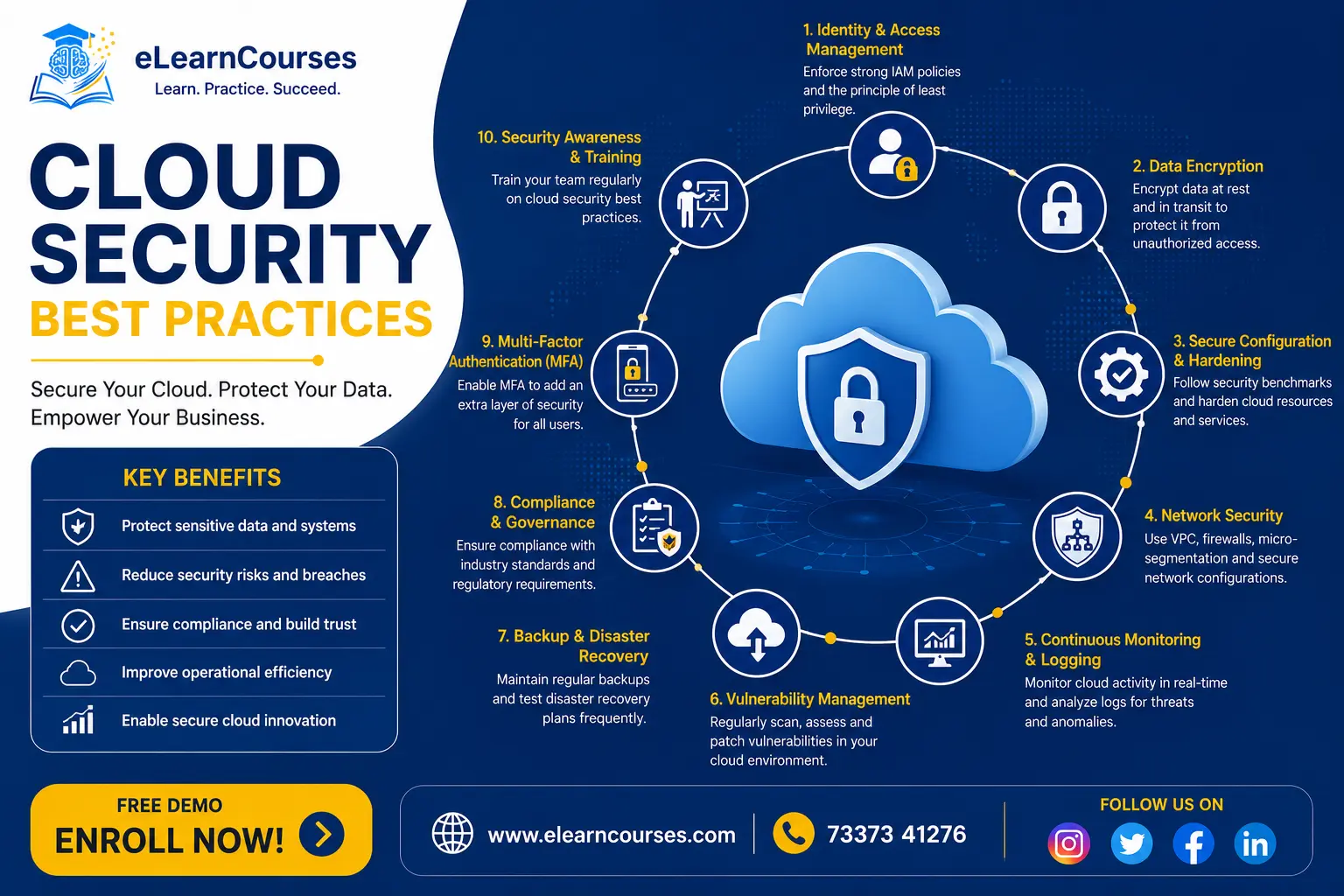
Cloud Security Best Practices
Most cloud breaches don’t happen because of a flaw in AWS, Azure, or Google Cloud’s underlying infrastructure. They happen because of a misconfigured storage bucket, an overly permissive IAM role, or a leaked credential sitting somewhere it shouldn’t. Industry surveys consistently report that the large majority of organizations, well over three-quarters in recent data, have experienced at least one cloud security incident in the past year, and the average time to identify and contain a breach spanning multiple cloud environments stretches close to nine months. These cloud security best practices exist specifically to close that gap between how fast cloud environments now change and how slowly most organizations are able to detect when something’s gone wrong inside them.
This guide covers the practices that actually reduce real-world risk, in the order most security teams should tackle them, starting with the single most important concept underlying everything else: understanding exactly where your responsibility begins.
Understanding the Shared Responsibility Model
Every major cloud provider operates on a shared responsibility model, and misunderstanding it is one of the most common root causes of a serious breach. The provider secures the cloud itself, physical data centers, the underlying hardware, and the virtualization layer. You’re responsible for security in the cloud, meaning your data, your identity and access configuration, your application code, and how you’ve set up the services you’re using.
In practice, this means AWS isn’t responsible for a publicly exposed S3 bucket you configured, and Azure isn’t responsible for an overly broad IAM role you assigned to a service account. Treating the shared responsibility model as a checklist to review for every service you adopt, rather than a one-time slide from an onboarding presentation, is the foundation everything else in this guide builds on.
Identity and Access Management (IAM)
Identity has become the primary attack surface in cloud environments, more so than network perimeter defenses, which is why IAM sits at the top of nearly every current cloud security framework.
Enforce least privilege by default. Every user, service, and application should have only the specific permissions needed to do its job, nothing broader “just in case.” Overly permissive roles, often granted for convenience during initial setup and never revisited, are one of the most common findings in real-world cloud security audits.
Require multi-factor authentication everywhere, especially for privileged accounts. MFA remains one of the highest-impact, lowest-effort controls available, and it should be mandatory for any account with administrative or elevated access, not optional or limited to a subset of users.
Move toward passwordless authentication where possible. Passkeys and hardware security keys remove an entire category of credential-theft risk that phishing-resistant authentication methods are specifically designed to close, and adoption has accelerated as more cloud platforms add native support.
Manage non-human identities as carefully as human ones. Service accounts, API keys, and machine identities used by automated systems have grown to outnumber human user accounts in most cloud environments, and they’re frequently over-permissioned and rarely rotated. Treating these with the same least-privilege discipline and regular credential rotation as human accounts closes a gap attackers increasingly target directly.
Avoid using root or owner-level accounts for daily operations. Create individual accounts with appropriately scoped permissions instead, and reserve root-level access for genuinely exceptional situations with additional monitoring in place.
Adopting a Zero Trust Architecture
Zero Trust has moved from an emerging concept to the default security model for cloud environments, and it rests on a small number of core principles that reshape how access decisions get made.
Never trust, always verify. No user, device, or service should be trusted automatically based on network location or a previous successful login. Every request gets evaluated on its own merits, using current context like device health, location, and behavior patterns.
Assume breach. Rather than designing defenses around keeping attackers out entirely, Zero Trust architectures assume an attacker may already have a foothold somewhere in the environment, and design controls to limit what that foothold can actually reach.
Apply micro-segmentation. Instead of one large, flat network where anything inside the perimeter can reach anything else, Zero Trust environments break infrastructure into smaller, isolated segments, so compromising one application or service doesn’t automatically expose everything connected to it.
Adopting Zero Trust isn’t a single product purchase; it’s an architectural shift that touches identity, networking, and application design together, which is exactly why organizations that treat it as a checkbox rather than a genuine redesign tend to see limited real improvement in their actual security posture.
Data Encryption Best Practices
Encrypt data at rest by default, across databases, storage buckets, and backups, without exception for “less sensitive” data stores, since misclassifying what counts as sensitive is a common and costly mistake.
Encrypt data in transit using current, properly configured TLS, both between your services and end users and between internal services communicating with each other inside your cloud environment.
Manage encryption keys deliberately, using a dedicated key management service rather than embedding keys directly in application code or configuration files, and rotate keys on a defined schedule rather than leaving them static indefinitely.
Start planning for post-quantum cryptography, even though large-scale quantum computers capable of breaking current encryption standards don’t exist yet. Data encrypted today with vulnerable algorithms could still be harvested and stored by an attacker for later decryption once quantum capabilities mature, which is pushing security-conscious organizations to begin evaluating post-quantum-ready encryption standards well ahead of any immediate threat.
Despite how foundational encryption is, a meaningful share of organizations still have less than the majority of their cloud data properly encrypted, which makes this one of the highest-value, most overlooked practices on this entire list.
Network Security in the Cloud
Configure virtual private clouds (VPCs) with clearly defined subnets separating public-facing resources from internal, private ones. Use security groups and network access control lists to restrict traffic to only what’s explicitly needed, rather than defaulting to broad, permissive rules during initial setup that never get tightened later. Favor private endpoints and private connectivity options over exposing services directly to the public internet whenever a service doesn’t genuinely need to be publicly reachable. Regularly audit exposed ports and public-facing resources, since a service quietly left open during testing and forgotten is a routine finding in real security assessments.
Securing Containers and Kubernetes
Containerized workloads introduce their own specific security considerations beyond general cloud hardening.
Scan container images for known vulnerabilities before they’re deployed, ideally as an automated step in your CI/CD pipeline rather than a manual, occasional check, so a vulnerable base image never reaches production silently.
Apply least privilege to pods and containers, avoiding privileged mode unless a workload genuinely requires it, and running containers as non-root users by default.
Use network policies to restrict pod-to-pod communication within a Kubernetes cluster, applying the same segmentation principle from Zero Trust architecture at the container level rather than allowing every pod to freely reach every other pod.
Monitor container runtime behavior, not just static image scans, since a container that passed a vulnerability scan before deployment can still behave maliciously at runtime if it’s compromised through an application-level vulnerability after it’s already running.
Securing APIs in the Cloud
APIs have become one of the primary ways cloud applications are actually attacked, since they’re often the most directly internet-facing part of an application and can expose far more functionality than a typical web interface.
Authenticate and authorize every API request explicitly, rather than assuming a request is legitimate because it reached an internal-sounding endpoint. Broken object-level authorization, where an API fails to verify a user actually has permission to access the specific resource they’re requesting, remains one of the most common and damaging API vulnerabilities found in real audits.
Rate-limit API endpoints to reduce the impact of both abuse and simple misconfiguration, since an unthrottled endpoint can be used to extract large amounts of data quickly or overwhelm a backend service.
Validate and sanitize all input at the API layer, treating every request as untrusted regardless of whether it’s coming from your own frontend application or an external client, since assuming internal traffic is inherently safe is a common and exploitable mistake.
Maintain an inventory of every API you expose, including older or internal versions that may have been deprecated in documentation but never actually decommissioned. Shadow APIs, ones still live and reachable but no longer tracked by the team responsible for them, are a recurring finding in cloud security assessments specifically because they fall outside routine review.
Infrastructure as Code (IaC) Security
Infrastructure as code has become the blueprint for how most cloud environments actually get built, which means securing that code matters as much as securing the infrastructure it produces.
Scan IaC templates for misconfigurations before deployment. Tools that check Terraform, CloudFormation, or similar configuration files against security best practices can catch an overly permissive security group or a publicly exposed storage bucket before it’s ever provisioned, rather than after an audit finds it live in production.
Protect your IaC state files carefully. State files often contain sensitive details about your entire infrastructure, and in some cases plaintext secrets, effectively making them a blueprint of your environment that needs protection at least as strong as the infrastructure itself. Treating a state file as just another artifact rather than a highly sensitive asset is a mistake that’s caused real incidents.
Review infrastructure changes the same way you review application code, with a required approval step before changes reach production, rather than allowing infrastructure changes to bypass the same scrutiny applied to application code.
Continuous Monitoring and Threat Detection
Visibility across cloud environments has become a core requirement rather than a nice-to-have, particularly as organizations run workloads across multiple cloud providers simultaneously.
Centralize logging across every cloud service and account you operate, since fragmented, siloed logs are one of the biggest reasons breaches take so long to detect and contain in multi-cloud environments.
Use cloud security posture management (CSPM) tools to continuously check your environment’s configuration against security best practices, flagging drift from a secure baseline automatically rather than relying on periodic manual audits that miss changes made in between review cycles.
Incorporate AI-driven anomaly detection where it adds genuine value, since these tools can surface unusual access patterns, like a service account suddenly making requests from an unfamiliar region, far faster than manual log review ever could. That said, treat AI-driven alerts as a starting point for investigation, not an automatic verdict, since false positives remain common enough that human review still matters before taking disruptive action.
Multi-Cloud and Hybrid Environments Add Real Complexity
Most organizations of any real size now run workloads across more than one cloud provider, or across a mix of cloud and on-premises infrastructure, and this adds genuine security challenges beyond what a single-provider environment faces. Each cloud provider has its own IAM model, its own terminology for similar concepts, and its own native security tooling, which makes maintaining consistent policies across all of them considerably harder than managing a single environment. A permission structure that works cleanly in AWS doesn’t map one-to-one onto Azure’s or Google Cloud’s equivalent concepts, and teams that try to apply identical policies without accounting for those differences often end up with gaps in one environment or overly restrictive rules in another.
Unified visibility tools that aggregate logging, configuration state, and identity information across every provider in use have become close to essential for any organization running a genuine multi-cloud setup, since without them, security teams end up manually correlating data across several separate consoles, which is exactly the kind of fragmented visibility that extends how long a breach goes undetected. If your organization is planning a multi-cloud strategy primarily for redundancy or vendor flexibility, it’s worth weighing that benefit honestly against the added security management overhead it introduces, rather than treating multi-cloud adoption as a security-neutral decision.
Securing the Software Supply Chain
Supply chain risk has become one of the fastest-growing categories of cloud security concern, driven partly by how much code now originates outside a team’s own developers.
Maintain a software bill of materials (SBOM) for your applications, tracking every third-party dependency so you can quickly identify exposure when a vulnerability is disclosed in a widely used package.
Verify the integrity of every dependency before it enters your environment, rather than trusting a package purely because it’s popular or was easy to find, since compromised packages in public registries have caused real, serious incidents.
Treat AI-generated code as an untrusted third-party component, the same way you’d treat a copied snippet from an unfamiliar source. Code generated by an AI assistant can introduce subtle vulnerabilities or insecure patterns that look plausible but haven’t been properly reviewed, and running it through the same static analysis and review process as any other new code is a sensible, increasingly standard precaution rather than an overreaction.
Incident Response and Disaster Recovery
Assume, correctly, that a security incident will eventually happen despite every preventive control, and prepare accordingly rather than treating incident response as an afterthought.
Maintain a documented, tested incident response plan that specifies who’s responsible for what during an active incident, rather than figuring out roles and escalation paths for the first time while an actual breach is unfolding.
Run tabletop exercises regularly, walking through realistic breach scenarios with the actual team that would respond, since a plan that’s only ever been written down and never rehearsed tends to fall apart under real pressure.
Maintain tested, regularly verified backups, stored separately from your primary environment and periodically tested through an actual restore, not just a backup job that reports success without ever being validated.
Set clear recovery time and recovery point objectives for critical systems, so the business impact of an outage is understood and planned for ahead of time rather than negotiated in the middle of a crisis.
Given how long breaches spanning multiple environments currently take to detect on average, a well-rehearsed incident response process is often what separates a contained, manageable incident from one that drags on for months with escalating damage.
How a Typical Cloud Breach Actually Unfolds
Understanding a realistic breach pattern helps explain why the practices above are ordered the way they are, rather than treating each one as an isolated checkbox. A common sequence starts with a phishing email that captures an employee’s credentials, or a leaked API key accidentally committed to a public code repository. From there, an attacker with valid-looking credentials logs in through a legitimate authentication flow, which is exactly why MFA matters so much: it turns a stolen password alone into something largely useless.
If MFA is missing or the attacker manages to bypass it, the next step is usually reconnaissance, quietly exploring what the compromised identity actually has access to. This is where overly broad IAM permissions turn a single compromised account into a much larger problem, letting an attacker move laterally into systems that account never should have been able to reach in the first place. From there, data exfiltration or further privilege escalation follows, often going unnoticed for an extended period specifically because logging wasn’t centralized or nobody was actively reviewing the anomalous access patterns that would have flagged the activity earlier.
Every stage in that chain maps directly to a specific practice covered above: MFA and passwordless authentication to stop initial credential compromise from being useful on its own, least-privilege IAM to limit lateral movement even when a credential is compromised, and centralized monitoring with anomaly detection to shorten how long the activity goes unnoticed. None of these controls is sufficient by itself, which is exactly why cloud security best practices work as a layered set rather than a single silver-bullet fix.
The Human Factor: Security Awareness and Training
Technical controls matter enormously, but a meaningful share of real incidents still start with a human decision, clicking a convincing phishing link, reusing a password across systems, or misconfiguring a service because the security implications of a setting weren’t well understood. Regular, practical security awareness training, focused on realistic scenarios employees actually encounter rather than generic annual compliance videos, measurably reduces how often these initial footholds succeed.
This matters specifically for cloud environments because the barrier to making a serious mistake is often lower than people expect: a single misconfigured permission or an accidentally public storage bucket can expose far more than a comparable mistake would in a traditional on-premises system, simply because cloud resources are, by design, more easily reachable from anywhere. Building a culture where employees feel comfortable reporting a suspected mistake immediately, rather than trying to quietly fix it themselves out of fear of blame, consistently shortens how long a real incident takes to contain.
Compliance and Governance
Most organizations operating in the cloud need to satisfy at least one formal compliance framework, whether that’s SOC 2, ISO 27001, HIPAA, or GDPR, depending on industry and the data being handled. Automating compliance monitoring, rather than relying on annual manual audits, has become standard practice, since continuous checks catch drift from required controls immediately instead of a full year after it happened. Maintaining clear audit logs, documented policies, and a defined data retention and deletion process isn’t just a compliance checkbox; it directly supports faster incident investigation and cleaner recovery when something does go wrong.
Common Cloud Security Mistakes
Assuming the cloud provider handles security entirely. This misunderstanding of the shared responsibility model remains one of the single most common root causes of preventable breaches.
Leaving default configurations unchanged. Default settings on many cloud services prioritize ease of setup over security, and skipping the hardening step after initial deployment leaves avoidable exposure in place indefinitely.
Granting broad permissions “temporarily” and never revisiting them. Temporary, overly permissive access granted to unblock a specific task has a well-documented tendency to become permanent simply because nobody circles back to tighten it later.
Ignoring logs until something goes wrong. Centralized logging and monitoring only provide value if someone’s actually reviewing alerts and anomalies on an ongoing basis, not just retroactively during a post-incident investigation.
Treating security as a one-time project rather than a continuous practice. Cloud environments change constantly, new services, new team members, new integrations, and a security posture that was solid six months ago can quietly drift without anyone noticing unless it’s actively and continuously maintained.
A Practical Cloud Security Checklist
A condensed version of everything above, useful as a working reference:
- Review and document the shared responsibility model for every cloud service in use
- Enforce least-privilege IAM policies and require MFA on all privileged accounts
- Rotate and audit credentials for both human and non-human (service account) identities
- Encrypt all data at rest and in transit, with deliberately managed encryption keys
- Segment networks and restrict public exposure to only what’s genuinely required
- Scan container images and IaC templates for misconfigurations before deployment
- Protect IaC state files as sensitive assets, not routine artifacts
- Centralize logging and adopt CSPM tooling for continuous configuration monitoring
- Maintain an SBOM and verify third-party dependency integrity, including AI-generated code
- Document, test, and rehearse an incident response and disaster recovery plan
- Automate compliance monitoring rather than relying solely on periodic manual audits
Frequently Asked Questions
What’s the single most important cloud security best practice to start with? If you can only prioritize one area, identity and access management delivers the highest impact relative to effort. Misconfigured permissions and compromised credentials are behind the overwhelming majority of real-world cloud incidents, more so than infrastructure-level vulnerabilities, so tightening IAM policies and enforcing MFA everywhere addresses the most common actual attack path.
Is Zero Trust only relevant for large enterprises? No. The core principles, least privilege, continuous verification, and network segmentation, scale down effectively to smaller organizations and even individual projects. A small team doesn’t need an enterprise-grade Zero Trust platform to apply the underlying discipline of not trusting requests by default and limiting what any single compromised credential can reach.
How often should cloud security configurations be audited? Continuously, ideally through automated CSPM tooling rather than periodic manual reviews alone. Cloud environments change too quickly for an annual or even quarterly manual audit to catch configuration drift in a timely way, though periodic manual reviews still add value for catching things automated tools might miss.
Does moving to a single cloud provider make security simpler than a multi-cloud setup? It can reduce some complexity, since you’re only learning one provider’s tools and shared responsibility boundaries, but it doesn’t eliminate the need for the practices in this guide. Multi-cloud environments add real complexity around centralized visibility specifically, but the underlying security fundamentals, IAM, encryption, monitoring, apply regardless of how many providers you’re using.
How do I convince leadership to invest more in cloud security when there hasn’t been a breach yet? Framing the conversation around detection and containment time tends to land better than abstract risk language. Citing how long breaches typically go undetected in poorly monitored multi-cloud environments, and the cost difference between a contained incident and one discovered months later, usually makes the business case more concrete than a general statement about “improving security posture.”
What’s the difference between CSPM and CNAPP? Cloud Security Posture Management (CSPM) tools focus specifically on detecting misconfigurations against a security baseline. Cloud-Native Application Protection Platforms (CNAPP) are broader, typically combining CSPM with container security, workload protection, and sometimes supply chain checks into a single integrated platform. Organizations with simpler environments often start with a focused CSPM tool, while larger, more complex cloud footprints increasingly consolidate onto a CNAPP to reduce tool sprawl and get a more unified view across categories.
Should small businesses worry about the same cloud security practices as large enterprises? The core principles apply regardless of size, though the specific tooling and depth of implementation reasonably scale down. A small business may not need a dedicated CNAPP platform, but least-privilege IAM, MFA, encryption, and basic centralized logging are achievable and valuable at any size, and attackers frequently target smaller organizations specifically because they assume, often correctly, that security fundamentals have been skipped.
Where to Go From Here
Cloud security best practices in 2026 center on identity as the primary attack surface, Zero Trust as the default architectural approach, and continuous, automated monitoring replacing periodic manual review. Encryption, container hardening, IaC security, and supply chain verification round out a defense that assumes breaches will happen and focuses on limiting their impact and shortening detection time rather than relying on prevention alone.
If your team is building out the DevSecOps practices this guide touches on, our DevOps Engineer Roles and Responsibilities guide covers how security increasingly folds into that role directly, and our Python tutorial is a useful starting point for anyone automating security checks and audits themselves. For authoritative technical detail on Zero Trust architecture specifically, NIST’s Zero Trust Architecture guidance and the OWASP Cloud Security resources are both worth bookmarking as ongoing references.