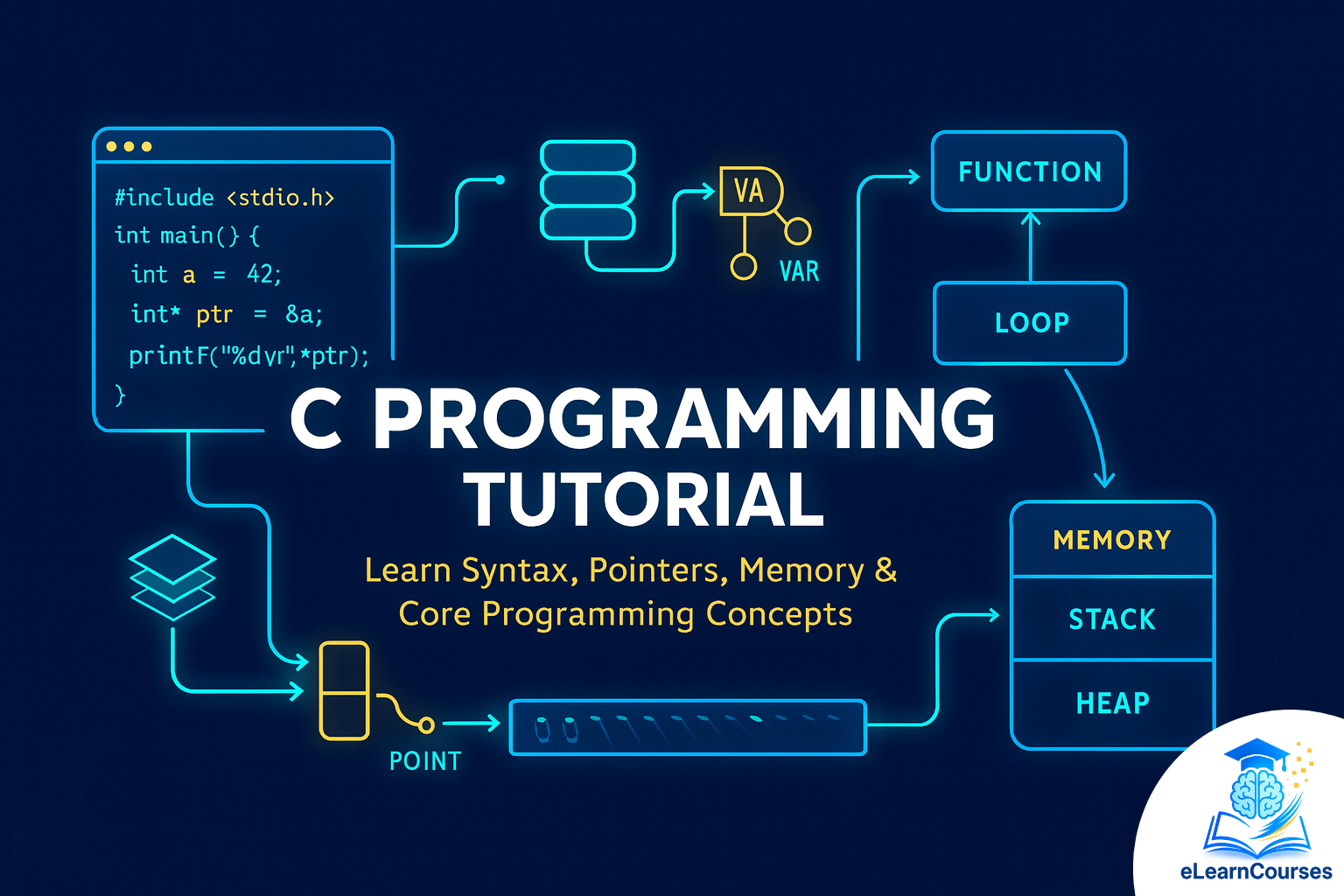
Master C Programming Tutorial: Ultimate Guide for Beginners & Experts
C programming remains one of the most powerful and influential programming languages in software development. Whether you’re a complete beginner or looking to strengthen your programming foundation, this comprehensive C programming tutorial will guide you through everything you need to know about C language development.
In this detailed C programming tutorial, you’ll discover fundamental concepts, practical coding techniques, and advanced programming strategies that professional developers use daily. By the end of this guide, you’ll have the knowledge and confidence to write efficient C programs and understand why C continues to power operating systems, embedded systems, and high-performance applications worldwide.
Introduction to C Programming
What is C Programming?
C is a general-purpose, procedural programming language developed by Dennis Ritchie at Bell Labs in 1972. This C programming tutorial begins with understanding why C has remained relevant for over five decades. C provides low-level access to memory, requires minimal runtime support, and generates efficient machine code, making it ideal for system programming and embedded applications.
Why Learn C Programming?
Learning C programming offers numerous advantages for aspiring developers:
Foundation for Modern Languages: Many popular programming languages like C++, Java, Python, and JavaScript draw inspiration from C syntax and concepts. Understanding C programming helps you grasp these languages more easily.
System-Level Programming: Operating systems like Linux, Windows kernels, and Unix are written primarily in C. This C programming tutorial will help you understand how software interacts with hardware at a fundamental level.
Performance-Critical Applications: C generates highly optimized code, making it perfect for applications where performance matters, including game engines, database systems, and real-time applications.
Embedded Systems Development: Microcontrollers and embedded devices predominantly use C due to its efficiency and direct hardware manipulation capabilities.
Career Opportunities: C programming skills remain highly valued in industries ranging from aerospace to automotive, telecommunications to finance.
Brief History of C Language
The evolution of C programming is fascinating. Dennis Ritchie developed C at Bell Laboratories between 1972 and 1973 to construct utilities running on Unix. Initially, C was designed for implementing the Unix operating system, but its power and flexibility quickly made it popular for application development.
The first major milestone came in 1978 when Brian Kernighan and Dennis Ritchie published “The C Programming Language,” often referred to as K&R C. This book became the de facto specification for C until the official ANSI standard emerged.
In 1989, the American National Standards Institute (ANSI) standardized C, creating ANSI C or C89. The International Organization for Standardization (ISO) adopted this standard in 1990, creating C90. Subsequent revisions including C99, C11, and C17 added new features while maintaining backward compatibility.
Setting Up Your C Development Environment
Before diving deeper into this C programming tutorial, you need to set up your development environment properly. A complete C development setup includes a compiler, text editor or IDE, and debugger.
Choosing a C Compiler
GCC (GNU Compiler Collection): The most widely used open-source compiler, available on Linux, macOS, and Windows through MinGW or Cygwin. GCC provides excellent optimization and follows C standards strictly.
Clang: Modern compiler with excellent error messages and fast compilation times. Clang is the default compiler on macOS and increasingly popular on other platforms.
Microsoft Visual C++: Integrated with Visual Studio, MSVC offers excellent Windows development support and debugging tools.
Tiny C Compiler (TCC): Lightweight and fast compiler suitable for learning and quick compilation.
Installing Development Tools
On Windows: Download and install MinGW-w64 or use Visual Studio Community Edition. MinGW provides a complete GNU toolchain including GCC, while Visual Studio offers an integrated development environment with comprehensive debugging capabilities.
On macOS: Install Xcode Command Line Tools by running xcode-select --install in Terminal. This provides GCC, Clang, and essential development utilities.
On Linux: Most distributions include GCC by default. Install using package managers: sudo apt-get install build-essential on Ubuntu/Debian or sudo yum groupinstall "Development Tools" on Red Hat/CentOS.
Recommended Text Editors and IDEs
Visual Studio Code: Free, lightweight editor with excellent C/C++ extensions providing IntelliSense, debugging, and code formatting.
Code::Blocks: Cross-platform IDE specifically designed for C/C++ with integrated debugger and project management.
CLion: Professional IDE from JetBrains offering advanced refactoring, code analysis, and debugging features.
Vim/Emacs: Powerful text editors preferred by experienced developers for their efficiency and customization options.
Verifying Your Installation
After installation, verify your setup by creating a simple test program. Open your terminal or command prompt and type gcc --version to confirm GCC installation. This C programming tutorial recommends testing with the classic “Hello World” program to ensure everything works correctly.
Basic Syntax and Structure
Understanding C program structure is fundamental to this C programming tutorial. Every C program follows specific organizational patterns that ensure proper compilation and execution.
Structure of a C Program
A typical C program contains several components:
Preprocessor Directives: Lines beginning with # that provide instructions to the preprocessor before compilation. Common directives include #include for including header files and #define for defining constants.
Function Declarations: Prototypes that inform the compiler about functions used in the program.
Main Function: The entry point of every C program where execution begins.
Statements and Expressions: Actual code that performs operations and manipulations.
Comments: Non-executable text that explains code functionality.
Here’s a basic program structure:
#include <stdio.h>  // Preprocessor directive

// Function declaration
void greet();

// Main function
int main() {
    printf("Welcome to C Programming Tutorial\n");
    greet();
    return 0;
}

// Function definition
void greet() {
    printf("Hello, Programmer!\n");
}
Comments in C Programming
Comments make code readable and maintainable. C supports two comment styles:
Single-line comments use double slashes // and extend to the end of the line. These are perfect for brief explanations.
Multi-line comments begin with /* and end with */, spanning multiple lines. Use these for detailed explanations or temporarily disabling code blocks.
Effective commenting is a professional practice covered throughout this C programming tutorial. Good comments explain why code does something, not what it does, as the code itself should be self-explanatory.
Input and Output Functions
C provides several functions for input and output operations:
printf(): Formatted output function that displays text and variables to the console. It accepts format specifiers like %d for integers, %f for floating-point numbers, and %s for strings.
scanf(): Formatted input function that reads user input according to specified format. Always use address-of operator & with variables in scanf for proper memory access.
getchar() and putchar(): Character-level input and output functions for single character operations.
gets() and puts(): String input and output functions, though gets() is deprecated due to security concerns.
Compilation Process
Understanding compilation helps debug issues in this C programming tutorial. The C compilation process involves four stages:
Preprocessing: The preprocessor handles directives, expands macros, and includes header files, producing an expanded source file.
Compilation: The compiler translates expanded source code into assembly language, checking syntax and performing optimizations.
Assembly: The assembler converts assembly code into machine code, creating object files.
Linking: The linker combines object files with library code, resolving external references and producing the final executable.
Data Types and Variables
Data types define the kind of data a variable can store and the operations that can be performed on it. This section of our C programming tutorial explores C’s type system comprehensively.
Basic Data Types
Integer Types: C provides several integer types with varying sizes and ranges:
int typically stores 4 bytes (32 bits) and can represent values from approximately -2 billion to +2 billion. Use int for general-purpose integer arithmetic.
short int uses 2 bytes, suitable for memory-constrained situations requiring smaller integer ranges.
long int provides at least 4 bytes, with long long int guaranteeing 8 bytes for very large integers.
unsigned variants store only positive values, effectively doubling the positive range by eliminating negative numbers.
Floating-Point Types: For decimal numbers, C offers:
float provides single-precision floating-point representation with approximately 6-7 decimal digits of precision, using 4 bytes.
double offers double-precision with 15-16 decimal digits of precision, using 8 bytes. This is the default choice for floating-point calculations.
long double provides extended precision, though exact size and precision vary by implementation.
Character Type: The char type stores single characters and small integers, occupying 1 byte. Characters use ASCII encoding on most systems, with values ranging from -128 to 127 for signed char or 0 to 255 for unsigned char.
Variable Declaration and Initialization
Variables must be declared before use, specifying their type and name. This C programming tutorial emphasizes proper variable naming conventions:
int age;                    // Declaration
age = 25;                   // Assignment

int count = 10;            // Declaration with initialization
float price = 99.99;       // Floating-point initialization
char grade = 'A';          // Character initialization

// Multiple variables of same type
int x = 5, y = 10, z = 15;
Variable Naming Rules:
- Names must begin with letters or underscores
- Subsequent characters can be letters, digits, or underscores
- Case-sensitive (age and Age are different variables)
- Cannot use C keywords as variable names
- Use descriptive names for readability
Type Modifiers
Modifiers alter the properties of basic data types:
signed: Allows both positive and negative values (default for most types)
unsigned: Restricts to non-negative values only, doubling positive range
short: Reduces storage size
long: Increases storage capacity
These modifiers combine with basic types: unsigned long int, signed char, etc.
Constants and Literals
Constants represent fixed values that don’t change during program execution. This C programming tutorial covers several constant types:
Integer Literals: Whole numbers like 42, -17, or 0. Use suffixes L or LL for long integers, U for unsigned.
Floating-Point Literals: Decimal numbers like 3.14, -0.5, or 2.5e3 (scientific notation). Suffix F denotes float, default is double.
Character Literals: Single characters in single quotes like ‘A’, ‘7’, or ‘\n’ (newline escape sequence).
String Literals: Sequences of characters in double quotes like “Hello World”.
Defining Constants:
#define PI 3.14159          // Preprocessor constant
const int MAX_SIZE = 100;   // Constant variable
Type Conversion
Type conversion happens explicitly (casting) or implicitly (automatic):
Implicit Conversion: When assigning a value of one type to a variable of another type, C automatically converts if possible. Smaller types convert to larger types without data loss.
Explicit Conversion (Casting): Programmers force conversion using cast operators:
float result = (float)sum / count;  // Convert sum to float before division
int truncated = (int)3.99;          // Converts to 3, losing decimal part
Operators in C Programming
Operators perform operations on variables and values. This comprehensive C programming tutorial section covers all operator categories.
Arithmetic Operators
Arithmetic operators perform mathematical calculations:
Addition (+): Adds two operands Subtraction (-): Subtracts second operand from first Multiplication (*): Multiplies two operands Division (/): Divides first operand by second (integer division truncates decimal) Modulus (%): Returns remainder after division (works only with integers)
int a = 15, b = 4;
int sum = a + b;        // 19
int difference = a - b; // 11
int product = a * b;    // 60
int quotient = a / b;   // 3 (integer division)
int remainder = a % b;  // 3
Increment and Decrement:
Pre-increment ++x increments then returns value, while post-increment x++ returns value then increments. Same logic applies to decrement operators.
Relational Operators
Relational operators compare values, returning 1 (true) or 0 (false):
Equal to (==): Checks if operands are equal Not equal to (!=): Checks if operands differ Greater than (>): Tests if first exceeds second Less than (<): Tests if first is smaller than second Greater than or equal to (>=): Tests first is at least as large as second Less than or equal to (<=): Tests first is at most as large as second
Logical Operators
Logical operators combine boolean expressions:
Logical AND (&&): Returns true if both operands are true Logical OR (||): Returns true if at least one operand is true Logical NOT (!): Reverses the boolean value
int x = 5, y = 10;
if (x > 0 && y > 0) {  // Both conditions must be true
    printf("Both positive\n");
}
Bitwise Operators
Bitwise operators work on individual bits of integer values, crucial for low-level programming covered in this C programming tutorial:
AND (&): Sets each bit to 1 if both corresponding bits are 1 OR (|): Sets each bit to 1 if at least one corresponding bit is 1 XOR (^): Sets each bit to 1 if corresponding bits differ NOT (~): Inverts all bits Left Shift (<<): Shifts bits left, filling with zeros Right Shift (>>): Shifts bits right
Bitwise operations are essential for embedded programming, cryptography, and optimization tasks.
Assignment Operators
Assignment operators assign values to variables:
Simple assignment (=): Assigns right operand to left operand Compound assignments: Combine arithmetic with assignment: +=, -=, *=, /=, %=
int num = 10;
num += 5;   // Equivalent to num = num + 5
num *= 2;   // Equivalent to num = num * 2
Conditional (Ternary) Operator
The ternary operator provides a compact conditional expression:
int max = (a > b) ? a : b; // If a > b, max = a, otherwise max = bThis C programming tutorial recommends using ternary operators for simple conditions to improve code conciseness.
Operator Precedence and Associativity
Understanding operator precedence prevents logical errors. Operators execute in order of precedence, with parentheses having highest priority. When operators have equal precedence, associativity determines evaluation order (left-to-right or right-to-left).
Control Flow Statements
Control flow statements determine program execution path based on conditions and loops. This critical C programming tutorial section explains decision-making and iteration.
Conditional Statements
if Statement: Executes code block when condition evaluates to true.
if (temperature > 30) {
    printf("It's hot outside!\n");
}
if-else Statement: Provides alternative execution path when condition is false.
if (score >= 60) {
    printf("Passed\n");
} else {
    printf("Failed\n");
}
if-else-if Ladder: Tests multiple conditions sequentially.
if (grade >= 90) {
    printf("A\n");
} else if (grade >= 80) {
    printf("B\n");
} else if (grade >= 70) {
    printf("C\n");
} else {
    printf("D\n");
}
Nested if Statements: Place if statements inside other if statements for complex logic.
Switch Statement
Switch statements provide elegant multi-way branching based on integer or character expressions:
switch (day) {
    case 1:
        printf("Monday\n");
        break;
    case 2:
        printf("Tuesday\n");
        break;
    case 3:
        printf("Wednesday\n");
        break;
    default:
        printf("Other day\n");
}
The break statement prevents fall-through to subsequent cases. This C programming tutorial emphasizes always including break statements unless fall-through is intentional.
Loop Statements
while Loop: Repeats code block while condition remains true. Checks condition before executing loop body.
int count = 1;
while (count <= 5) {
    printf("%d ", count);
    count++;
}
// Output: 1 2 3 4 5
do-while Loop: Executes loop body at least once, then checks condition. Useful when you need guaranteed first execution.
int num;
do {
    printf("Enter positive number: ");
    scanf("%d", &num);
} while (num <= 0);
for Loop: Compact loop structure ideal when iteration count is known. Contains initialization, condition, and update in one line.
for (int i = 0; i < 10; i++) {
    printf("%d ", i);
}
Nested Loops: Loops inside other loops enable multi-dimensional iterations like processing matrices or generating patterns.
Jump Statements
break: Exits the innermost loop or switch statement immediately, continuing execution after the terminated structure.
continue: Skips remaining code in current loop iteration, proceeding to next iteration.
goto: Transfers control to labeled statement. This C programming tutorial recommends avoiding goto as it reduces code readability, though it has legitimate uses in error handling.
return: Exits function, optionally returning a value to the caller.
Functions and Modular Programming
Functions are fundamental building blocks in C programming tutorial methodology. They promote code reusability, organization, and abstraction.
Understanding Functions
Functions are self-contained code blocks that perform specific tasks. Every C program contains at least one function: main(). Well-designed functions make programs easier to understand, test, and maintain.
Function Declaration and Definition
Function Declaration (Prototype): Informs compiler about function existence, return type, and parameters before actual definition.
Function Definition: Contains actual implementation with function body.
// Function declaration
int add(int a, int b);

// Function definition
int add(int a, int b) {
    return a + b;
}

// Function call
int result = add(10, 20);
Function Parameters
Formal Parameters: Variables listed in function definition that receive values.
Actual Parameters (Arguments): Values passed to function during call.
Pass by Value: Default mechanism where function receives copies of arguments. Changes inside function don’t affect original variables.
void increment(int x) {
    x++;  // Only local copy changes
}

int num = 5;
increment(num);  // num still equals 5
This C programming tutorial will later cover pass by reference using pointers.
Return Statement
Functions return values using return statement. Return type specified in function declaration must match returned value type. void functions don’t return values.
float calculateAverage(int sum, int count) {
    return (float)sum / count;
}
Scope and Lifetime
Local Variables: Declared inside functions, accessible only within that function. Created when function executes, destroyed when function returns.
Global Variables: Declared outside all functions, accessible throughout program. Exist for entire program execution.
Static Variables: Retain values between function calls while remaining local in scope.
void counter() {
    static int count = 0;  // Initialized only once
    count++;
    printf("%d ", count);
}

counter();  // Output: 1
counter();  // Output: 2
counter();  // Output: 3
Recursive Functions
Recursion occurs when functions call themselves, solving problems by breaking them into smaller identical sub-problems. This C programming tutorial emphasizes understanding base cases to prevent infinite recursion.
int factorial(int n) {
    if (n <= 1) return 1;        // Base case
    return n * factorial(n - 1);  // Recursive case
}
Classic recursive problems include factorial calculation, Fibonacci sequence, tree traversal, and tower of Hanoi.
Function Pointers
Function pointers store addresses of functions, enabling dynamic function calls and callback mechanisms:
int (*operation)(int, int);  // Pointer to function returning int
operation = add;              // Assign function address
int result = operation(5, 3); // Call through pointer
Arrays and Strings
Arrays store multiple values of the same type under single variable name. This C programming tutorial section covers array fundamentals and string manipulation.
One-Dimensional Arrays
Arrays are contiguous memory blocks storing fixed-size sequential collections of elements.
Declaration and Initialization:
int numbers[5];                     // Declaration
int scores[5] = {85, 90, 78, 92, 88};  // Initialization
int values[] = {1, 2, 3, 4};       // Size automatically determined
Accessing Array Elements: Use zero-based indexing with square brackets. First element is array[0], last element is array[size-1].
int first = scores[0];   // Access first element
scores[2] = 95;          // Modify third element
Multi-Dimensional Arrays
Two-dimensional arrays represent matrices or tables:
int matrix[3][4];  // 3 rows, 4 columns

int table[2][3] = {
    {1, 2, 3},
    {4, 5, 6}
};

int element = table[1][2];  // Access row 1, column 2 (value: 6)
Processing multi-dimensional arrays typically requires nested loops.
Array Limitations
Arrays have fixed size determined at declaration. C doesn’t perform automatic bounds checking, so accessing out-of-bounds indices causes undefined behavior. This C programming tutorial stresses careful index management.
Strings in C
C treats strings as character arrays terminated by null character ‘\0’. This null terminator distinguishes strings from plain character arrays.
String Declaration:
char name[20] = "John";     // Automatically null-terminated
char greeting[] = "Hello";  // Size automatically includes null terminator
char message[10];           // Uninitialized string buffer
String Input and Output
Reading Strings:
char name[50];
scanf("%s", name);        // Reads until whitespace (unsafe for spaces)
fgets(name, 50, stdin);   // Safer, reads entire line including spaces
Displaying Strings:
printf("%s", name);       // Print string
puts(name);               // Print string with automatic newline
String Manipulation Functions
Standard library <string.h> provides essential string functions:
strlen(): Returns string length excluding null terminator strcpy(): Copies source string to destination strcat(): Concatenates (appends) source to destination strcmp(): Compares two strings lexicographically strchr(): Finds first occurrence of character strstr(): Finds first occurrence of substring
#include <string.h>

char str1[20] = "Hello";
char str2[20] = "World";

int length = strlen(str1);           // Returns 5
strcpy(str2, str1);                  // str2 becomes "Hello"
strcat(str1, " World");              // str1 becomes "Hello World"
int result = strcmp(str1, str2);     // Returns comparison result
This C programming tutorial emphasizes using safe string functions like strncpy() and strncat() with size limits to prevent buffer overflows.
Pointers and Memory Management
Pointers are C’s most powerful and complex feature. This essential C programming tutorial section explains pointer fundamentals and memory management.
Understanding Pointers
Pointers are variables that store memory addresses of other variables. They enable dynamic memory allocation, efficient array processing, and complex data structures.
Pointer Declaration:
int *ptr;        // Pointer to integer
float *fptr;     // Pointer to float
char *cptr;      // Pointer to character
Address and Dereference Operators
Address-of operator (&): Returns memory address of variable
Dereference operator (*): Accesses value at pointer’s address
int num = 42;
int *ptr = #    // ptr stores address of num

printf("%d", *ptr);  // Prints 42 (value at address)
printf("%p", ptr);   // Prints memory address

*ptr = 100;         // Changes num to 100
Pointer Arithmetic
Pointers support arithmetic operations based on pointed data type size:
int arr[5] = {10, 20, 30, 40, 50};
int *ptr = arr;      // Points to first element

ptr++;               // Moves to next integer (4 bytes forward)
int value = *ptr;    // value = 20

ptr += 2;            // Moves 2 integers forward
value = *ptr;        // value = 40
Pointers and Arrays
Array names act as constant pointers to first element. This C programming tutorial demonstrates array-pointer relationship:
int numbers[5] = {1, 2, 3, 4, 5};
int *ptr = numbers;  // Equivalent to &numbers[0]

// These are equivalent:
numbers[2];
*(numbers + 2);
ptr[2];
*(ptr + 2);
Pointers and Functions
Pass by Reference: Passing pointers allows functions to modify original variables:
void swap(int *a, int *b) {
    int temp = *a;
    *a = *b;
    *b = temp;
}

int x = 10, y = 20;
swap(&x, &y);  // x and y are swapped
Returning Pointers: Functions can return pointers, but never return addresses of local variables:
int* getMax(int *a, int *b) {
    return (*a > *b) ? a : b;
}
Dynamic Memory Allocation
Dynamic memory allocation enables runtime memory management using functions from <stdlib.h>:
malloc(): Allocates specified bytes, returns void pointer
int *arr = (int*)malloc(5 * sizeof(int));  // Allocate array of 5 integers
if (arr == NULL) {
    printf("Memory allocation failed\n");
    return 1;
}
calloc(): Allocates memory and initializes to zero
int *arr = (int*)calloc(5, sizeof(int)); // 5 integers initialized to 0realloc(): Resizes previously allocated memory block
arr = (int*)realloc(arr, 10 * sizeof(int)); // Resize to 10 integersfree(): Deallocates previously allocated memory
free(arr);  // Release memory
arr = NULL; // Good practice to avoid dangling pointers
This C programming tutorial emphasizes always freeing dynamically allocated memory to prevent memory leaks.
Pointer Safety
Common pointer pitfalls include:
Null Pointers: Always check if malloc/calloc returned NULL before use Dangling Pointers: Pointers referencing freed memory Memory Leaks: Forgetting to free allocated memory Buffer Overflows: Writing beyond allocated memory bounds Uninitialized Pointers: Using pointers before assigning valid addresses
Structures and Unions
Structures and unions enable creating complex data types by grouping related variables. This C programming tutorial section covers user-defined data structures.
Also Read: How to Become a Programmer
Structures
Structures (structs) are composite data types containing multiple variables of different types under single name.
Structure Definition:
struct Student {
    char name[50];
    int rollNumber;
    float marks;
};
Declaring Structure Variables:
struct Student student1;                    // Declaration
struct Student student2 = {"Alice", 101, 85.5};  // Declaration with initialization
Accessing Structure Members:
strcpy(student1.name, "Bob");
student1.rollNumber = 102;
student1.marks = 90.0;

printf("Name: %s\n", student1.name);
printf("Roll: %d\n", student1.rollNumber);
Typedef with Structures
typedef creates aliases for data types, simplifying structure declarations:
typedef struct {
    int x;
    int y;
} Point;

Point p1, p2;  // No need for 'struct' keyword
p1.x = 10;
p1.y = 20;
Nested Structures
Structures can contain other structures as members:
typedef struct {
    int day;
    int month;
    int year;
} Date;

typedef struct {
    char name[50];
    Date birthDate;
    float salary;
} Employee;

Employee emp;
emp.birthDate.day = 15;
emp.birthDate.month = 8;
emp.birthDate.year = 1990;
Structures and Pointers
Pointers to structures use arrow operator (->) for member access:
Employee *ptr = &emp;
strcpy(ptr->name, "John");
ptr->salary = 50000.0;

// Equivalent to:
strcpy((*ptr).name, "John");
Structures and Functions
Pass structures to functions by value or pointer. This C programming tutorial recommends passing large structures by pointer for efficiency:
void displayEmployee(Employee *e) {
    printf("Name: %s\n", e->name);
    printf("Salary: %.2f\n", e->salary);
}

displayEmployee(&emp);
Arrays of Structures
Create collections of structured data:
Employee company[100];  // Array of 100 employees

for (int i = 0; i < 100; i++) {
    scanf("%s", company[i].name);
    scanf("%f", &company[i].salary);
}
Unions
Unions allow storing different data types in same memory location. Only one member holds value at any time.
union Data {
    int intValue;
    float floatValue;
    char charValue;
};

union Data data;
data.intValue = 42;
printf("%d\n", data.intValue);

data.floatValue = 3.14;  // Overwrites intValue
printf("%f\n", data.floatValue);
Unions are memory-efficient when only one member is needed at a time. This C programming tutorial notes unions are common in embedded systems and networking.
Bit Fields
Bit fields allow specifying exact number of bits for structure members:
struct Flags {
    unsigned int flag1 : 1;  // 1 bit
    unsigned int flag2 : 1;  // 1 bit
    unsigned int value : 6;  // 6 bits
};
Bit fields optimize memory usage for boolean flags and small integer ranges.
File Handling in C
File operations enable persistent data storage and retrieval. This C programming tutorial section covers comprehensive file handling techniques.
File Operations Overview
File handling involves opening files, performing operations (reading/writing), and closing files. Functions reside in <stdio.h>.
Opening Files
fopen() function:
FILE *fptr;
fptr = fopen("filename.txt", "mode");

if (fptr == NULL) {
    printf("Error opening file\n");
    return 1;
}
File Modes:
- “r”: Read mode (file must exist)
- “w”: Write mode (creates new file or truncates existing)
- “a”: Append mode (adds to end of file)
- “r+”: Read and write mode
- “w+”: Write and read mode
- “a+”: Append and read mode
Add “b” for binary file operations: “rb”, “wb”, “ab”
Reading from Files
Character Input:
int ch;
while ((ch = fgetc(fptr)) != EOF) {
    putchar(ch);
}
String Input:
char buffer[100];
while (fgets(buffer, 100, fptr) != NULL) {
    printf("%s", buffer);
}
Formatted Input:
int num;
float value;
fscanf(fptr, "%d %f", &num, &value);
Binary Read:
Student students[10];
fread(students, sizeof(Student), 10, fptr);
Writing to Files
Character Output:
char ch = 'A';
fputc(ch, fptr);
String Output:
fputs("Hello, World!\n", fptr);Formatted Output:
fprintf(fptr, "Name: %s, Age: %d\n", name, age);Binary Write:
fwrite(students, sizeof(Student), 10, fptr);Closing Files
Always close files after operations to flush buffers and release resources:
fclose(fptr);File Position Functions
Control file position indicator for random access:
fseek(): Moves file pointer to specific location
fseek(fptr, 0, SEEK_SET);  // Beginning of file
fseek(fptr, 0, SEEK_END);  // End of file
fseek(fptr, 100, SEEK_CUR); // 100 bytes from current position
ftell(): Returns current file position
long position = ftell(fptr);rewind(): Moves file pointer to beginning
rewind(fptr); // Equivalent to fseek(fptr, 0, SEEK_SET)Error Handling in File Operations
feof(): Checks if end of file reached
ferror(): Checks if error occurred during file operations
if (ferror(fptr)) {
    printf("Error during file operation\n");
}
This C programming tutorial emphasizes proper error checking for robust file handling applications.
Practical File Handling Example
#include <stdio.h>

int main() {
    FILE *sourceFile, *destFile;
    char ch;

    sourceFile = fopen("source.txt", "r");
    destFile = fopen("destination.txt", "w");

    if (sourceFile == NULL || destFile == NULL) {
        printf("Error opening files\n");
        return 1;
    }

    while ((ch = fgetc(sourceFile)) != EOF) {
        fputc(ch, destFile);
    }

    printf("File copied successfully\n");

    fclose(sourceFile);
    fclose(destFile);

    return 0;
}
Advanced C Programming Concepts
This section of our C programming tutorial explores sophisticated techniques used in professional development.
Preprocessor Directives
The C preprocessor modifies source code before compilation.
Macro Definitions:
#define PI 3.14159
#define MAX(a,b) ((a) > (b) ? (a) : (b))
#define SQUARE(x) ((x) * (x))
Conditional Compilation:
#ifdef DEBUG
    printf("Debug mode enabled\n");
#endif

#ifndef VERSION
    #define VERSION 1.0
#endif

#if defined(WINDOWS)
    // Windows-specific code
#elif defined(LINUX)
    // Linux-specific code
#else
    // Generic code
#endif
File Inclusion:
#include <stdio.h>      // Standard library header
#include "myheader.h"   // User-defined header
Macro Operations:
#undef MACRO_NAME       // Undefine macro
#pragma directive       // Compiler-specific commands
Command Line Arguments
Programs can accept arguments from command line:
int main(int argc, char *argv[]) {
    printf("Program name: %s\n", argv[0]);

    for (int i = 1; i < argc; i++) {
        printf("Argument %d: %s\n", i, argv[i]);
    }

    return 0;
}
argc: Argument count (number of arguments) argv: Argument vector (array of string pointers)
Enumeration
Enumerations define named integer constants:
enum Color {RED, GREEN, BLUE};  // RED=0, GREEN=1, BLUE=2
enum Status {SUCCESS = 1, FAILURE = -1, PENDING = 0};

enum Color favoriteColor = GREEN;

if (favoriteColor == GREEN) {
    printf("Green is selected\n");
}
Enumerations improve code readability compared to magic numbers.
Storage Classes
Storage classes define scope, lifetime, and visibility of variables:
auto: Default for local variables, automatic storage duration
register: Suggests storing variable in CPU register for faster access
register int counter; // Frequently used variablestatic: Preserves variable value between function calls, limits scope to file
static int callCount = 0; // Retains value across callsextern: Declares variable defined in another file
extern int globalVar; // Defined elsewhereThis C programming tutorial notes proper storage class usage optimizes performance and organization.
Variable Arguments Functions
Functions accepting variable number of arguments use <stdarg.h>:
#include <stdarg.h>

int sum(int count, ...) {
    va_list args;
    va_start(args, count);

    int total = 0;
    for (int i = 0; i < count; i++) {
        total += va_arg(args, int);
    }

    va_end(args);
    return total;
}

int result = sum(4, 10, 20, 30, 40);  // Returns 100
Multi-file Programs
Large projects split code across multiple files:
header.h:
#ifndef HEADER_H
#define HEADER_H

int add(int a, int b);
void display();

#endif
functions.c:
#include "header.h"

int add(int a, int b) {
    return a + b;
}

void display() {
    printf("Hello from functions.c\n");
}
main.c:
#include "header.h"

int main() {
    int result = add(5, 3);
    display();
    return 0;
}
Compile with: gcc main.c functions.c -o program
Type Qualifiers
const: Creates read-only variables
const int MAX = 100;
const int *ptr;        // Pointer to constant integer
int *const ptr2;       // Constant pointer to integer
const int *const ptr3; // Constant pointer to constant integer
volatile: Indicates variable may change unexpectedly (hardware registers, shared memory)
volatile int sensorValue; // May change outside program controlrestrict: Pointer optimization hint (C99 and later)
void process(int *restrict ptr);Best Practices and Optimization
Professional C programming tutorial guidance emphasizes code quality, maintainability, and performance.
Coding Standards
Naming Conventions:
- Use descriptive variable names:
studentCountinstead ofsc - Constants in UPPERCASE:
MAX_SIZE,PI - Functions in camelCase or snake_case:
calculateAverage()orcalculate_average() - Avoid single-letter names except loop counters
Code Formatting:
- Consistent indentation (2 or 4 spaces)
- Opening braces on same or next line consistently
- Spaces around operators:
a + bnota+b - One statement per line
- Blank lines to separate logical sections
Comments and Documentation:
- Explain why, not what (code shows what)
- Update comments when code changes
- Document function parameters and return values
- Use header comments for files and functions
/**
 * Calculates the average of an array of integers
 *
 * @param arr Array of integers
 * @param size Number of elements in array
 * @return Average value as float
 */
float calculateAverage(int arr[], int size) {
    if (size == 0) return 0.0;

    int sum = 0;
    for (int i = 0; i < size; i++) {
        sum += arr[i];
    }

    return (float)sum / size;
}
Memory Management Best Practices
Always free allocated memory:
int *ptr = malloc(100 * sizeof(int));
if (ptr != NULL) {
    // Use ptr
    free(ptr);
    ptr = NULL;  // Avoid dangling pointer
}
Check allocation success:
void *ptr = malloc(size);
if (ptr == NULL) {
    fprintf(stderr, "Memory allocation failed\n");
    exit(EXIT_FAILURE);
}
Avoid memory leaks:
- Free memory in same scope where allocated when possible
- Use tools like Valgrind to detect leaks
- Match every malloc/calloc with corresponding free
Performance Optimization
Algorithm Selection: Choose efficient algorithms before micro-optimizations. O(n log n) algorithm beats optimized O(n²) for large datasets.
Loop Optimization:
// Instead of calling strlen() repeatedly
int len = strlen(str);
for (int i = 0; i < len; i++) {
    // Process str[i]
}

// Better: Cache frequently used values
Inline Functions: For small frequently-called functions, consider inline suggestion:
inline int square(int x) {
    return x * x;
}
Use appropriate data types: Don’t use long long when int suffices. Smaller types save memory and cache space.
Compiler Optimization: Enable optimization flags:
-O2: Moderate optimizations-O3: Aggressive optimizations-Os: Optimize for size
Error Handling
Check function return values:
FILE *file = fopen("data.txt", "r");
if (file == NULL) {
    perror("Failed to open file");
    return EXIT_FAILURE;
}
Use meaningful error messages:
if (divisor == 0) {
    fprintf(stderr, "Error: Division by zero in function %s\n", __func__);
    return -1;
}
Clean up resources on errors:
FILE *file = fopen("data.txt", "r");
if (file == NULL) return -1;

int *data = malloc(100 * sizeof(int));
if (data == NULL) {
    fclose(file);  // Clean up before returning
    return -1;
}

// Use file and data

free(data);
fclose(file);
Security Considerations
Buffer Overflow Prevention:
// Unsafe
char buffer[10];
gets(buffer);  // Never use gets()

// Safe
fgets(buffer, sizeof(buffer), stdin);
Input Validation:
int age;
printf("Enter age: ");
if (scanf("%d", &age) != 1) {
    printf("Invalid input\n");
    return 1;
}

if (age < 0 || age > 150) {
    printf("Age out of valid range\n");
    return 1;
}
Avoid format string vulnerabilities:
// Unsafe
printf(userInput);

// Safe
printf("%s", userInput);
This C programming tutorial emphasizes security awareness prevents common vulnerabilities.
Common Mistakes to Avoid
Learning from common errors accelerates C programming mastery. This C programming tutorial section highlights frequent pitfalls.
Array Index Errors
Off-by-one errors:
int arr[10];
for (int i = 0; i <= 10; i++) {  // Wrong! Should be i < 10
    arr[i] = i;  // Writes beyond array bounds
}
Negative indices:
Arrays cannot have negative indices in standard C. Using them causes undefined behavior.
Pointer Mistakes
Dereferencing NULL pointers:
int *ptr = NULL;
*ptr = 10;  // Crash! Always check for NULL first
Dangling pointers:
int *ptr = malloc(sizeof(int));
free(ptr);
*ptr = 5;  // Undefined behavior! Accessing freed memory
Uninitialized pointers:
int *ptr;  // Points to random memory
*ptr = 10; // Undefined behavior
String Handling Errors
Missing null terminator:
char str[5] = {'H', 'e', 'l', 'l', 'o'};  // No null terminator
printf("%s", str);  // Undefined behavior
Buffer overflow in string operations:
char dest[5];
strcpy(dest, "Hello World");  // Buffer overflow!

// Use safe version
strncpy(dest, "Hello World", sizeof(dest) - 1);
dest[sizeof(dest) - 1] = '\0';
Memory Leaks
Forgetting to free:
void function() {
    int *ptr = malloc(100 * sizeof(int));
    // Forgot to free before return
    return;  // Memory leak!
}
Losing pointer to allocated memory:
int *ptr = malloc(100 * sizeof(int));
ptr = malloc(200 * sizeof(int));  // Lost reference to first allocation
Comparison Mistakes
Assignment in conditions:
int x = 5;
if (x = 0) {  // Assigns 0 to x, then evaluates to false
    printf("This won't print\n");
}

// Should be:
if (x == 0) {  // Comparison
Floating-point equality:
float a = 0.1 + 0.2;
if (a == 0.3) {  // May fail due to precision
    // Use epsilon comparison instead
}

// Better:
#define EPSILON 0.0001
if (fabs(a - 0.3) < EPSILON) {
Scope Issues
Returning address of local variable:
int* getNumber() {
    int num = 42;
    return #  // Wrong! Local variable destroyed
}
Static array initialization issues:
int* createArray() {
    static int arr[10];  // Shared across all calls
    // Initialize arr
    return arr;
}
Undefined Behavior
Modifying string literals:
char *str = "Hello";
str[0] = 'h';  // Undefined behavior! String literals are read-only
Signed integer overflow:
int max = INT_MAX;
max++;  // Undefined behavior
Sequence point violations:
int i = 5;
int result = i++ + ++i;  // Undefined behavior
This comprehensive C programming tutorial prepares developers to write robust, efficient code by understanding and avoiding these pitfalls.
Conclusion
This extensive C programming tutorial has covered fundamental through advanced concepts, providing a solid foundation for C development. From basic syntax and data types to complex topics like pointers, memory management, and file handling, you now possess comprehensive knowledge to build efficient C applications.
C programming remains essential for system programming, embedded development, and performance-critical applications. The concepts learned in this C programming tutorial form the backbone of modern software development, influencing numerous contemporary programming languages.
Next Steps in Your C Programming Journey
Practice Regularly: Implement programs covering topics from this C programming tutorial. Start with simple projects and gradually increase complexity.
Explore Standard Library: Familiarize yourself with standard library functions beyond those covered here. Understanding available tools prevents reinventing the wheel.
Study Open Source Code: Examine well-written C projects on platforms like GitHub to learn professional coding practices and design patterns.
Build Projects: Create practical applications such as file utilities, data structure implementations, simple games, or command-line tools.
Learn Data Structures and Algorithms: Apply C programming skills to implement fundamental data structures (linked lists, trees, graphs) and algorithms (sorting, searching, dynamic programming).
Explore Advanced Topics: Dive deeper into multithreading, network programming, database connectivity, and system programming as you gain confidence.
Join Communities: Participate in C programming forums, Stack Overflow, and developer communities to share knowledge and learn from experienced programmers.
Key Takeaways from This C Programming Tutorial
C programming mastery requires understanding low-level concepts, memory management, and efficient algorithm implementation. The language’s simplicity combined with powerful features makes it both challenging and rewarding to learn.
Success in C programming comes from:
- Writing clean, readable, and maintainable code
- Understanding memory and pointer mechanics thoroughly
- Following best practices and coding standards
- Regular practice and continuous learning
- Debugging skills and attention to detail
Resources for Continued Learning
Books:
- “The C Programming Language” by Kernighan and Ritchie
- “C Programming: A Modern Approach” by K. N. King
- “Expert C Programming” by Peter van der Linden
Online Platforms:
- Official C documentation and standards
- Programming challenge websites (HackerRank, LeetCode)
- Tutorial websites and video courses
- University course materials and MOOCs
Development Tools:
- Debuggers (GDB, LLDB)
- Memory analysis tools (Valgrind)
- Static analysis tools (Clang Static Analyzer)
- Integrated development environments
This C programming tutorial provides the knowledge foundation for your programming career. Whether you’re pursuing embedded systems, operating system development, or simply want to understand how computers work at a fundamental level, C programming skills prove invaluable.
Remember that becoming proficient takes time and consistent effort. Review difficult concepts, experiment with code, make mistakes, and learn from them. Every expert programmer was once a beginner who refused to give up.
Thank you for following this comprehensive C programming tutorial. Your journey into the world of efficient, powerful, and elegant programming starts here. Write code, build projects, solve problems, and most importantly, enjoy the process of becoming a skilled C programmer.
Start coding today, and transform your programming aspirations into reality with the timeless power of C programming!