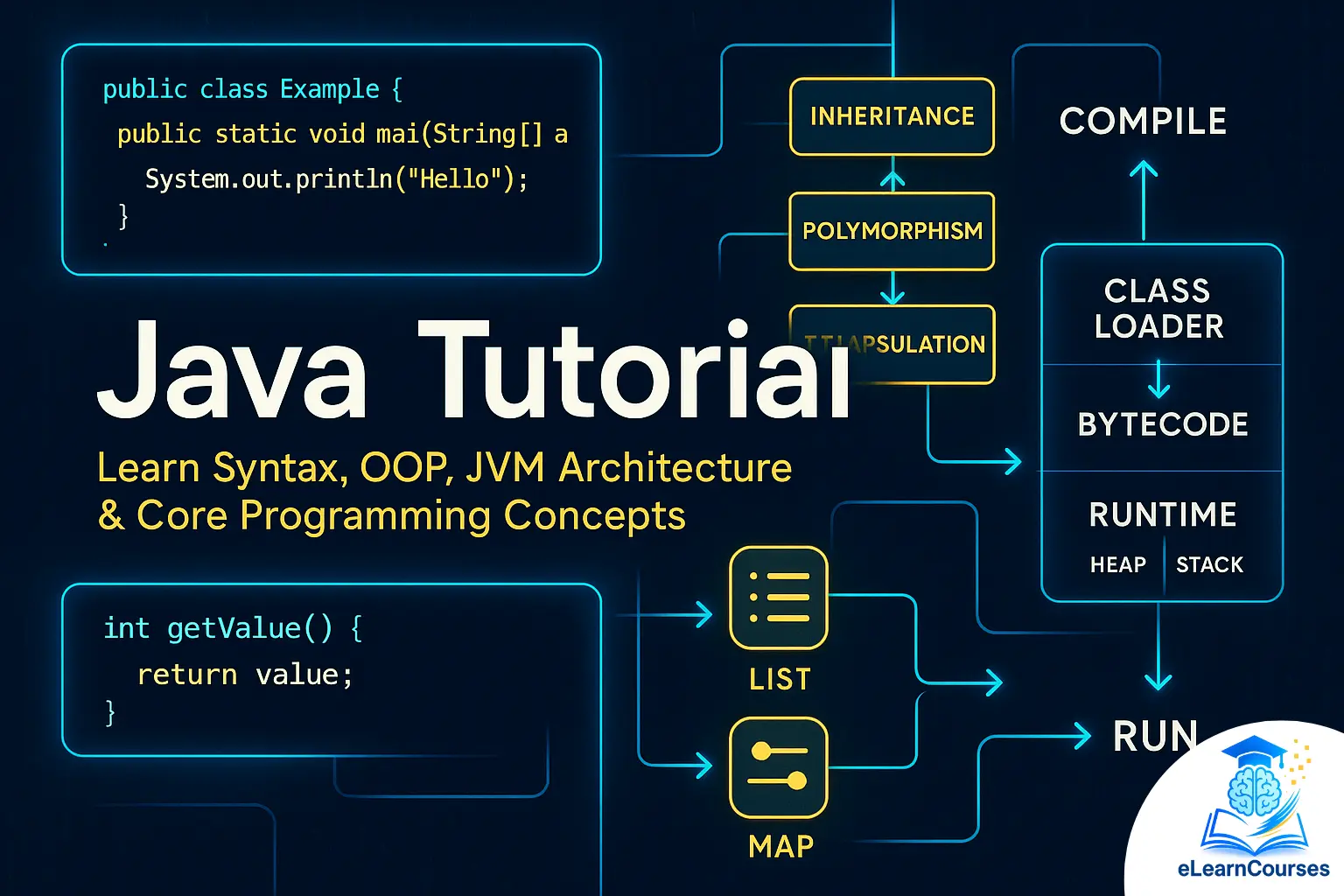
Introduction to Java
Java is a versatile, object-oriented programming language renowned for its platform independence, robustness, and extensive use across industries. Whether you’re building web applications, mobile apps, or enterprise systems, Java remains a top choice for developers. This Java tutorial provides a deep dive into the core concepts of Java, designed to equip beginners with foundational knowledge and help intermediate learners solidify their understanding. By the end of this guide, you’ll have a clear grasp of Java’s essentials, practical examples, and tips to advance your skills on platforms like elearncourses.
Why Learn Java?
- Platform Independence: Java’s “write once, run anywhere” philosophy, enabled by the Java Virtual Machine (JVM), allows code to run on any device with a JVM.
- Wide Adoption: From Android apps to enterprise software, Java powers millions of applications worldwide.
- Strong Community: A vast ecosystem of libraries, frameworks, and active developer communities supports Java learners.
- Career Opportunities: Proficiency in Java opens doors to roles in software development, backend engineering, and more.
This tutorial will cover Java’s syntax, object-oriented principles, data structures, exception handling, and advanced topics, with practical examples to reinforce learning.
1. Getting Started with Java
What is Java?
Java, developed by Sun Microsystems (now owned by Oracle), is a high-level, class-based, object-oriented language. Its key feature is portability, achieved through the JVM, which translates Java bytecode into machine-specific instructions.
Setting Up Your Environment
To start coding in Java, you need:
- Java Development Kit (JDK): Download and install the latest JDK from Oracle’s official website or adopt OpenJDK.
- Integrated Development Environment (IDE): Use IntelliJ IDEA, Eclipse, or NetBeans for a streamlined coding experience.
- Text Editor: For lightweight coding, use VS Code or Sublime Text with Java plugins.
Steps to Set Up:
- Install the JDK.
- Set the JAVA_HOME environment variable to point to your JDK installation.
- Verify the installation by running java -version and javac -version in your terminal.
Writing Your First Java Program
Let’s create a simple “Hello, World!” program to understand Java’s structure.
public class HelloWorld {
public static void main(String[] args) {
System.out.println(“Hello, World!”);
}
}
Explanation:
- public class HelloWorld: Defines a class named HelloWorld. Java is class-based, and all code resides within classes.
- public static void main(String[] args): The main method is the entry point of any Java application.
- System.out.println: Outputs text to the console.
How to Run:
- Save the code in a file named HelloWorld.java (the file name must match the class name).
- Compile it using javac HelloWorld.java, which generates a HelloWorld.class file.
- Run it with java HelloWorld.
This Java tutorial will now explore core programming concepts to build on this foundation.
2. Java Syntax and Basic Concepts
Variables and Data Types
Variables store data, and Java is a strongly typed language, meaning every variable must have a defined type.
Primitive Data Types:
- int: Stores integers (e.g., int age = 25;)
- double: Stores floating-point numbers (e.g., double salary = 45000.50;)
- char: Stores single characters (e.g., char grade = ‘A’;)
- boolean: Stores true or false (e.g., boolean isActive = true;)
Non-Primitive Data Types:
- String: Represents a sequence of characters (e.g., String name = “John”;)
- Arrays, classes, and interfaces (covered later).
Example:
public class VariablesExample {
public static void main(String[] args) {
int age = 25;
double salary = 45000.50;
String name = “Alice”;
boolean isEmployed = true;
System.out.println(name + ” is ” + age + ” years old, earns $” + salary + “, and is employed: ” + isEmployed);
}
}
Operators
Java supports arithmetic, relational, logical, and bitwise operators:
- Arithmetic: +, –, *, /, %
- Relational: ==, !=, >, <, >=, <=
- Logical: &&, ||, !
Example:
int a = 10, b = 5;
int sum = a + b; // 15
boolean isGreater = a > b; // true
boolean result = (a > 0) && (b < 10); // true
Control Flow
Control flow statements dictate the order of execution.
Conditional Statements:
- if-else:
int number = 10;
if (number > 0) {
System.out.println(“Positive”);
} else {
System.out.println(“Non-positive”);
}
- switch:
int day = 3;
switch (day) {
case 1:
System.out.println(“Monday”);
break;
case 2:
System.out.println(“Tuesday”);
break;
default:
System.out.println(“Other day”);
}
Loops:
- for:
for (int i = 1; i <= 5; i++) {
System.out.println(i);
}
- while and do-while:
int i = 1;
while (i <= 5) {
System.out.println(i);
i++;
}
These basics form the backbone of Java programming, essential for any Java tutorial.
3. Object-Oriented Programming (OOP) in Java
Java is fundamentally object-oriented, emphasizing modularity and reusability through OOP principles.
Classes and Objects
A class is a blueprint, and an object is an instance of a class.
public class Car {
String brand;
int speed;
void drive() {
System.out.println(brand + ” is driving at ” + speed + ” mph.”);
}
public static void main(String[] args) {
Car myCar = new Car();
myCar.brand = “Toyota”;
myCar.speed = 60;
myCar.drive();
}
}
Key OOP Concepts
Encapsulation: Bundling data and methods within a class, using access modifiers (private, public, protected) to control access.
public class Person {
private String name;
private int age;
public void setName(String name) {
this.name = name;
}
public String getName() {
return name;
}
- }
Inheritance: Allows a class to inherit properties and methods from another using the extends keyword.
class Animal {
void eat() {
System.out.println(“This animal eats food.”);
}
}
class Dog extends Animal {
void bark() {
System.out.println(“Woof!”);
}
- }
Polymorphism: Enables objects to be treated as instances of their parent class, often using method overriding or overloading.
class Animal {
void sound() {
System.out.println(“Some sound”);
}
}
class Cat extends Animal {
void sound() {
System.out.println(“Meow”);
}
- }
Abstraction: Hides complex implementation details using abstract classes or interfaces.
abstract class Vehicle {
abstract void move();
}
class Bike extends Vehicle {
void move() {
System.out.println(“Bike is moving”);
}
- }
Interfaces
Interfaces define contracts for classes to implement.
interface Drivable {
void drive();
}
class Motorcycle implements Drivable {
public void drive() {
System.out.println(“Motorcycle is driving”);
}
}
OOP is a cornerstone of Java, making it critical for any Java tutorial to cover these concepts thoroughly.
4. Arrays and Collections
Arrays
Arrays store multiple values of the same type.
int[] numbers = {1, 2, 3, 4, 5};
for (int num : numbers) {
System.out.println(num);
}
Java Collections Framework
The Collections Framework provides dynamic data structures like lists, sets, and maps.
- ArrayList: A resizable array.
import java.util.ArrayList;
ArrayList<String> names = new ArrayList<>();
names.add(“Alice”);
names.add(“Bob”);
System.out.println(names.get(0)); // Alice
- HashMap: Stores key-value pairs.
import java.util.HashMap;
HashMap<String, Integer> scores = new HashMap<>();
scores.put(“Alice”, 95);
scores.put(“Bob”, 80);
System.out.println(scores.get(“Alice”)); // 95
When to Use
- Use arrays for fixed-size collections.
- Use ArrayList for dynamic lists.
- Use HashMap for key-value mappings.
Also Read: java interview questions
5. Exception Handling
Java’s exception handling ensures robust programs by managing errors gracefully.
Try-Catch
try {
int result = 10 / 0;
} catch (ArithmeticException e) {
System.out.println(“Cannot divide by zero: ” + e.getMessage());
}
Finally Block
Executes regardless of whether an exception occurs.
try {
int[] arr = {1, 2};
System.out.println(arr[5]);
} catch (ArrayIndexOutOfBoundsException e) {
System.out.println(“Index out of bounds”);
} finally {
System.out.println(“This always runs”);
}
Custom Exceptions
class CustomException extends Exception {
public CustomException(String message) {
super(message);
}
}
public class TestCustomException {
public static void main(String[] args) {
try {
throw new CustomException(“Custom error”);
} catch (CustomException e) {
System.out.println(e.getMessage());
}
}
}
Exception handling is vital for building reliable Java applications, a key topic in any Java tutorial.
6. Advanced Java Concepts
Multithreading
Java supports concurrent execution using threads.
class MyThread extends Thread {
public void run() {
System.out.println(“Thread is running”);
}
}
public class ThreadExample {
public static void main(String[] args) {
MyThread thread = new MyThread();
thread.start();
}
}
Lambda Expressions (Java 8+)
Lambda expressions enable functional programming.
import java.util.Arrays;
import java.util.List;
public class LambdaExample {
public static void main(String[] args) {
List<String> names = Arrays.asList(“Alice”, “Bob”, “Charlie”);
names.forEach(name -> System.out.println(name));
}
}
Streams API
Streams simplify data processing.
import java.util.Arrays;
import java.util.List;
public class StreamExample {
public static void main(String[] args) {
List<Integer> numbers = Arrays.asList(1, 2, 3, 4, 5);
numbers.stream()
.filter(n -> n % 2 == 0)
.forEach(System.out::println); // Prints 2, 4
}
}
File I/O
Read and write files using java.nio.file.
import java.nio.file.Files;
import java.nio.file.Paths;
import java.io.IOException;
public class FileExample {
public static void main(String[] args) {
try {
Files.write(Paths.get(“output.txt”), “Hello, Java!”.getBytes());
String content = Files.readString(Paths.get(“output.txt”));
System.out.println(content);
} catch (IOException e) {
e.printStackTrace();
}
}
}
7. Best Practices for Java Development
- Follow Naming Conventions:
- Classes: PascalCase (e.g., MyClass)
- Variables/Methods: camelCase (e.g., myVariable)
- Use Meaningful Names: Ensure variable and method names are descriptive.
- Leverage Comments: Use // for single-line comments and /* */ for multi-line comments to explain complex logic.
- Handle Exceptions Properly: Avoid catching generic Exception unless necessary.
- Keep Methods Short: Aim for single-responsibility methods.
- Use Frameworks: Explore Spring, Hibernate, or JavaFX for advanced projects.
- Test Your Code: Use JUnit for unit testing to ensure reliability.
8. Practical Project: Building a Simple Calculator
Let’s apply the concepts in a practical project—a console-based calculator.
import java.util.Scanner;
public class Calculator {
public static void main(String[] args) {
Scanner scanner = new Scanner(System.in);
System.out.println(“Enter first number:”);
double num1 = scanner.nextDouble();
System.out.println(“Enter operator (+, -, *, /):”);
char operator = scanner.next().charAt(0);
System.out.println(“Enter second number:”);
double num2 = scanner.nextDouble();
try {
double result = calculate(num1, num2, operator);
System.out.println(“Result: ” + result);
} catch (Exception e) {
System.out.println(“Error: ” + e.getMessage());
} finally {
scanner.close();
}
}
public static double calculate(double num1, double num2, char operator) throws Exception {
switch (operator) {
case ‘+’:
return num1 + num2;
case ‘-‘:
return num1 – num2;
case ‘*’:
return num1 * num2;
case ‘/’:
if (num2 == 0) {
throw new Exception(“Division by zero”);
}
return num1 / num2;
default:
throw new Exception(“Invalid operator”);
}
}
}
This project demonstrates variables, control flow, exception handling, and user input, reinforcing key lessons from this Java tutorial.
9. Next Steps for Learning Java
To deepen your Java expertise:
- Explore Frameworks: Learn Spring for web development or JavaFX for GUIs.
- Build Projects: Create a to-do list app, a banking system, or a game.
- Contribute to Open Source: Join GitHub projects to gain real-world experience.
- Join elearncourses: Our platform offers advanced Java courses, hands-on projects, and community support to accelerate your learning.
Resources
- Official Java Documentation: Oracle’s Java SE documentation.
- Online Platforms: elearncourses, Codecademy, Coursera.
- Books: “Effective Java” by Joshua Bloch, “Head First Java” by Kathy Sierra and Bert Bates.
Conclusion
This Java tutorial has covered the essentials—from basic syntax to advanced concepts like multithreading and streams. Java’s versatility and robustness make it a valuable skill for any developer. By mastering these core concepts and practicing with projects like the calculator, you’re well on your way to becoming a proficient Java programmer. Visit elearncourses for more tutorials, projects, and resources to continue your Java journey!